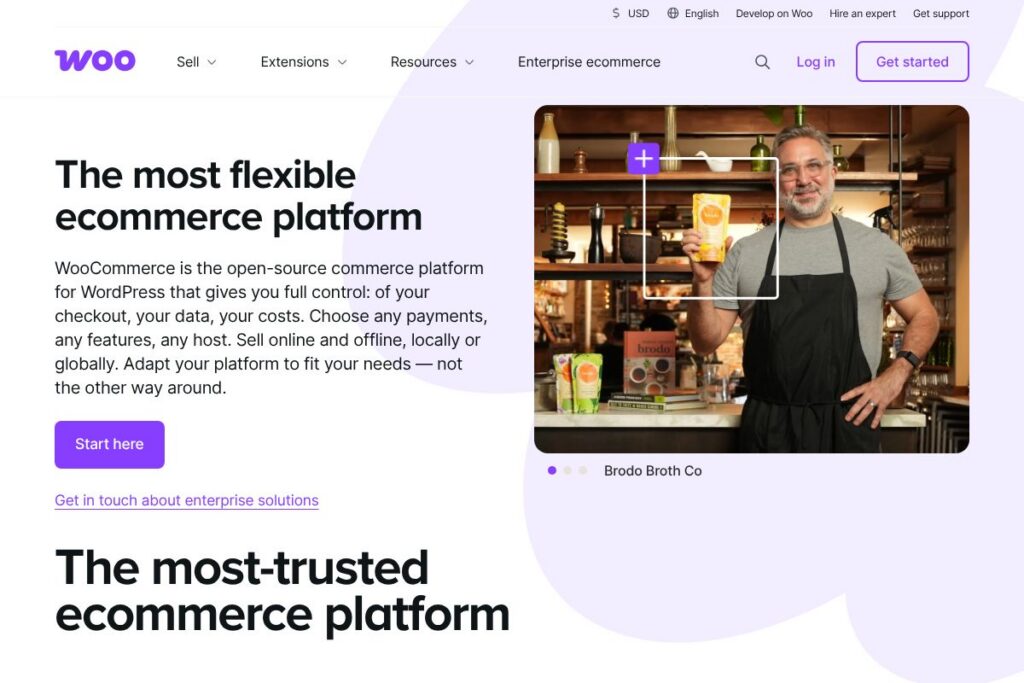
What is WooCommerce
WooCommerce is an open-source ecommerce plugin for WordPress that turns a site into a full-featured online store. It handles product catalogs, checkout, taxes, shipping, and order management while leaving hosting and front-end design decisions to the site owner.
Compared with hosted SaaS platforms, WooCommerce provides more control and customization. For example, Shopify is a hosted solution with bundled hosting and an opinionated checkout experience, while WooCommerce requires a WordPress installation but lets you choose hosting, payment gateways, and custom code. Against enterprise platforms like Magento (Adobe Commerce), WooCommerce has a lower barrier to entry for small and mid-size merchants but relies more on plugins for advanced commerce features.
WooCommerce is particularly strong for businesses that need a unique brand experience, complex content tied to commerce, or integration with existing WordPress sites. It scales through extensions and custom development, which makes it suitable for independent store builders, agencies, and merchants who want control over data and costs.
How WooCommerce Works
WooCommerce installs as a plugin on a WordPress site and uses WordPress pages, posts, and themes for the storefront. Products are managed inside the WordPress admin, where you set prices, stock, attributes, and shipping rules, while the plugin exposes shortcodes and block elements for displaying products on the front end.
Payments, shipping, taxes, and analytics are handled via official and third-party extensions; you can use built-in payment options or install gateways such as Stripe and PayPal. Stores run on standard web hosting or on managed WordPress/WooCommerce hosting, and developers can extend functionality with custom plugins, hooks, and the WooCommerce REST API.
Typical implementation workflows include setting up WordPress and hosting, installing the WooCommerce plugin, choosing a compatible theme, adding products, configuring payment and shipping, and installing any required extensions for subscriptions, bookings, or B2B features. Agencies commonly create starter themes and a suite of extensions to accelerate store builds for clients.
What does WooCommerce do?
WooCommerce provides core ecommerce capabilities through the plugin and expands functionality via hundreds of official and third-party extensions. Core capabilities include product types (simple, variable, grouped, downloadable), checkout and cart management, tax settings, shipping rules, and order administration. The ecosystem also covers payments, subscriptions, memberships, bookings, and point-of-sale integrations.
Let’s talk WooCommerce’s Features
Product Management
Product pages support multiple product types, attributes, variations, and downloadable goods, plus image galleries and SEO-friendly fields. Merchants can set stock status, backorder rules, and custom product metadata that developers can surface in themes or integrations.
Checkout and Payments
Checkout is configurable: you can add custom fields, require account creation or guest checkout, and choose from many payment gateways via extensions. That flexibility helps businesses localize payment options and reduce friction for different customer segments.
Shipping and Tax Tools
Shipping calculations can be set per-product, per-zone, or via carrier integrations; tax settings support standard, compound, and VAT rules. Extensions add real-time carrier rates, printed labels, and advanced tax automation for international sellers.
Extensions Marketplace
The extensions ecosystem provides official and third-party plugins for subscriptions, bookings, memberships, POS, marketplaces, and marketing tools. Integrations let stores add functionality without deep custom development and are available through the WooCommerce extensions marketplace.
Themes and Design
WooCommerce works with WordPress themes built for commerce and with block-based store editing using the Store Editor and WooCommerce blocks. This allows designers to create branded storefronts while maintaining performance and accessibility.
With these features combined, WooCommerce offers a modular commerce platform that adapts to different business models, from single-product shops to complex multi-vendor marketplaces.
WooCommerce pricing
WooCommerce is distributed as a free, open-source plugin for WordPress, and the core software does not require a subscription. Merchants can download and install the plugin at no cost and host it on a provider of their choice.
Although the plugin is free, real-world store costs typically include hosting, paid extensions, premium themes, and optional developer work. The official WooCommerce extensions marketplace lists paid add-ons for payments, shipping, subscriptions, and advanced features. For managed hosting and curated bundles, review WooCommerce hosting partners and solutions.
What is WooCommerce used for?
WooCommerce is commonly used to sell physical goods, digital downloads, subscriptions, and services through WordPress sites. Content-driven businesses leverage WooCommerce to combine editorial content with commerce, for example selling products alongside blog posts, guides, and custom landing pages.
Developers and agencies use WooCommerce to build custom storefronts for clients because the platform exposes hooks, templates, and an API that enable custom flows and integrations. Small and medium merchants use it to control costs and data while scaling functionality incrementally via extensions.
Pros and cons of WooCommerce
Pros
- Open-source, extensible: The plugin can be modified and extended directly, allowing custom features, integrations, and new product types without platform-imposed limits.
- Full data control: Store data lives on your hosting, which makes exporting, backups, and integrations straightforward compared with closed hosted platforms.
- Large ecosystem: A wide selection of themes, payment gateways, shipping providers, and third-party plugins accelerates building a store tailored to specific needs.
Cons
- Requires technical maintenance: Regular updates to WordPress, WooCommerce, themes, and plugins are necessary, and merchants may need developer support for complex customizations.
- Variable total cost: While the core plugin is free, costs for hosting, security, paid extensions, and developer time can add up depending on feature requirements.
- Scaling considerations: High-traffic or enterprise stores need optimized hosting and architecture, which can require additional infrastructure planning and expense.
Is WooCommerce Free to Try?
WooCommerce offers a free open-source plugin for WordPress. The core plugin is available without charge and can be installed from the official WooCommerce plugin page on WordPress.org. Paid options such as premium extensions, themes, and managed hosting are available separately, and individual providers may offer trial periods for their services.
WooCommerce API and Integrations
WooCommerce provides a REST API for products, orders, customers, coupons, and more, enabling developers to integrate storefronts with external systems. The WooCommerce REST API documentation outlines endpoints, authentication, and examples for common workflows.
The platform integrates with many services out of the box or via extensions, including payment gateways like Stripe and PayPal, marketing tools such as Mailchimp, accounting platforms like QuickBooks, and shipping/fulfillment partners. Third-party connectors and middleware can bridge WooCommerce with CRMs, ERPs, and headless front ends.
10 WooCommerce alternatives
Paid alternatives to WooCommerce
- Shopify — Hosted ecommerce platform with built-in hosting, themes, and an app marketplace that simplifies launch for merchants who prefer a managed experience.
- BigCommerce — Hosted SaaS platform designed for growth, offering native B2B features and advanced catalog tools without heavy extension reliance.
- Squarespace Commerce — Combines website building and commerce for small stores that prioritize design and ease of use over deep customization.
- Wix eCommerce — Drag-and-drop website builder with ecommerce features suited to small merchants and creators who want an all-in-one solution.
- Volusion — Hosted ecommerce solution with a focus on merchandising tools and built-in analytics for merchants who want a managed stack.
Open source alternatives to WooCommerce
- Magento (Adobe Commerce) — A powerful open-source commerce platform aimed at larger merchants and enterprises needing extensive customization and scalability.
- PrestaShop — Open-source ecommerce software with a modular architecture and a marketplace for add-ons, popular in international markets.
- Sylius — A modern open-source ecommerce framework for developers building tailored solutions with Symfony components.
- Bagisto — An open-source Laravel-based ecommerce platform focused on multi-store and marketplace features.
Frequently asked questions about WooCommerce
What is WooCommerce used for?
WooCommerce is used to build and run online stores on WordPress. It handles product catalogs, cart and checkout, order management, and can be extended for subscriptions, bookings, and marketplaces.
Does WooCommerce cost money to use?
The core WooCommerce plugin is free and open-source. Costs arise from hosting, premium extensions, themes, and optional developer or agency work.
Can WooCommerce integrate with payment gateways like Stripe?
Yes, WooCommerce supports many payment gateways through official and third-party extensions. Gateways such as Stripe and PayPal are commonly added via plugins available from the WooCommerce extensions marketplace.
Is there a WooCommerce API available for developers?
Yes, WooCommerce provides a REST API for products, orders, and customers. Developers can consult the WooCommerce REST API documentation for endpoints and authentication details.
Can WooCommerce handle international shipping and taxes?
Yes, WooCommerce supports international shipping zones, rules, and tax configurations. Carrier integrations and tax automation extensions are available to manage real-time rates and VAT or sales tax calculations.
Final verdict: WooCommerce
WooCommerce excels at providing a flexible ecommerce foundation for WordPress sites where control over data, checkout, and hosting matters. It does core ecommerce well and becomes more powerful as you add extensions or tailor functionality with custom code, making it a strong choice for merchants who need a unique brand experience or complex integrations.
Compared with Shopify, which is a managed SaaS product with predictable monthly fees and packaged hosting, WooCommerce is lower cost at the entry point because the plugin is free, but total ownership costs depend on hosting and extensions. Merchants who prefer a managed, turn-key approach may find Shopify easier to operate, while those who want full control and extensibility typically choose WooCommerce and plan for hosting and development resources.
Overall, WooCommerce is best for merchants, agencies, and developers who want a customizable, WordPress-native ecommerce platform that can be extended to meet complex requirements without being locked into a single vendor.