What is Discord
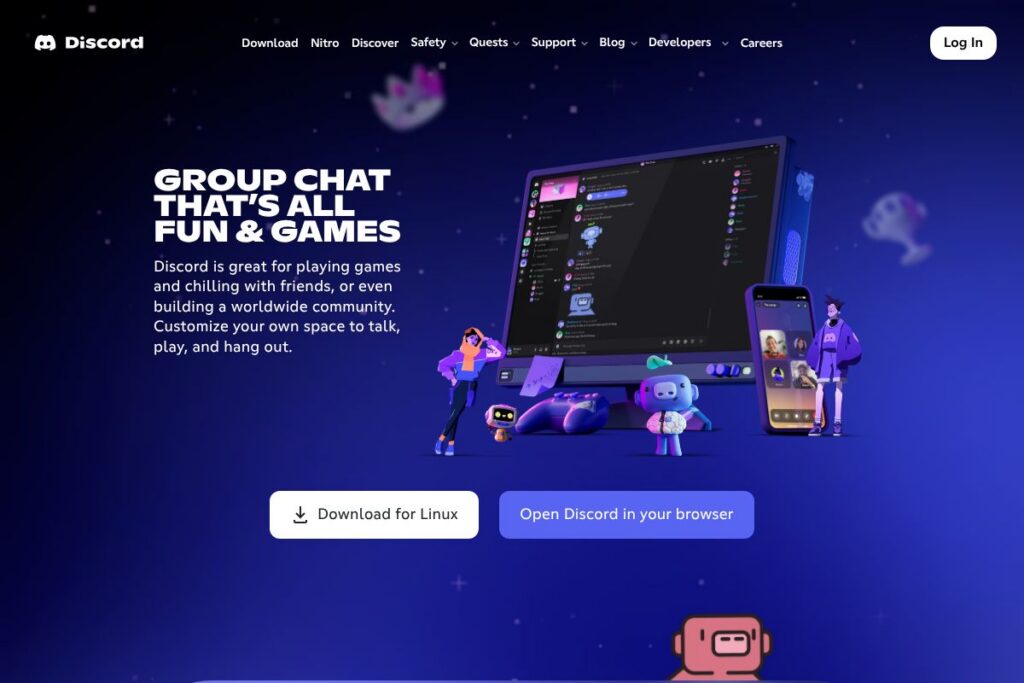
Discord is a communication platform that combines persistent text channels, low-latency voice chat, and easy video streaming into self-managed servers for communities, friend groups, and gaming parties. Servers are organized into channels for specific topics or activities, with role-based permissions that let hosts control access, moderation, and appearance.
Compared with Slack, Discord skews toward real-time voice, community features, and informal group interaction rather than structured workplace workflows. Compared with Microsoft Teams, Discord focuses on open community servers and low-latency voice while Teams emphasizes enterprise collaboration, file sharing, and calendar integration. Compared with Zoom, Discord prioritizes always-on voice channels and lightweight streaming for ongoing hangouts rather than scheduled meetings.
Discord excels at low-friction, always-available group voice and casual community management, making it especially well suited for gamers, hobbyist communities, content creators, and groups that want to socialize and coordinate across devices. It is less tailored to formal corporate workflow management, but many small teams and creators use it as a low-cost communications hub.
How Discord Works
Users join or create a server, then enter channels for text, voice, or video. Text channels hold persistent conversations, attachments, and pinned messages while voice channels provide instant audio presence without outgoing calls, letting people hop in and out naturally.
Servers are customizable with roles and permissions for moderation, channel visibility, and administrative controls. Members can add bots to automate tasks, run games, moderate chat, or link to other services through integrations.
Streaming and screen share run with low latency so a user can broadcast gameplay or a window to others in a voice channel, and members can watch together with synchronized playback for supported content. Cross-platform apps keep presence and settings synchronized across desktop, mobile, and console sessions.
What does Discord do?
Discord centers on threaded text channels, persistent voice rooms, and lightweight streaming that make it easy to chat, play, and hang out. Core capabilities include role-based server administration, custom emoji and stickers, integrations with streaming services, and an extensible bot ecosystem. Recent updates have improved video quality, streaming latency, and moderator tools.
Let’s talk Discord’s Features
Persistent Text Channels
Text channels keep conversations organized by topic with support for messages, attachments, threads, and pinned items. They help groups maintain ongoing discussions, post announcements, and share files without losing context.
Low-Latency Voice Channels
Voice channels allow users to join instantly without placing a call, keeping audio open for casual conversation or coordinated gameplay. They support multiple simultaneous users with spatial audio options and voice settings to reduce background noise.
Video Chat and Streaming
Video chat supports individual or group calls and screen share, while Go Live streaming lets users broadcast gameplay or an application to people in a voice channel. Streaming is optimized for low latency so remote participants can interact in near real time.
Server Customization and Roles
Server owners can create granular roles, set channel permissions, and design onboarding flows with rules and welcome screens. This makes it easier to run moderated communities at scale and control who can post, invite, or manage content.
Custom Emoji, Stickers, and Soundboard Effects
Servers can add custom emoji and stickers to express identity and in-joke culture; Nitro subscribers unlock additional global emoji capabilities. Soundboard effects and profile customization let users personalize their presence in voice and text.
Bots and Integrations
Discord supports community bots for moderation, games, music, and integrations with services like Twitch and YouTube. Bots can automate tasks such as role assignment, content filtering, and event scheduling, extending server functionality.
Server Boosts and Premium Perks
Server Boosts enhance server audio quality, unlock more emoji slots, and provide customization perks when community members contribute boosts. Boosts provide a way for communities to fund upgrades and unlock higher-quality features collectively.
Cross-Platform Apps and Sync
Apps are available for Windows, macOS, Linux, iOS, Android, and many consoles, with consistent presence, notifications, and synced settings across devices. The platform is designed for quick switching between mobile and desktop without losing voice or text session context.
With Discord you get a unified place for voice, video, and persistent text that keeps communities together. The biggest payoff is the combination of always-on voice channels and rich customization, which reduces friction for social hangouts and live collaboration.
Discord pricing
Discord uses a freemium model: the core platform is free to use, and optional paid choices like Nitro subscriptions and Server Boosts unlock higher-quality streaming, expanded emoji use, and other perks. Pricing for Nitro, Boosts, and bundled offers varies by region and occasionally changes, so check the provider for current rates and promotions.
Subscription options
Discord offers paid Nitro subscriptions and add-ons that upgrade individual user features such as higher upload limits, animated avatars, and enhanced streaming quality. Subscription tiers and bundled benefits are described on the Nitro overview and purchase pages.
Server Boosts and community upgrades
Server Boosts are purchased by users to raise a server’s tier and unlock benefits like more emoji slots, improved audio quality, and custom server banners. Boosts are typically sold in packs and applied to servers, with community-driven thresholds for each perk level.
For up-to-date plan details and regional pricing, view the Discord Nitro subscription options or the Server Boosts overview on Discord’s official site.
What is Discord Used For?
Discord is commonly used for coordinating gameplay, hosting watch parties, and running communities around games, hobbies, study groups, and creator audiences. Persistent channels make it simple to store guides, schedules, and pinned resources while voice channels let members be present without scheduling calls.
Beyond casual use, creators and small teams use Discord for audience engagement, live Q and A, and direct community support. Public and private servers support a range of sizes, from small friend groups to large public communities with thousands of members.
Pros and cons of Discord
Pros
- Rich free feature set: The core platform includes voice, video, text channels, and role-based administration at no cost, making it easy to start communities without paying.
- Low-latency voice and streaming: Voice channels and Go Live streaming provide near real-time interaction for gameplay and collaborative viewing, which benefits social and gaming groups.
- Extensive customization: Roles, permissions, custom emoji, and Server Boosts let communities tailor appearance and behavior to their needs.
- Large bot ecosystem and integrations: A wide range of third-party bots and integrations automate moderation, add games, and connect streaming accounts for creators.
Cons
- Not optimized for enterprise workflows: It lacks built-in enterprise features like advanced file versioning, native calendar scheduling, and deep compliance controls that businesses often require.
- Moderation scale can be challenging: Very large public servers require active moderation and tooling; smaller teams must invest time or bots to manage spam and rule enforcement.
- Premium features are paywalled: Some conveniences like global custom emoji and higher upload limits are gated behind Nitro or Boost purchases, which can fragment feature access across members.
Is Discord Free to Try?
Discord offers a free plan with optional paid upgrades; the free tier includes text, voice, video, and basic server administration. Paid options such as Nitro subscriptions and Server Boosts are available for users who want higher upload limits, improved streaming quality, or additional customization.
Discord API and Integrations
Discord provides a developer API for bots and integrations, with official documentation available at the Discord Developer Portal and API docs. The API includes gateways for real-time events, REST endpoints for messages and guild management, and webhooks for simple pushes.
Common integrations include streaming and creator services such as Twitch and YouTube, audio and music bots, and third-party moderation tools. Many communities rely on bots to automate role assignment, event reminders, and content curation.
10 Discord alternatives
Paid alternatives to Discord
- Slack — A workplace-focused chat platform with threaded conversations, app marketplace, and enterprise management tools ideal for business workflows.
- Microsoft Teams — Integrated with Microsoft 365 for enterprise collaboration, meetings, and document co-authoring, with strong identity and compliance features.
- Zoom — Primarily used for scheduled video meetings and webinars with robust meeting controls and high-quality video.
- Guilded — A community and gaming-focused chat app with scheduling, team management, and tournament features aimed at gaming groups.
- TeamSpeak — Low-latency voice chat that has long been popular with competitive gamers who want minimal overhead and direct server control.
- Skype — Simple video and voice calls with text chat and screen sharing, suitable for ad hoc meetings and personal calls.
Open source alternatives to Discord
- Element (Matrix) — A decentralized, open source chat built on the Matrix protocol that offers rooms, E2EE, and federation for self-hosted communities.
- Rocket.Chat — An open source team chat server with customizable channels, apps, and self-hosting options for organizations that need control.
- Mattermost — Self-hosted collaboration with an emphasis on security and integrations for development and ops teams.
- Jitsi Meet — Open source video conferencing with browser-based meetings and screen sharing, useful for ad hoc calls and small groups.
- Mumble — Low-latency voice chat with positional audio features and a focus on minimal resource use for gaming communities.
Frequently asked questions about Discord
What is Discord used for?
Discord is used for voice, video, and text chat for communities and friend groups. It is widely adopted for gaming, creator audiences, study groups, and informal team coordination.
Does Discord cost money?
Discord is free to use with optional paid upgrades. Paid options include Nitro subscriptions and Server Boosts that unlock higher upload limits, animated avatars, and other perks.
Can Discord be used for work?
Yes, Discord can be used for small teams and informal collaboration. However, larger enterprises often prefer platforms with deeper compliance, calendar, and file-management features like Microsoft Teams or Slack.
Does Discord have an API for developers?
Yes, Discord provides a public API and developer platform. The Discord Developer Portal documents gateways, REST endpoints, and bot best practices for building integrations.
How do Server Boosts work in Discord?
Server Boosts are purchased by members to upgrade a server’s feature tier. Boosts collectively unlock perks such as more emoji slots, higher audio quality, and custom server assets when a server reaches specific boost thresholds.
Final verdict: Discord
Discord stands out for providing always-on voice channels, low-latency streaming, and a flexible server model that fits social groups, gaming communities, and creators. Its free tier is generous and the ecosystem of bots and integrations makes it easy to extend functionality without enterprise complexity.
Compared to Slack, Discord offers more frictionless voice and streaming capabilities and a larger focus on persistent public communities, while Slack targets structured workplace collaboration with per-seat paid plans and business-grade integrations. For anyone who needs casual real-time hangouts, community building, or lightweight creator tools, Discord is a practical, low-cost choice that scales from small friend groups to large public servers.