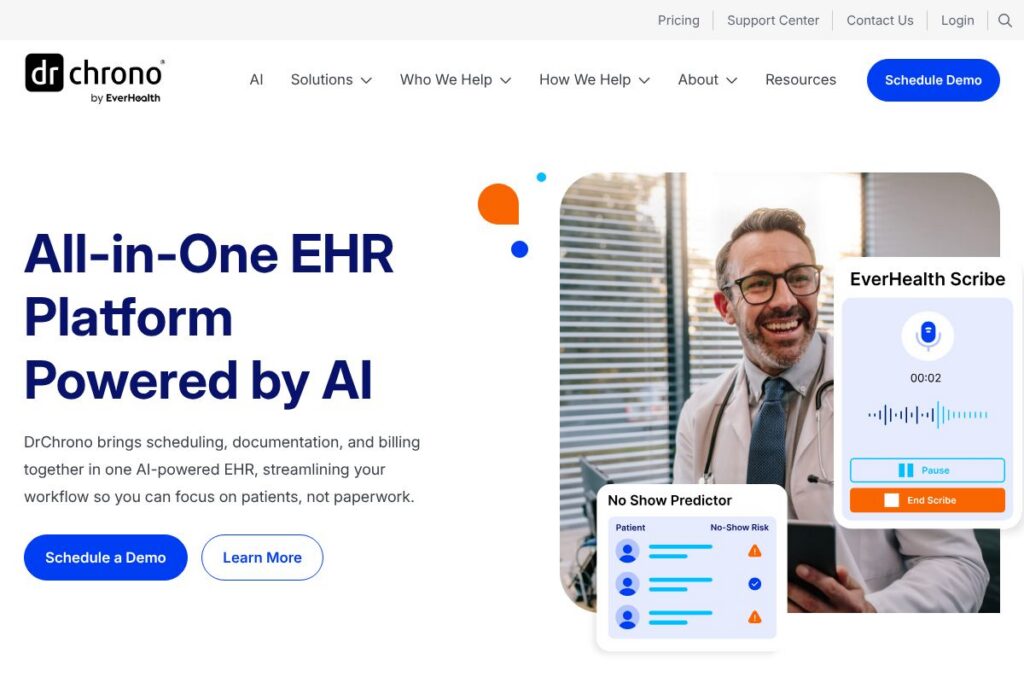
DrChrono: An Overview
DrChrono is a cloud-based EHR and practice management platform built for independent medical practices and small to mid-sized clinics. It combines scheduling, clinical charting, telehealth, patient engagement, and billing workflows in a single system that runs on web and mobile devices, including iPad and iPhone apps.
Compared with Athenahealth, DrChrono is more focused on mobile workflows and quick setup for smaller practices, while Athenahealth targets larger ambulatory groups and health systems with deeper revenue cycle services. Versus Epic, DrChrono is far lighter weight and aimed at independent practices rather than large hospitals, and compared with eClinicalWorks it offers a simpler, more modern user interface and stronger mobile capabilities.
DrChrono is especially well suited to independent physicians, specialty clinics, and clinicians who need a mobile-first EHR with integrated billing and telehealth. It performs strongly where tight integration between scheduling, charting, and claims is important, and where rapid deployment and straightforward billing profiles reduce administrative work.
How DrChrono Works
DrChrono centralizes practice workflows around a patient record that links scheduling, intake forms, clinical notes, orders, and billing. Staff schedule appointments and collect digital intake using the patient portal, clinicians open the same chart on a mobile device during the visit, and billing runs from the same record without manual re-entry.
Clinicians use structured templates, voice-to-text dictation, and AI-assisted documentation to speed charting. After the visit, claims are generated and submitted through integrated billing tools, with follow-up and denial management handled in the same system. Telehealth sessions can be launched from the chart so clinicians see the medical record while connecting with patients.
DrChrono features
DrChrono packages clinical, administrative, and financial functions into a unified platform, with a focus on mobile EHR, telehealth, and integrated billing. Recent product emphasis has included AI-assisted documentation and enhancements to mobile workflows, plus expanded patient engagement features.
Clinical charting and templates
Charting supports specialty-specific templates, structured fields, and customizable exam flows so clinicians document visits consistently. Templates reduce repetitive entry for common encounters and speed up coding when paired with AI-assisted suggestions.
AI-assisted documentation and coding
AI tools help generate initial note drafts, suggest coding based on documentation, and surface missing elements for medical necessity. This reduces time spent on notes and helps improve coding accuracy across encounters.
Scheduling and patient intake
Appointment management includes configurable appointment types, waitlists, and automated reminders to reduce no-shows. Digital intake forms and insurance capture integrate with the chart so patient information is available at check-in.
Medical billing and claims management
Integrated billing supports claim submission, ERA posting, and denial tracking in one workflow, with billing profiles to prefill common charge sets for procedures or encounter types. These tools reduce duplicate entry and streamline revenue cycle tasks.
Telehealth and video visits
Telehealth launches directly from the patient chart so providers can view clinical notes during the visit, while patients connect via a browser without installing separate software. Consent and document exchange are available through the patient portal to simplify virtual care workflows.
Patient portal and engagement
The patient portal offers appointment scheduling, secure messaging, intake form completion, bill pay, and access to test results to keep patients engaged outside the clinic. Automated reminders and two-way messaging reduce administrative calls.
Mobile EHR apps
Native iOS apps support charting, e-prescribing, orders, and patient check-in from tablets and phones, enabling clinicians to work on the go or in office. Mobile-first design helps practices that run remote clinics or need bedside documentation.
With these features, the biggest benefit is end-to-end continuity: scheduling, clinical documentation, telehealth, and billing all reference the same patient record so teams spend less time reconciling data across systems.
DrChrono Pricing
DrChrono uses a subscription model with tiered plans and add-on services tailored to different practice sizes and needs. For specific plan details, optional modules, and current rates, check DrChrono’s available offerings on the DrChrono homepage or contact their sales team for a custom quote and demonstration.
What is DrChrono Used For?
Independent practices use DrChrono to manage the full patient lifecycle, from digital intake and appointment scheduling through charting, telehealth, billing, and follow-up. The unified record reduces double entry and centralizes communications between front desk, clinicians, and billing staff.
Specialty clinics and solo practitioners value the mobile EHR capabilities and configurable templates that match specialty workflows. Practices also use the platform to add telehealth visits without separate video software and to provide an online patient experience for scheduling, forms, and payments.
Pros and Cons of DrChrono
Pros
- Mobile-first EHR: The iPad and iPhone apps are designed for clinicians who need to chart from tablet or phone, enabling documentation at point of care and in remote settings.
- Integrated billing workflows: Billing profiles and in-platform claims management reduce manual data entry and accelerate revenue cycle tasks, helping smaller practices manage collections internally.
- Built-in telehealth and patient engagement: Telehealth launches from the chart and the patient portal centralizes intake, messaging, and payments, reducing the need for multiple third-party tools.
- Customizable templates and specialty support: Specialty-specific templates and configurable exam flows speed documentation and support common procedures without heavy customization.
Cons
- Enterprise feature gaps: Large health systems may find DrChrono lighter on enterprise-grade reporting and integrations compared with vendors like Epic or Athenahealth, which offer deeper analytics and hospital-grade features.
- Implementation support varies: Smaller practices usually experience fast setup, but practices requiring complex migrations or custom interfaces may need more implementation time and professional services.
- Billing sophistication limits: While effective for many independent practices, extremely large or complex billing operations may prefer dedicated RCM partners or platforms with broader payer-network optimizations.
Does DrChrono Offer a Free Trial?
DrChrono offers demos and trial options for prospective customers. Practices can request a live demo to see workflows in action and ask about trial access to evaluate charting, scheduling, telehealth, and billing before committing; contact the team through the DrChrono homepage to schedule a demo.
DrChrono API and Integrations
DrChrono provides a developer API for building custom integrations and automations; the API documentation describes endpoints for patients, appointments, clinical notes, and billing objects. Developers can use the API to sync data with practice tools, reporting systems, and patient engagement platforms.
The platform also integrates with common practice services such as lab interfaces, clearinghouses, payment processors, and scheduling tools to connect core workflows across a practice. Contact sales or consult the API docs for specifics on supported third-party connectors and partner integrations.
10 DrChrono alternatives
Paid alternatives to DrChrono
- Athenahealth — Cloud-based ambulatory EHR and RCM platform favored by mid-size to large practices with comprehensive revenue cycle services.
- Epic — Enterprise-grade EHR used by large health systems, offering extensive clinical modules and deep interoperability options.
- eClinicalWorks — End-to-end ambulatory EHR and practice management suite with a large install base and robust feature set.
- Kareo — Practice management and medical billing software designed for small practices that need straightforward billing and patient engagement tools.
- AdvancedMD — Cloud EHR and RCM solution with integrated telehealth and practice analytics aimed at independent and multi-clinic practices.
- NextGen Healthcare — Ambulatory EHR with population health and interoperability features geared toward medium and larger practices.
- Practice Fusion — Web-based EHR option for independent practices focused on affordability and ease of use.
Open source alternatives to DrChrono
- OpenEMR — Community-driven open source EHR and practice management system with broad functionality and self-hosting options.
- OpenMRS — Open source medical record system platform often used in global health and resource-limited settings with strong developer community support.
- VistA (OSEHRA) — Open source electronic health record originating from the VA, used primarily by organizations that can manage a complex, configurable system.
- OSCAR EMR — An open source EHR developed in Canada, used in primary care with community-driven modules and customizations.
Frequently asked questions about DrChrono
What is DrChrono used for?
DrChrono is used to manage EHR, practice management, telehealth, and billing for independent medical practices. It centralizes scheduling, charting, patient engagement, and revenue cycle functions in a single cloud-based platform.
Does DrChrono have an API?
Yes, DrChrono provides a developer API with endpoints for clinical and administrative data. The API documentation explains authentication, resource endpoints, and usage patterns for integrations.
Can DrChrono support telehealth visits?
Yes, DrChrono includes telehealth that launches from the patient chart and integrates with the patient portal. Patients connect via browser and clinicians can view the chart during the virtual visit to maintain documentation continuity.
How does DrChrono handle billing and claims?
DrChrono includes integrated billing workflows for claims submission, ERA posting, and denial tracking. Billing profiles and in-system charge capture help reduce duplicate entry and streamline revenue cycle tasks for smaller practices.
Is DrChrono suitable for specialty clinics?
Yes, DrChrono supports specialty-specific templates and configurable exam flows. Specialty clinics benefit from tailored templates, mobile charting, and billing profiles that match common procedures and testing.
Final Verdict: DrChrono
DrChrono stands out for its mobile-first EHR, integrated practice management, and practical billing tools that fit independent practices and specialty clinics. Its combination of charting, telehealth, patient engagement, and revenue cycle features in a single cloud platform reduces the number of separate systems a small practice must manage.
Compared with Athenahealth, DrChrono is generally a better fit for smaller, mobile-focused practices that want faster deployment and more affordable entry points, while Athenahealth offers deeper enterprise RCM services and broader payer network optimizations. For practices seeking a lightweight, integrated EHR with strong mobile and telehealth capabilities, DrChrono is a compelling choice; larger organizations with complex enterprise needs may prefer a platform like Athenahealth or Epic.