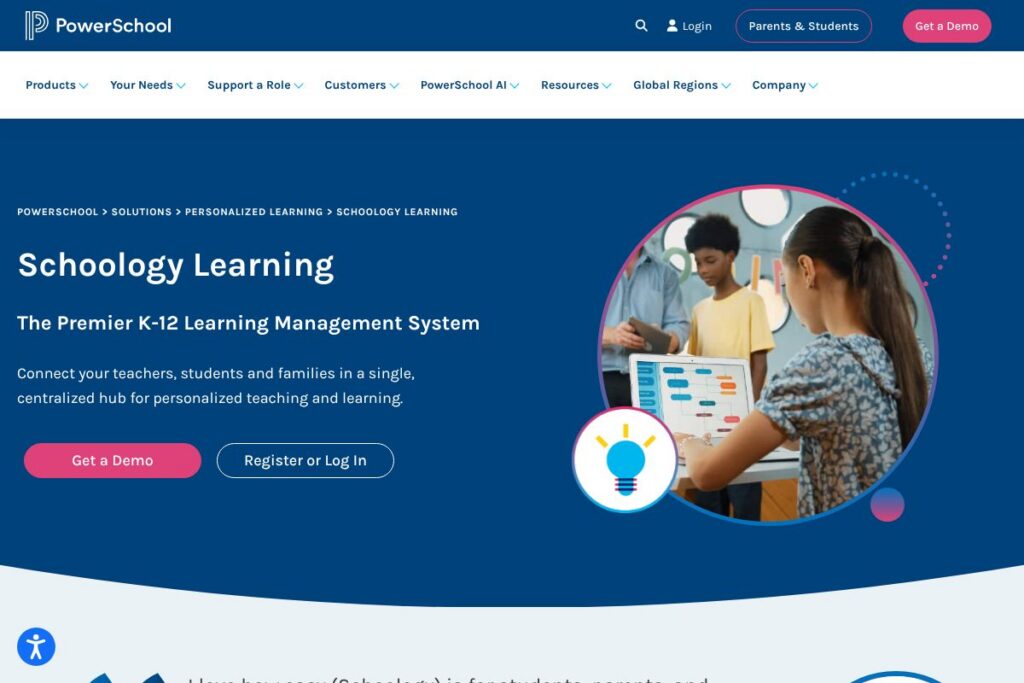
Schoology Learning: An Overview
Schoology Learning is a K-12 learning management system within PowerSchool’s Personalized Learning Cloud that centralizes course management, assessments, family engagement, and collaboration tools. It is designed to serve the full K-12 journey, with an Elementary Experience for young learners, integrated grade and attendance passback for student information systems, and built-in AI workflows branded as PowerBuddy to assist educators and students.
Compared with other classroom platforms, Schoology Learning emphasizes district-scale deployment and deep SIS integration. Canvas provides a strong higher-education and LMS feature set but typically requires separate SIS integration; Google Classroom is lightweight and free with Google Workspace for Education but lacks district-grade analytics and centralized standards-based grading; Blackboard targets higher education and large institutions with complex feature sets, while Schoology focuses on K-12 usability and family access.
All of this makes Schoology Learning well suited to school districts that want a single system for teachers, students, and families, especially where tight integration with SIS data and a consistent experience across grade levels matter most.
How Schoology Learning Works
Schoology Learning organizes instruction around courses and learning resources that teachers create, share, and reuse. Educators build lessons and assignments using a central editor, attach standards, schedule due dates, and publish to classes or groups so students can access materials from the web or mobile apps.
PowerBuddy AI is embedded into those workflows to help with drafting assignments, generating differentiated content, and providing students with on-demand study support. Attendance, traditional grades, and standards-based scores can sync with common SIS platforms, reducing duplicate entry and keeping student records aligned across systems.
Teachers can also create Groups for professional development or student clubs, enable discussions and collaborative activities, and use built-in analytics to monitor mastery and engagement across rosters.
Schoology Learning features
Schoology Learning combines course management, assessment, family engagement, and integrations into one K-12 focused LMS. Core capabilities include assignment and grade management, standards alignment, the PowerBuddy AI assistant for content generation and student support, elementary-specific UI options, and integrations with PowerSchool SIS and third-party apps.
The platform includes several powerful capabilities worth highlighting:
Course and assignment management
Teachers can create modular courses, publish assignments with rubrics and standards alignment, schedule differentiated release conditions, and reuse lesson templates. This centralization reduces preparation time and makes content sharing among staff straightforward, while students see a consistent layout across classes.
PowerBuddy AI
PowerBuddy assists educators with drafting assignments, creating differentiated lesson content, and generating formative questions. For students, PowerBuddy provides guided explanations and practice support tailored to their selected learning preferences and teacher constraints.
SIS integration and grade passback
Schoology supports automatic syncing of attendance and grades with major SIS providers and offers deeper, out-of-the-box integration for districts using PowerSchool SIS. This reduces duplicate teacher entry and ensures grades and attendance remain consistent in district records.
Elementary Experience
The Elementary Experience provides a simplified interface and age-appropriate navigation for younger learners while keeping them in the same LMS as older students. That single-system approach simplifies transitions between grade bands and keeps family access consistent.
Lesson planning and resource library
Centralized lesson planning tools let teachers track lesson progression, map to standards, and share plans with colleagues. A resource library and content catalog speed reuse, allowing teams to build a consistent curriculum and accelerate planning cycles.
Groups and communication
Groups function as flexible spaces for staff professional learning, student clubs, and parent-teacher organizations, enabling announcements, file sharing, and threaded discussions. Built-in family access lets parents follow assignments and receive notifications without separate accounts.
Assessment, reporting, and analytics
Assessment tools cover formative quizzes, summative tests, and standards-based grading with rich reporting to show student mastery and growth. Analytics dashboards help educators identify at-risk students and track progress at class and district levels.
Security and compliance
PowerSchool applies secure-by-design principles across Schoology, including third-party penetration testing, cloud security controls, and continuous monitoring from a staffed Security Operations Center. Districts benefit from industry-standard compliance and independent third-party validations.
With these features, Schoology Learning aims to reduce administrative duplication, support differentiated instruction, and provide a consistent platform across K-12 settings.
Schoology Learning pricing
Schoology Learning uses an enterprise licensing model tailored to school and district needs, with pricing and deployment options typically negotiated with PowerSchool sales. Public per-seat prices are not published; districts select configurations based on user counts, integration depth, and add-on services like advanced analytics or managed hosting.
For current licensing models, implementation options, and to request a custom quote or demonstration, review PowerSchool’s Schoology product details and contact their sales team through the Schoology product information and demo request page.
What is Schoology Learning Used For?
Schoology Learning is used to deliver daily instruction, manage assignments and assessments, and communicate with families in K-12 settings. Teachers publish lessons and assignments, attach standards and rubrics, and use built-in assessment tools to collect evidence of learning for grading and reporting.
Districts use Schoology to centralize curriculum resources, standardize lesson planning across schools, synchronize grades and attendance with the SIS, and provide a single sign-on experience for students, teachers, and families. Professional development and staff collaboration also occur inside Groups and shared course templates.
Pros and Cons of Schoology Learning
Pros
- Strong K-12 focus: Designed specifically for elementary through high school workflows, with an Elementary Experience and family-facing features that suit younger learners and their caregivers. This makes adoption smoother across grade bands.
- SIS integration: Deep integrations with PowerSchool SIS and support for other SIS providers reduce duplicate grade and attendance entry and streamline record keeping across the district.
- Built-in AI assistant: PowerBuddy AI helps teachers generate assignments and supports personalized student help, which can save planning time and deliver on-demand tutoring for students.
- Centralized lesson planning: Shared lesson templates, standards mapping, and a resource library support collaborative curriculum development and easier lesson reuse across staff.
- Family engagement tools: Parent access, notifications, and grade visibility support clearer communication between schools and families about student progress.
Cons
- Enterprise deployment complexity: Large-district deployments often require procurement, project planning, and change management, which can lengthen implementation timelines compared with lighter-weight classroom tools.
- Customization learning curve: Rich feature sets and configuration options mean admins and teachers may need training to exploit advanced capabilities effectively.
- Vendor licensing model: Pricing and licensing are negotiated by district, which can be less straightforward for smaller schools that prefer transparent per-user plans.
- Feature overlap: Some districts that already use other PowerSchool modules may see functionality overlap and must decide which system owns particular workflows during implementation.
Does Schoology Learning Offer a Free Trial?
Schoology Learning provides demos and custom trial arrangements through PowerSchool sales. Districts and schools can request a guided demo or pilot by contacting PowerSchool and arranging a trial deployment tailored to their scale and integration needs via the request a demo and pilot options page.
Schoology Learning API and Integrations
Schoology offers developer APIs for automating tasks, syncing users and rosters, and integrating external tools; see the Schoology API documentation for endpoints and authentication details. Districts frequently use those APIs for rostering, grade passback, and custom integrations.
Key native and third-party integrations include PowerSchool SIS, Google Workspace for Education, Microsoft 365 and Teams, Zoom, Turnitin, and common content providers and assessment platforms, enabling content and data to flow into the Schoology environment for teachers and students.
10 Schoology Learning alternatives
Paid alternatives to Schoology Learning
- Canvas – A widely used LMS with strong course management, grading, and analytics features, suitable for K-12 and higher education with robust third-party integrations.
- Google Classroom – A lightweight classroom management tool included with Google Workspace for Education that simplifies assignment distribution and collaboration for schools invested in Google tools.
- Blackboard – An LMS with extensive assessment and institutional reporting features, often used by larger institutions and districts requiring enterprise-grade controls.
- D2L Brightspace – A learning platform with adaptive learning, competency-based pathways, and strong analytics; used across K-12 and higher education.
- Itslearning – A K-12 focused LMS with standards-based planning and teacher-facing curriculum mapping tools.
- Seesaw – A student-driven digital portfolio and communication tool popular in elementary grades for family engagement and student reflection.
Open source alternatives to Schoology Learning
- Moodle – A flexible open-source LMS that supports modular course design, quizzes, and plugins for a wide range of K-12 and higher-education needs.
- Sakai – An open-source learning environment used by some educational institutions for course delivery and collaboration with a developer community for integrations.
- Open edX – A platform built for online course delivery and content management that can be adapted for K-12 blended learning when self-hosted or managed.
- Chamilo – An open-source e-learning and content management system that supports course building and assessments for schools and training organizations.
Frequently asked questions about Schoology Learning
What is Schoology Learning used for?
Schoology Learning is used to deliver instruction and manage coursework across K-12 schools. Teachers use it to publish lessons, assign work, assess student performance, and communicate with families.
Does Schoology Learning integrate with PowerSchool SIS?
Yes, Schoology Learning integrates closely with PowerSchool SIS. The integration supports automatic grade and attendance passback and simplifies rostering and record synchronization.
Can Schoology Learning provide analytics on student performance?
Yes, Schoology Learning includes assessment and reporting tools. Dashboards and reports help educators track mastery, identify gaps, and monitor trends at the student, class, and district levels.
Is PowerBuddy AI available inside Schoology Learning?
Yes, PowerBuddy AI is natively embedded in Schoology Learning workflows. It assists teachers with content creation and provides students with personalized study support and explanations.
How can my district try Schoology Learning?
Districts can request a guided demo and pilot from PowerSchool. Use the Schoology product and demo request pages to arrange a demonstration and discuss pilot licensing options.
Final Verdict: Schoology Learning
Schoology Learning stands out as a K-12-first LMS that centralizes instruction, family engagement, and SIS-synced records while adding AI-assisted content workflows through PowerBuddy. Its strength is the single-system approach that supports elementary through high school, reducing friction when students and families transition across grade levels.
Compared with Google Classroom, which is free with Google Workspace for Education and suits simpler workflows, Schoology offers more mature grade passback, reporting, and district-level configuration. For districts evaluating LMS options, Schoology is a strong choice when SIS integration, standards-based instruction, and family-facing features are priority factors; districts looking for minimal-cost, basic assignment management may prefer Google Classroom for simpler implementations.
For demonstrations, pricing discussions, and implementation options, contact PowerSchool through the Schoology product information and demo request page to arrange a tailored walkthrough and pilot deployment.