Pear Deck Learning: An Overview
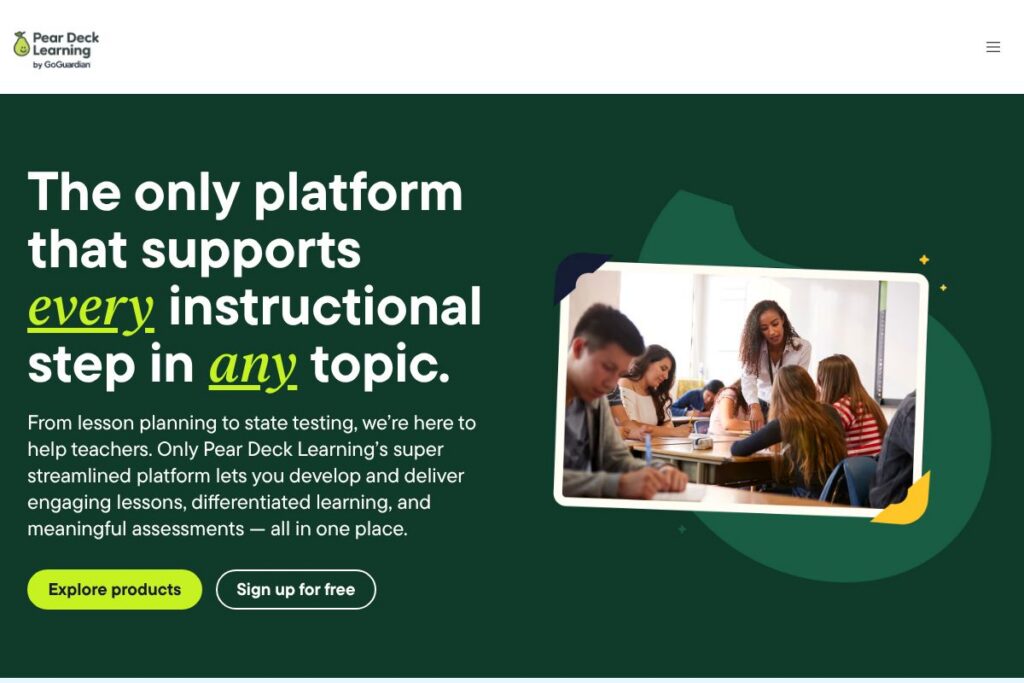
Pear Deck Learning is an all-in-one K-12 platform designed to take teachers from lesson planning through assessment and reporting in a single workflow. It combines AI-assisted lesson creation, interactive slide-based delivery, gamified practice, and district-level assessment tools so educators can design instruction, monitor progress, and adjust interventions without switching systems.
Compared with competitors, Pear Deck Learning focuses more on teacher workflows and classroom interactivity than platforms built primarily for administrative reporting, such as PowerSchool. Against classroom engagement tools like Kahoot!, Pear Deck Learning provides deeper lesson-package creation and standards-aligned practice rather than single-session quizzes. When compared to Nearpod, Pear Deck Learning emphasizes a streamlined pipeline from planning to district assessments and richer differentiated practice features.
All of this makes Pear Deck Learning especially useful for K-12 teachers and instructional leaders who need quick lesson creation, consistent standards alignment, and consolidated student data for formative and summative decisions. It is particularly well suited to schools that want a single platform capable of supporting classroom instruction, differentiated practice, and district assessment needs.
How Pear Deck Learning Works
Teachers begin by generating or selecting a lesson package, then customize content for specific student groups and deliver it through an interactive slide interface that students join from any device. Real-time checks for understanding and live responses feed analytics dashboards that highlight which students or standards need attention.
For practice and skill-building, teachers assign standards-aligned practice sets that students complete at their own pace; those results integrate back into district reporting so teachers can track growth over time. Districts use the assessment module to create standardized assessments, run pre-release simulations for state testing, and aggregate results across grades and schools for trend analysis.
What does Pear Deck Learning do?
Pear Deck Learning bundles content creation, interactive instruction, personalized practice, and assessment reporting in one platform so teachers can move from planning to data-driven instruction quickly. Recent additions emphasize AI-assisted lesson packages and a growing library of certified Math and ELA materials to accelerate lesson prep.
Let’s talk Pear Deck Learning’s Features
Pear Start
An AI-assisted lesson creation assistant that helps teachers plan, create, customize, and deliver full lesson packages in a single place. It converts standards into lesson-ready materials and offers customization for multiple student groups, cutting planning time and producing differentiated versions in seconds.
Pear Deck interactive lessons
A slide-based delivery tool for live or student-paced instruction that captures responses and supports collaborative discussion. Teachers can embed formative checks, open-response prompts, and polls, then use immediate feedback to drive classroom decisions.
Instant lesson packages
An instant generation tool that creates customizable lessons, practice sets, and tests by standard or topic, with options for multiple levels of differentiation. It is designed to let teachers produce a complete instructional sequence in under a minute and adapt materials to different learner groups.
Pear Practice
A gamified practice environment that offers standards-aligned practice sets, progress tracking, and student-choice pathways for independent learning. It uses avatars and collaborative features to increase engagement while producing per-student data that feeds into teacher dashboards.
Pear Assessment
A district-focused assessment and reporting module that supports centralized customization, pre-release state test simulation, and visual dashboards for trend identification across classrooms and schools. It helps districts run formative and summative assessments while producing exportable reports for accountability and intervention planning.
Content Orchard and certified content
A growing library of certified Math and ELA lessons and practice items that teachers can add directly to lesson packages or practice sets. The curated content speeds up lesson building and ensures alignment to standards and quality expectations.
Real-time analytics and reporting
Teacher-facing dashboards and district roll-up reports show student responses, proficiency trends, and item-level performance to inform next steps. Data can be filtered by subgroup, standard, and classroom so interventions are targeted and timely.
With Pear Deck Learning you get an integrated instruction-to-assessment workflow, quick AI-assisted lesson generation, and actionable student data that reduces time spent on manual prep and increases time for instruction.
Pear Deck Learning Pricing
Pear Deck Learning uses a subscription-based model with school and district licensing as well as teacher-level access, and pricing is tailored to institutional needs rather than a single public price point. Many K-12 deployments include district agreements, rostering connectors, and volume licensing to match school procurement cycles.
For the most accurate and up-to-date details, view Pear Deck Learning’s current pricing options. Sales and purchasing teams can provide licensing tiers, seat counts, and district contract terms directly.
What is Pear Deck Learning Used For?
Pear Deck Learning is used to create standards-aligned lessons quickly, deliver those lessons interactively to students, and gather real-time formative data that informs instruction. Teachers commonly use it for daily classroom instruction, formative checks, and lesson differentiation to meet diverse learner needs.
At the school and district level, it is used for benchmark assessments, test-prep simulations for state exams, and aggregating results across classrooms to identify achievement gaps. Tutors and intervention specialists use the practice module to assign targeted practice and monitor student growth between sessions.
Pros and Cons of Pear Deck Learning
Pros
- Fast lesson creation: Pear Deck Learning reduces planning time with AI-assisted lesson packages and a large library of certified materials, letting teachers prepare lesson-ready content in minutes.
- Integrated workflow: The platform connects lesson creation, interactive delivery, practice, and assessment so data flows from classroom activities to district reporting without manual exports.
- Differentiated practice: Built-in tools let teachers deliver multiple levels of practice and assign different content to groups, supporting personalized learning and intervention.
- Classroom engagement tools: Gamified practice options, avatars, and collaborative activities increase student motivation and participation.
Cons
- Platform consolidation required: Schools must commit to using a single platform for lesson delivery, practice, and assessment to realize full benefits, which can require adoption planning and training.
- Learning curve for advanced features: While core features are straightforward, getting the most from district reporting and assessment customization can require professional development and administrative setup.
- Dependency on rostering connectors: Full automation for class lists and rostering typically relies on integrations with systems like Clever or ClassLink, which may require separate contracts or IT support.
Does Pear Deck Learning Offer a Free Trial?
Pear Deck Learning offers freemium access with optional paid upgrades and trial opportunities for premium features. Teachers can start with free lesson and interactive tools, while schools and districts can request trials or demos of premium modules and district licensing to evaluate assessment and reporting capabilities; check Pear Deck Learning’s home page to request a demo.
Pear Deck Learning Integrations: What Connects?
Pear Deck Learning integrates tightly with Google Workspace, including Google Slides, and supports Microsoft PowerPoint for interactive delivery. It also connects to common LMS and rostering systems like Google Classroom, Canvas, Schoology, Clever, and ClassLink to simplify rostering and assignment workflows.
For district-scale deployment, Pear Deck Learning provides LTI support and rostering connectors rather than a public REST developer API; district IT teams can consult the Pear Deck Learning support center for details on LTI setup and single sign-on configuration.
10 Pear Deck Learning alternatives
Paid alternatives to Pear Deck Learning
- Nearpod – An interactive lesson and assessment platform with real-time formative checks and VR content, often chosen for interactive slide delivery and district licensing.
- Kahoot! – A game-based learning platform that focuses on live quizzes and formative checks to boost classroom engagement and retention.
- Google Classroom – A lightweight classroom management tool that integrates with Google Workspace for assignment distribution and grading workflows.
- Seesaw – A student engagement platform for portfolios, formative activities, and family communication that is popular in elementary grades.
- Edpuzzle – A video-based formative assessment tool that lets teachers embed questions into video lessons and track student responses.
- ClassDojo – A behavior and communication platform that includes class activities and simple engagement features for younger grades.
Open source alternatives to Pear Deck Learning
- Moodle – A widely used open source learning management system that supports course creation, quizzes, and plugins for interactive activities.
- BigBlueButton – An open source web conferencing system tailored for education with polls, breakout rooms, and presentation tools.
- OpenBoard – An interactive whiteboard application for classroom instruction that supports lesson delivery and annotations.
Frequently asked questions about Pear Deck Learning
What is Pear Deck Learning used for?
Pear Deck Learning is used to create interactive lessons, assign differentiated practice, and run assessments with consolidated reporting. Educators use it to speed lesson creation, monitor student understanding in real time, and prepare students for state assessments.
Does Pear Deck Learning integrate with Google Classroom?
Yes, Pear Deck Learning integrates with Google Classroom. Integration supports assignment distribution, rostering, and single sign-on to simplify teacher and student workflows.
Can Pear Deck Learning simulate state testing experiences?
Yes, Pear Deck Learning supports test-prep and state test simulation. The assessment module allows districts to create or import items for realistic practice and to analyze student readiness by standard.
Is Pear Deck Learning suitable for district reporting?
Yes, Pear Deck Learning includes district-level reporting and customization. Administrators can view trends across grades and classrooms and export reports for benchmarks and accountability.
Does Pear Deck Learning offer standards-aligned content?
Yes, Pear Deck Learning provides certified, standards-aligned Math and ELA content. Teachers can pull from the Content Orchard library or generate standards-based materials through the platform’s AI tools.
Final verdict: Pear Deck Learning
Pear Deck Learning excels as a single-system solution that moves educators from lesson planning to assessment with minimal friction. Its strengths are AI-assisted lesson generation, interactive delivery, and integrated practice and assessment, which reduce preparation time and keep student data centralized.
Compared with Nearpod, which emphasizes interactive lessons and VR experiences, Pear Deck Learning places more emphasis on the full instructional pipeline and district reporting. Schools choosing between the two should weigh Pear Deck Learning’s end-to-end assessment and practice features against Nearpod’s multimedia engagement options and district pricing models.
Overall, Pear Deck Learning is a strong fit for K-12 schools and districts that want streamlined lesson creation, differentiated practice, and a single source of truth for student performance across classroom and district assessments. For deployment questions, licensing tiers, and demonstrations, contact Pear Deck Learning via their official site.