What is Slido
Slido is a lightweight audience interaction platform that helps hosts collect questions, run polls, and measure sentiment in real time. It focuses on live Q&A, multiple poll formats, quizzes, and basic analytics so presenters can make sessions interactive with minimal technical overhead.
Compared with Mentimeter and Poll Everywhere, Slido emphasizes seamless event integration and fast setup for hosts. Unlike some quiz-first platforms such as Kahoot!, Slido is optimized for professional meetings and conferences where anonymous questions, moderation, and quick audience feedback matter more than game-style competition.
Slido performs particularly well for internal all-hands, webinars, and conference sessions where you want a simple join flow, moderated Q&A, and a variety of poll types. Its ease of use and low friction for participants make it suitable for remote and hybrid teams, corporate events, and classroom settings.
How Slido Works
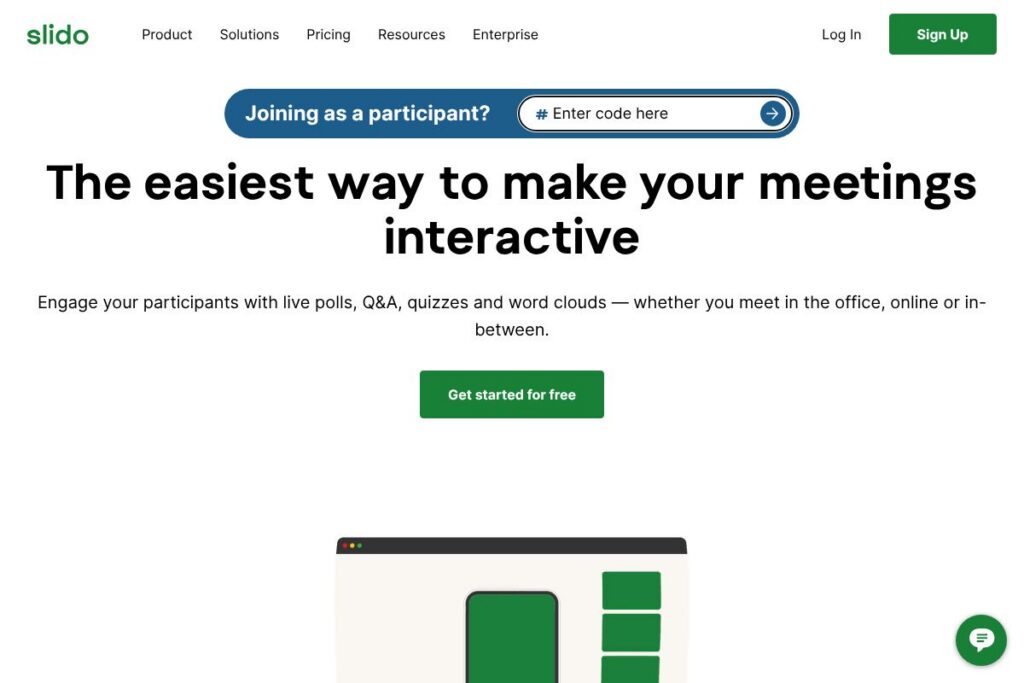
Participants join an event using a short event code or a direct link, with no account creation or downloads required. Hosts create polls and Q&A sessions in the web admin, activate them live, and share results instantly in the meeting or embed them in slides.
During a session attendees can submit questions, vote on other questions to surface the most popular ones, respond to polls, and take quizzes. Organizers moderate incoming items, pin or hide questions, and export results after the event for follow-up or reporting.
A typical workflow is: create an event in Slido, add polls and Q&A slots, start the session, invite attendees via link or code, moderate incoming questions in real time, and share live results with the audience inside the meeting platform or presentation.
Slido features
Slido centers on live interaction tools and easy setup. Core capabilities include live Q&A with moderation, several poll types, quizzes, quick surveys, live results display, basic analytics, and integrations with presentation and meeting platforms. The product highlights quick attendee join flows without logins and offers a free Basic tier alongside paid upgrades.
The platform includes several powerful capabilities:
Live Q&A
Hosts can collect audience questions in real time, allow voting on questions to prioritize what matters most, and moderate items before they appear to attendees. This helps keep sessions focused and surfaces the most popular topics quickly.
Multiple poll types
Slido supports several poll formats including multiple choice, word cloud, rating, and open text, allowing presenters to capture different types of feedback and sentiment during a session. Different formats help maintain engagement across formats and session lengths.
Quizzes and icebreakers
Quizzes provide interactive, timed questions that work well for training sessions and classroom use. They add a gamified element while still providing scoring and instant feedback to participants.
Live results and charts
Poll results update in real time and can be shown as charts, word clouds, or lists to the audience. Live visualizations help speakers respond immediately to audience input and keep presentations dynamic.
Moderation tools
Organizers can review incoming questions, hide or pin items, and filter out inappropriate content before it reaches attendees. Moderation controls are essential for larger events and public sessions.
Analytics and exports
After an event, hosts can download participant responses, poll results, and Q&A logs for reporting or follow-up. Basic analytics provide a quick view of engagement metrics and question trends.
Integrations and embeds
Slido integrates with presentation and meeting platforms so polls and Q&A can appear inside slides or conferencing apps. This reduces context switching and keeps engagement inside the session flow.
Easy join flow
Attendees join using a code or link without needing to create accounts or install software, which lowers participation friction in mixed-technical audiences. This simplicity is a core usability advantage for live events.
With these features Slido makes it straightforward to run interactive sessions, get instant feedback, and keep audiences engaged without complex setup or steep learning curves.
Slido pricing
Slido uses a freemium SaaS model, offering a forever-free Basic plan for simple use and a paid upgrade option noted on the homepage at €15 per month for additional features. Enterprise-level or custom plans are available for larger events and organizations that need advanced controls and support.
Monthly Billing:
Basic (Free) – Free (Q&A, basic polling, limited participants)
Paid plan – €15 per month (expanded poll options, higher participant limits, moderation tools)
Annual Billing:
Annual billing and volume/license discounts are available for teams and enterprises, with reduced effective monthly costs when billed yearly. For the latest plan breakdowns and options, view Slido’s homepage and explore their billing details.
Enterprise
Enterprise – Custom pricing (single sign-on, priority support, custom security, dedicated onboarding). Large organizations should contact Slido sales for tailored quotes and SLAs through the enterprise contact channels.
What is Slido Used For?
Slido is commonly used to make meetings, webinars, and live events more interactive by capturing audience questions, running polls, and collecting feedback. It is particularly useful for all-hands meetings, training sessions, town halls, and conference talks where organizers need quick audience input.
It also works well for remote and hybrid formats where participant attention is spread across locations; hosts use Slido to surface questions from quiet attendees, run live sentiment checks, and validate audience understanding during presentations.
Pros and Cons of Slido
Pros
- Low friction participant join: Attendees can join without accounts or downloads, which increases participation rates for mixed audiences.
- Flexible engagement formats: Q&A, multiple poll types, and quizzes let organizers choose the right interaction method for different session goals.
- Moderation and control: Hosts can moderate questions, hide inappropriate content, and pin important items, which helps manage larger sessions smoothly.
- Integrations with presentation tools: Embedding polls into slides and connecting to meeting platforms keeps interaction within the flow of the session.
Cons
- Advanced analytics are basic: For teams needing deep event analytics and segmentation, Slido’s reporting is functional but not as detailed as specialized analytics platforms.
- Paid feature limits: The free Basic tier covers simple use but larger events or advanced controls require paid upgrades, which may add up for frequent large-scale events.
- Enterprise features require custom setup: Organizations looking for advanced security and integrations may need to go through enterprise plans and onboarding, which can be a separate procurement step.
Does Slido Offer a Free Trial?
Slido offers a forever-free Basic plan. The Basic plan covers essential Q&A and polling for small sessions, and paid upgrades start at €15 per month for expanded features and higher participant limits.
Slido API and Integrations
Slido provides integrations with major presentation and conferencing platforms, including embedding inside slides and connecting to popular meeting tools to display live polls and Q&A. Explore Slido’s integrations hub for connectors to Google Slides, Microsoft PowerPoint, Microsoft Teams, and Zoom.
For automation and developer workflows, Slido offers developer-facing endpoints and export options to pull event data and results programmatically. See the developer documentation for available APIs, webhooks, and data export examples.
10 Slido alternatives
Paid alternatives to Slido
- Mentimeter – Live polls, word clouds, and interactive slides designed for presentations and classroom engagement, with a focus on visual results.
- Poll Everywhere – Real-time audience polling integrated with presentation software, suitable for classroom and corporate settings with live response aggregation.
- Kahoot! – Game-based quizzes and interactive learning experiences that emphasize gamification for training and education.
- Microsoft Forms – Simple polls and quizzes tied into the Microsoft 365 ecosystem, useful for organizations already using Microsoft apps.
- Vevox – Audience engagement with Q&A, polling, and surveys aimed at meetings and conferences with enterprise features.
- Pigeonhole Live – Q&A and polling focused on events and conferences, with moderation and audience management features for larger sessions.
Open source alternatives to Slido
- LimeSurvey – Open source survey software for structured questionnaires and feedback collection, suitable for web-based surveys and research.
- Nextcloud Polls – A simple polling app available within Nextcloud that supports small-scale polls for teams using a self-hosted collaboration platform.
- Framaforms – A free form builder and survey tool based on open-source components, useful for basic surveys and data collection hosted by community projects.
Frequently asked questions about Slido
What is Slido used for?
Slido is used to collect live audience questions, run polls, and gather feedback during meetings and events. Hosts use it to increase participation, prioritize questions, and show live poll results.
Does Slido integrate with Zoom and Microsoft Teams?
Yes, Slido integrates with both Zoom and Microsoft Teams. Integrations allow you to run polls and Q&A directly inside the meeting interface and present results without switching apps.
How much does Slido cost per month?
Slido offers a free Basic plan; paid upgrades are listed at €15 per month**** for additional features and higher participant limits. Enterprise pricing is custom and available through Slido’s sales channels.
Can I moderate questions in Slido?
Yes, Slido includes moderation controls. Organizers can review, hide, pin, or prioritize questions before or during a live session.
Does Slido provide developer APIs?
Yes, Slido provides developer endpoints and export options. The developer docs describe available APIs, webhooks, and how to programmatically access event results and participant data.
Final verdict: Slido
Slido is a focused, easy-to-use platform for live Q&A, polling, and quick audience feedback. Its low-friction join flow, moderation controls, and range of poll types make it a good fit for corporate meetings, webinars, and conference sessions where speed and simplicity matter. The forever-free Basic plan lowers the barrier to trial, while the paid upgrade at €15 per month adds capacity and admin controls for repeated or larger events.
Compared with Mentimeter, Slido leans more toward meeting and conference workflows with stronger moderation and meeting-platform integrations, while Mentimeter places heavier emphasis on visual slide-based interactions. For organizations that prioritize moderated Q&A and seamless meeting integration, Slido is often the better fit, whereas teams seeking more visual presentation styles may prefer Mentimeter’s slide-first approach.