Socrative: An Overview
Socrative is a classroom assessment platform designed to give teachers fast, actionable insight into student understanding during lessons. It supports live quizzes, polls, exit tickets, and team-based activities that return immediate grading and explanations so instructors can adjust instruction on the fly.
Compared with Kahoot! and Quizizz, Socrative focuses more on formative assessment workflows and report exports rather than game-style engagement. Kahoot! emphasizes gamified participation and broad audience interaction, while Quizizz blends gamification with asynchronous homework; Socrative prioritizes concise feedback, teacher control over pacing, and flexible reporting for later analysis. All of this makes Socrative particularly well suited to teachers and schools that need rapid diagnostic data and clear exportable records for parent communication or faculty review.
Socrative does well at shortening the feedback loop between question and remediation, and at reducing manual grading work. It is aimed at K-12 and higher education instructors, instructional coaches, and small district deployments that require quick formative checks and straightforward data exports. For setup and deployment details visit the Socrative homepage.
How Socrative Works
Teachers create activities in the web dashboard or mobile app and choose between live-paced sessions or self-paced assignments. Students join with a room code on any web-enabled device, submit answers, and receive immediate confirmations and instructor-provided explanations.
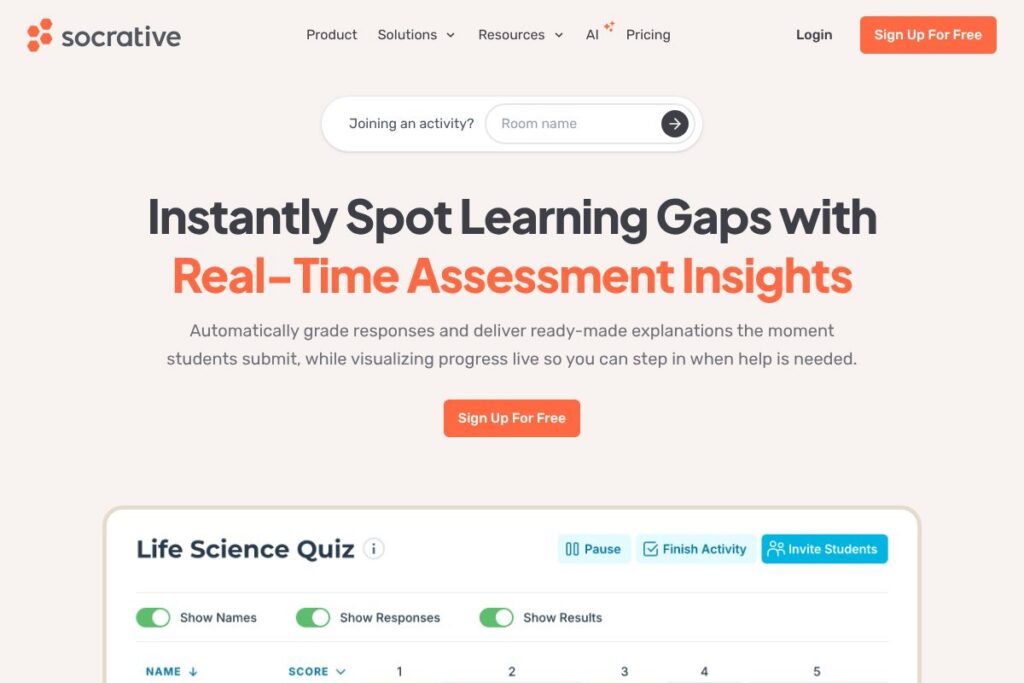
During live sessions Socrative visualizes responses as charts and tables in real time so teachers can identify patterns and target instruction. For asynchronous work, results are saved in customizable reports which can be filtered, printed, or exported for gradebooks and administrative review. Integrating the platform into lesson flow typically involves a short warm-up or exit ticket plus a brief period for reviewing the automated report and planning follow-up instruction.
What does Socrative do?
Socrative is organized around rapid assessment and reporting tools that reduce grading time and increase instructional responsiveness. Core capabilities include instant question feedback, automated grading, live visualizations, team competitions like Space Race, and multiple export formats for deeper analysis. Recently the platform has emphasized AI-assisted question creation and streamlined conversion of existing quizzes into updated formats.
Let’s talk Socrative’s Features
Instant Question Feedback
Students receive immediate confirmation of their answers along with concise explanations or corrective information when teachers enable feedback. This reduces repetitive clarification and helps learners understand mistakes at the moment of learning, which supports retention and reduces interruption to lesson flow.
Automated Grading and Summaries
Multiple-choice and short-answer items can be graded automatically, producing summary metrics for each activity. Teachers can quickly identify mastery levels, calculate class averages, and flag students for follow-up without manually scoring each response.
Real-time Visualizations
Responses appear as live charts and tables during an activity so teachers can detect misconceptions as they emerge. Real-time visuals support on-the-spot interventions and class discussions based on up-to-the-minute data.
Flexible Reports & Exports
Results export to CSV and printable formats, and tables can be customized for different audiences such as administrators, parents, or individual students. Exporting makes it straightforward to import scores into gradebooks or to build aggregated faculty reports for meetings.
Team-Based Activities (Space Race)
Space Race and other collaborative modes let students compete in teams, increasing engagement during formative checks. These activities preserve assessment value while encouraging peer instruction and cooperative problem solving.
Self-Paced Assignments
Teachers can assign activities for homework or independent practice that students complete on their own schedule. Self-paced mode retains automated scoring and generates the same exportable reports as live sessions, useful for flipped classrooms and remote learning.
AI-Assisted Assessment Tools
AI features speed up quiz creation by suggesting questions, refining wording, or converting older items into updated formats with improved distractors. These tools reduce preparation time and help teachers produce clearer, more targeted assessment items.
With these capabilities Socrative delivers quick diagnostics and reduces time spent on grading and data formatting, leaving teachers more time for targeted instruction and student support.
Socrative Pricing
Socrative uses a subscription model tailored to individual teachers, schools, and district-level deployments, with a mix of free and paid tiers plus volume licensing for large institutions. Specific plan details and tier features are maintained by the vendor and can change over time.
For the most current plan descriptions and purchasing options, review Socrative’s homepage for pricing and plans.
What is Socrative Used For?
Socrative is commonly used for formative assessment during class sessions, where teachers need quick checks for understanding that inform immediate instructional decisions. Activities like exit tickets, warm-ups, and on-the-spot quizzes let instructors identify learning gaps and reteach concepts within the same lesson.
It is also used for summative checks and practice assignments outside class, with self-paced modes and printable reports helping with homework review and progress tracking. Schools use Socrative reports to communicate performance to parents and to compile data for faculty progress meetings.
Pros and Cons of Socrative
Pros
- Immediate feedback: Students get instant explanations and correct responses when enabled, which supports immediate learning and reduces repetitive teacher follow-up.
- Time-saving automation: Automated grading and report exports eliminate much manual scoring and data formatting, freeing teachers to focus on targeted interventions.
- Flexible deployment: Works on browsers and mobile devices for in-person, hybrid, and remote classrooms, and supports live and self-paced activities for varied teaching models.
Cons
- Feature depth for large districts: Districts seeking deep LMS integrations, single sign-on across many tools, or advanced analytics dashboards may find enterprise-grade integrations limited without custom procurement and setup.
- Engagement vs. gamification: While Socrative includes team activities like Space Race, it is less focused on heavy gamification than competitors such as Kahoot!, which may affect student engagement preferences in some classrooms.
Does Socrative Offer a Free Trial?
Socrative offers free and paid options for educators. The platform typically provides a free tier for individual teachers alongside paid subscriptions and district licensing; check Socrative’s homepage for current trial lengths, feature differences, and upgrade paths.
Socrative API and Integrations
Socrative supports roster and data export workflows and works with common classroom tools through CSV imports and LMS-compatible exports; specifics vary by plan and deployment. For integration details, see the Socrative support center which documents roster uploads, data export formats, and workflow guidance.
If your deployment requires programmatic access, consult the support center or contact Socrative sales to discuss API availability or custom integrations for district-level implementations.
10 Socrative alternatives
Paid alternatives to Socrative
- Kahoot! — A gamified quiz platform that emphasizes live competition and engagement, with teacher- and school-level plans and a freemium model; see Kahoot’s pricing for details.
- Quizizz — Mixes live and asynchronous quizzes with built-in reports and gamification, useful for homework and classroom checks.
- Nearpod — Combines interactive lessons with formative assessment, multimedia content, and detailed student activity reports for hybrid instruction.
- Formative — Focuses on real-time student responses with graded assessments and live monitoring, aimed at standards-based instruction.
- Poll Everywhere — Live polling and response collection for classrooms and presentations, with robust reporting and enterprise options.
- Edpuzzle — Video-based formative assessments that let teachers embed questions in videos and track student engagement and understanding.
Open source alternatives to Socrative
- Moodle — A full-featured open-source LMS with quiz and activity modules for formative and summative assessment, suitable for institutional hosting.
- H5P — An open content format and authoring tool that creates interactive quizzes and learning activities embeddable in LMS platforms like Moodle.
- LimeSurvey — Open-source survey and quiz software that supports custom question types, conditional logic, and exportable results for analysis.
- TAO — An open assessment platform that supports standards-based testing and question banks for institutions seeking a customizable assessment engine.
Frequently asked questions about Socrative
What is Socrative used for?
Socrative is used for formative and summative classroom assessment. Teachers run live quizzes, exit tickets, polls, and self-paced assignments to measure student understanding and guide instruction.
Does Socrative integrate with Google Classroom?
Yes, Socrative supports roster imports and workflow connections with Google Classroom workflows via CSV and roster tools. Check the Socrative support center for step-by-step instructions on syncing rosters and exporting results.
Can Socrative export grades to a gradebook?
Socrative can export results in CSV formats suitable for gradebooks. Exported files can be filtered and reformatted to match most gradebook import templates.
Is Socrative suitable for remote learning?
Yes, Socrative works on web browsers and mobile devices for in-person, hybrid, and fully remote classrooms. Self-paced assignments and live sessions both support remote student participation with real-time feedback.
How does Socrative handle student privacy and data exports?
Socrative provides export controls and data formats that let schools manage records and share results with stakeholders. For district-level privacy policies, storage, and data handling, consult the vendor’s documentation and district IT policies via the Socrative support center.
Final verdict: Socrative
Socrative excels at rapid, teacher-directed formative assessment that reduces grading time and surfaces learning gaps in real time. Its combination of instant feedback, automated grading, and flexible exports makes it a practical choice for teachers who need clear diagnostic data and printable reports without complex setup.
Compared with Kahoot!, which focuses on gamified classroom engagement and offers a strong freemium route for large audiences, Socrative places greater emphasis on instructional diagnostics and reporting. If your priority is deep engagement through game mechanics, Kahoot! may offer more features for that use case; if the priority is quick, actionable assessment data and streamlined exports for records, Socrative is a better fit. For purchase options and plan comparisons, review Socrative’s homepage and vendor resources to match the offering to your classroom or district needs.