Brightspace: An Overview
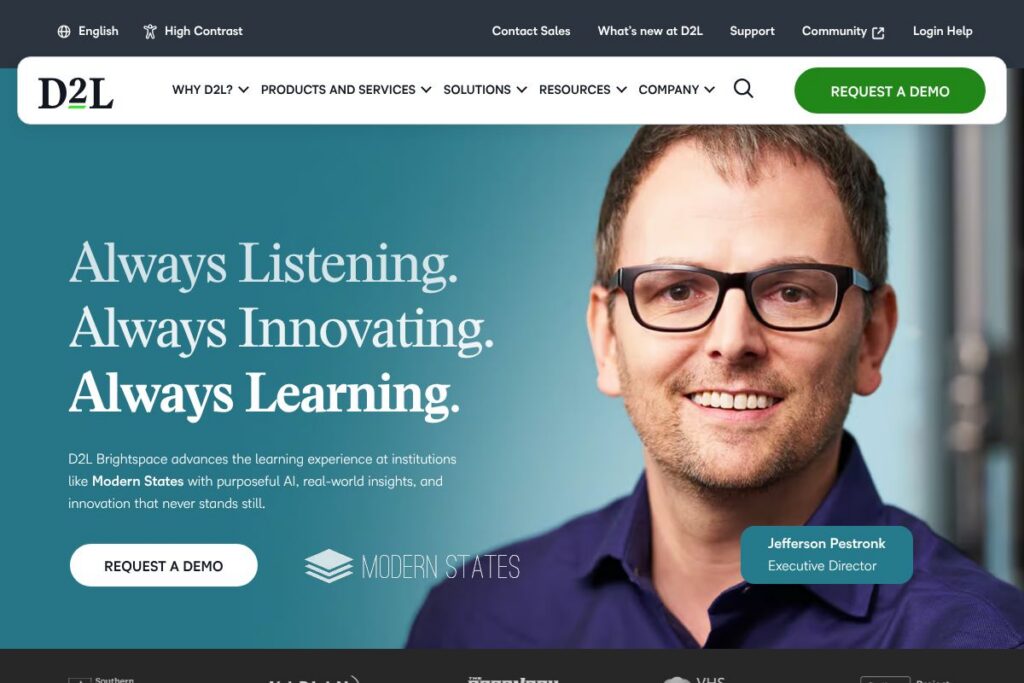
Brightspace is a cloud-based learning management system (LMS) from D2L designed for schools, universities, training organizations, associations, and government agencies. The platform focuses on personalized learning, accessibility, and analytics to help institutions deliver courses, assess learners, and measure outcomes at scale. For an official product overview, see the Brightspace product page on D2L’s site.
Compared with direct competitors like Canvas, Blackboard Learn, and Moodle, Brightspace emphasizes accessibility and built-in analytics while supporting extensive customization through APIs and partner integrations. Canvas is often praised for a clean instructor experience and strong marketplace of third-party tools, Blackboard is focused on enterprise-scale installations and compliance, and Moodle is an open-source alternative that offers heavy self-hosting control. Brightspace differentiates itself with a combination of hosted SaaS convenience, accessibility tooling, and learning analytics.
All of this makes Brightspace particularly well suited to organizations that need a secure, accessible platform with robust reporting and support services. Institutions that require strong accessibility features, data-driven program improvement, and a vendor-managed LMS will find Brightspace a close fit.
How Brightspace Works
Brightspace organizes learning around courses, learning paths, and competencies. Administrators and instructors create courses with modular content, assessments, and activities, then assign them to learners who access materials via web or mobile apps. Course progress, grades, and engagement metrics are captured and surfaced in analytics dashboards to inform interventions and course redesign.
For implementation, organizations typically provision Brightspace via D2L’s managed hosting or cloud service, connect authentication and student information systems, and configure roles and permissions. Workflows commonly include course creation, content import from other LMS platforms, automated enrollment, and scheduled reporting for compliance and accreditation. D2L offers services for migration and course design to accelerate onboarding and reduce manual work; see D2L’s professional services information for details.
What does Brightspace do?
Brightspace provides core LMS capabilities plus features designed to improve learning outcomes and administrative efficiency. Core functionality includes course delivery, gradebook, assessments, assignments, discussion boards, competency-based learning, and reporting. The platform has expanded to include AI-assisted workflows, accessibility tools, and e-commerce workflows for organizations that sell courses.
Let’s talk Brightspace’s Features
Course and content management
Instructors can build courses using a drag-and-drop content interface, reuse modules, and import common content packages such as SCORM and xAPI. The content system supports multimedia, branching scenarios, and rich text, which helps teams deliver interactive learning without extensive developer support.
Assessment and gradebook
Brightspace includes flexible assessment tools: timed quizzes, question banks, randomized delivery, and rubrics for consistent grading. The gradebook aggregates results and supports weighted categories, grade schemata, and exportable records for reporting and student transcripts.
Personalized learning and adaptive pathways
The platform supports competency-based learning and adaptive release rules so learners receive content and assessments matched to their progress. Personalized pathways help instructors scaffold learning and enable mastery-based progression for both academic and corporate programs.
Learning analytics and reporting
Brightspace surfaces engagement, completion, and assessment analytics through dashboards and custom reports. Administrators can monitor program-level KPIs, identify at-risk learners, and export data to institutional BI systems for deeper analysis, which supports data-driven decisions.
Accessibility and inclusivity tools
Accessibility features include screen-reader support, keyboard navigation, captioning support, and configurable UI elements to meet diverse learner needs. These tools are built to help organizations meet regulatory requirements and improve retention for learners with disabilities.
Integrations and extensibility
Brightspace supports LTI and APIs to connect with third-party tools such as video conferencing, plagiarism detection, and content marketplaces. The platform’s developer documentation and partner ecosystem enable custom integrations for single sign-on, SIS synchronization, and external content providers.
Mobile access and offline capabilities
Learners and instructors can use Brightspace mobile apps to access content, submit assignments, and participate in discussions. Some mobile features support offline content consumption and later synchronization, which helps remote or bandwidth-limited learners stay engaged.
E-commerce and enrollment workflows
For associations and training organizations, Brightspace supports storefront workflows and payment integrations so organizations can sell courses, manage registrations, and link purchases to automated enrollment and reporting.
With Brightspace you get a broad LMS platform that covers course delivery, assessment, analytics, accessibility, and integrations, making it suitable for institutions that want a single platform to run diverse learning programs.
Brightspace pricing
Brightspace uses an enterprise SaaS pricing model with custom quotes tailored to organization size, deployment options, feature bundles, and support needs. Pricing is not published as standard plans because costs depend on user counts, modules selected, hosting options, and service levels.
For pricing estimates and to discuss licensing tiers, contact D2L sales or request a tailored quote via the Brightspace product page. Organizations evaluating implementation should factor in migration services, custom integrations, and optional professional services when comparing total cost of ownership.
What is Brightspace Used For?
Brightspace is used to deliver credit-bearing courses, professional training, certification programs, and continuing education across K-12 districts, colleges and universities, corporate L&D teams, associations, and government training agencies. The platform supports online, blended, and competency-based learning models so organizations can mix self-paced modules with instructor-led activities.
Common uses include onboarding and compliance training for employees, academic course delivery and assessment management, professional development for association members, and scalable training programs sold to external customers. Institutions often use Brightspace to centralize content, measure learning outcomes, and automate administrative processes such as enrollment and reporting.
Pros and Cons of Brightspace
Pros
- Strong accessibility features: Brightspace includes built-in accessibility tools and workflows to support learners with disabilities, which helps institutions meet regulatory standards and improve retention.
- Robust analytics and reporting: The platform’s dashboards and reporting capabilities allow instructors and administrators to track engagement, identify at-risk learners, and measure program impact.
- Flexible, enterprise-grade integrations: D2L supports LTI and API-based integrations, enabling connections to SIS, SSO, video tools, and third-party content providers for a cohesive ecosystem.
- Marketed professional services and migration support: D2L provides services for course migration, implementation, and instructional design to reduce the burden on internal teams and accelerate adoption.
Cons
- Enterprise pricing model: Custom pricing means there is no transparent, self-serve plan for smaller teams, which can make initial evaluation and budgeting more involved than with fixed-price competitors.
- Feature breadth can add complexity: The platform’s wide range of capabilities can require administrative training and governance to configure optimally for specific use cases and to avoid feature overlap.
- Vendor-managed hosting dependency: Organizations that prefer full self-hosting and open-source control will find Brightspace less aligned than self-hosted LMS options such as Moodle.
Does Brightspace Offer a Free Trial?
Brightspace is a paid enterprise platform, and D2L provides demos and trial access on request. Prospective customers can request a demonstration, pilot environment, or proof-of-concept through D2L’s contact channels, which typically involve speaking with sales to arrange trial access and configuration.
Brightspace API and Integrations
Brightspace provides developer APIs and an integration framework for LTI and custom connectors. The Brightspace developer documentation outlines REST endpoints, authentication flows, and examples for common integrations; see the Brightspace developer documentation for technical details and API reference.
Out-of-the-box and partner integrations commonly include Google Workspace, Microsoft 365 and Teams, Zoom, plagiarism and proctoring tools, and single sign-on providers. For partner listings and ecosystem details, consult D2L’s partner and integrations information.
10 Brightspace alternatives
Paid alternatives to Brightspace
- Canvas — A widely used LMS for higher education and K-12 with a strong third-party app ecosystem and a focus on instructor usability.
- Blackboard Learn — An enterprise LMS with features for compliance, accessibility, and institution-scale deployments used by large universities and enterprises.
- Cornerstone OnDemand — A corporate learning and talent platform focused on employee development, compliance, and extended enterprise learning.
- SAP Litmos — A corporate LMS designed for rapid course deployment, sales enablement, and compliance training in business environments.
- TalentLMS — A cloud-first LMS targeting small to midsize businesses with simple course creation, reporting, and e-commerce capabilities.
- Schoology — A K-12 focused LMS that combines classroom management with social learning features and district-level administration.
- Docebo — A learning platform aimed at enterprise L&D with AI-driven content recommendations and an extensive integration marketplace.
Open source alternatives to Brightspace
- Moodle — A mature open-source LMS with extensive community plugins, strong self-hosting options, and flexible course-building tools.
- Open edX — A scalable open-source platform used for MOOCs and enterprise learning, offering extensibility for custom learning experiences.
- Sakai — An academic-focused open-source LMS used by some universities, with emphasis on collaboration and research-oriented workflows.
- Chamilo — An open-source LMS that prioritizes ease of use and quick deployment for smaller institutions and organizations.
Frequently asked questions about Brightspace
What is Brightspace used for?
Brightspace is used to deliver online and blended learning across education and corporate environments. Organizations use it for course delivery, assessments, competency tracking, and program analytics.
Does Brightspace integrate with Google Workspace and Microsoft Teams?
Yes, Brightspace supports integrations with Google Workspace and Microsoft 365 including Teams. Integrations enable single sign-on, document collaboration, and calendar/meeting workflows when connected.
Can Brightspace support competency-based education?
Yes, Brightspace supports competency-based learning and mastery pathways. Administrators can define competencies, map them to activities, and track learner progress against mastery criteria.
Is Brightspace accessible for learners with disabilities?
Brightspace includes accessibility features and compliance-focused tools. The platform provides screen-reader support, keyboard navigation, captioning workflows, and configurable UI elements to support inclusive learning.
How do I get pricing information for Brightspace?
Pricing for Brightspace is custom and provided via D2L sales. Organizations can request a quote or demo through D2L’s contact channels to get pricing tailored to their deployment, user counts, and service needs.
Final verdict: Brightspace
Brightspace is a full-featured, enterprise-grade LMS that excels at accessibility, learning analytics, and extensibility through APIs and partner integrations. It is a strong choice for institutions and organizations that need vendor-managed hosting, professional services for migration and course design, and a platform engineered to support diverse learning models.
Compared with Canvas, which also targets higher education with a strong open integrations marketplace, Brightspace places additional emphasis on accessibility tooling and built-in analytics while both vendors use custom enterprise pricing models. Organizations that prioritize transparent self-serve pricing or self-hosted open-source control may prefer alternatives like Moodle, whereas those seeking managed services, support, and packaged analytics will find Brightspace compelling.
For a closer look at capabilities, request a demonstration or pilot from D2L and consult the Brightspace product page and developer documentation to evaluate integrations and migration paths.