What is PracticePanther?
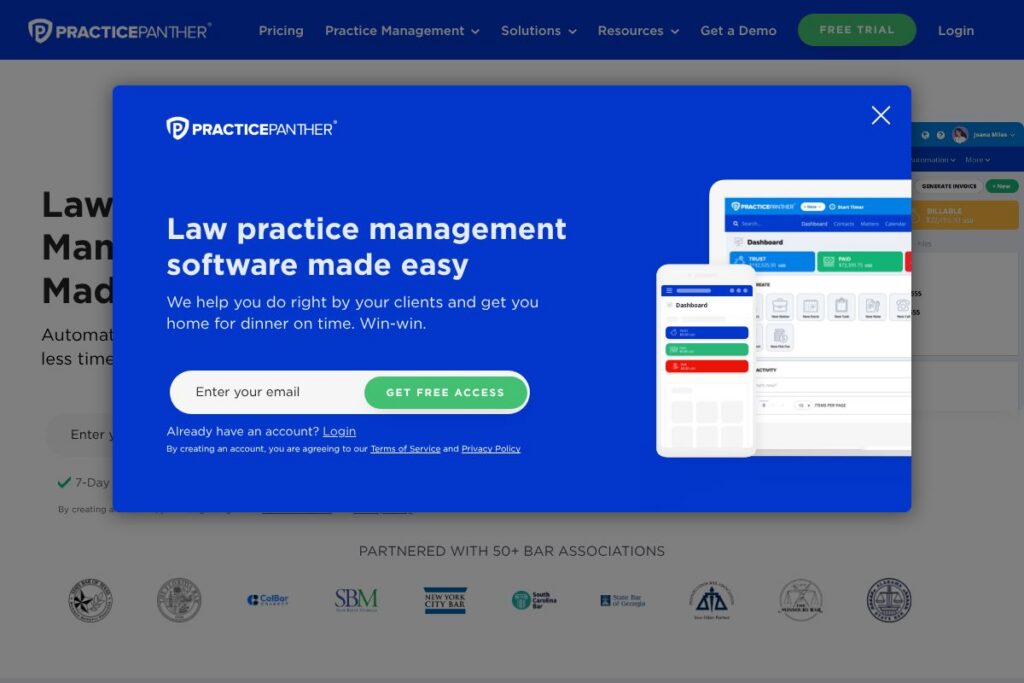
PracticePanther is a cloud-based law practice management platform built to centralize case files, billing, client communications, and administrative workflows. It combines matter and contact management with time and expense tracking, trust accounting, automated workflows, and built-in payments to reduce administrative overhead for law firms.
Compared with competitors, PracticePanther emphasizes automation and an easy-to-use interface. Clio targets a similar market with extensive integrations and a larger ecosystem, while MyCase focuses on simple billing and a lawyer-client portal. Zola Suite positions itself around accounting-first case management with deeper built-in accounting features. PracticePanther sits between these tools by offering strong automation plus native payments.
PracticePanther does well at reducing repetitive administrative tasks, streamlining client intake, and providing a single view of matters and finances. This makes it a practical choice for solo attorneys, growing firms, and mid-sized practices that want an all-in-one cloud solution with built-in payments and compliance features.
How PracticePanther Works
PracticePanther organizes work around matters and contacts, with a central dashboard that surfaces open tasks, upcoming events, and recent communications. Users create matters, attach contacts and documents, and track billable activity using timers, calendar entries, or manual time entries that are attributed to matters with tags for reporting.
Automation is driven by Workflows and Client Intake forms. Intake forms capture prospect details and create matters automatically, while triggered workflows generate case-specific tasks, assign owners, and schedule events to keep processes consistent across the firm. Built-in payments via PantherPayments let firms accept credit card, ACH, or eCheck payments and reconcile them against invoices and trust accounts.
Implementation typically follows a staged rollout: migrate contacts and matters, configure custom fields and Tags, set up billing and trust-account rules, and then deploy intake forms and workflows. Firms often pair PracticePanther with calendar and email integrations so day-to-day activity syncs automatically with existing tools.
What does PracticePanther do?
PracticePanther bundles case management, billing, payments, document management, and client communications into a single platform. Recent emphasis has been on automated workflows, client intake, built-in payments, and reporting to give firms better operational visibility with less manual work.
Key functionality includes:
PantherPayments
Accept credit card, ACH, and eCheck payments directly inside the platform with payment links and plans. This reduces manual reconciliation and lets firms apply payments to invoices and trust accounts from one place.
Client Intake Forms
Customizable intake forms let firms capture prospect information online and create matters automatically. Forms can include custom fields and conditional logic to route new leads into the correct workflow.
Automated Workflows
Create templates that automatically generate tasks, events, and checklists for specific matter types. Workflows reduce repetitive administrative steps and help standardize firm processes across teams.
Time & Expense Tracking
Track billable time with multiple timers, convert calendar events into time entries, and log expenses per matter. Time entries can be bundled into invoices and tagged for reporting and client billing accuracy.
Trust Accounting
Manage client trust accounts with features for three-way reconciliation and trust balance alerts. The platform helps maintain compliance with client funds handling and produces audit-ready reports.
Document Management & Batch Creation
Store and organize documents in the cloud, automate document assembly, and batch-create documents for multiple matters. Versioning and access controls support collaborative drafting and secure storage.
Client Portal
Provide clients with a secure portal to view matters, messages, invoices, and documents. The portal centralizes communication and reduces email back-and-forth while offering a record of interactions.
Native eSignature
Request signatures and complete signing workflows without leaving the platform. Signed documents are attached to matters and stored in the document library for quick retrieval.
Two-Way Business Texting
Communicate via tracked two-way text messages and associate conversations with matters. Texting can be used for appointment reminders, invoice notifications, and quick client updates.
Tags and Reporting
Use Tags to categorize matters, time, and documents and generate custom reports on revenue, expenses, time utilization, and matter pipelines. Reporting gives leaders actionable insight into firm performance.
With these capabilities PracticePanther helps firms reduce administrative time, improve billing accuracy, and centralize client communication so attorneys can focus on legal work rather than operations.
PracticePanther pricing
PracticePanther uses a subscription-based SaaS pricing model with plans that vary by firm size and feature needs. Available plans typically cover individuals, small firms, and enterprise deployments with optional add-ons like payments and premium support.
For exact plan details and current rates, view PracticePanther’s plans and pricing. For larger firms with specialized needs, PracticePanther offers custom enterprise options and sales assistance via their sales contact channels.
What is PracticePanther Used For?
PracticePanther is used to manage the full lifecycle of legal matters from client intake through billing and case closure. Typical workflows include new client intake and matter creation, task and deadline management, time capture for billing, and invoice generation tied to payment processing.
The platform is suited to a range of practices including family law, personal injury, criminal defense, estate planning, and business law. Firms that need reliable trust accounting, client portals, and automated workflows for repeatable processes will find PracticePanther particularly useful.
Pros and Cons of PracticePanther
Pros
- Intuitive interface: The platform provides an easy-to-learn user interface that reduces onboarding friction for attorneys and staff. This helps firms adopt automated workflows and billing practices faster.
- Built-in payments: PantherPayments ties payment acceptance to invoicing and trust accounting, which simplifies reconciliation and can speed up collections. Firms can send payment links and set up payment plans quickly.
- Strong automation: Workflows and intake forms automate repetitive administrative tasks, saving teams time and enforcing consistent processes across matters.
- Comprehensive feature set: Case management, time tracking, document management, eSignature, and client portal features are bundled together, limiting the need to cobble multiple tools.
Cons
- Learning curve for advanced features: While the basic interface is intuitive, configuring complex workflows, custom fields, and trust accounting rules can require planning and administrative effort. Firms should allocate setup time for best results.
- Integration dependency: Some firms rely on specific third-party tools for accounting or niche features; integrations usually exist but may require additional configuration or third-party middleware to match exact workflows.
- Pricing transparency for enterprises: Larger firms often need custom quotes and add-ons, which means exact costs may require direct contact with PracticePanther sales.
Does PracticePanther Offer a Free Trial?
PracticePanther offers a 7-day free trial with no credit card required. The trial provides hands-on access to core features including matter management, billing, client intake, and workflows so you can evaluate the fit for your firm before committing; start the trial on PracticePanther’s trial signup page.
PracticePanther API and Integrations
PracticePanther provides integration options and developer access so firms can connect common office systems. Their integration ecosystem includes accounting and productivity tools as well as automation platforms; explore PracticePanther’s integration directory for specifics.
Common connections include QuickBooks for accounting, Google Workspace and Microsoft 365 for calendar and email sync, cloud storage services like Dropbox and OneDrive, and automation platforms such as Zapier to bridge apps and custom workflows. If you need a developer integration, contact PracticePanther for API access and documentation via their developer resources linked from the integrations page.
10 PracticePanther alternatives
Paid alternatives to PracticePanther
- Clio — Cloud-native practice management with a large integration ecosystem and separate modules for practice and client intake. Known for strong marketplace support.
- MyCase — Focuses on simple billing and client communication with a built-in client portal and secure messaging capabilities.
- Zola Suite — Offers integrated accounting and deeper financial workflows alongside case management and document automation.
- Rocket Matter — Emphasizes billing, time tracking, and practice analytics with a focus on small to mid-size firms.
- Smokeball — Combines document automation and practice management with time tracking tuned to high-volume document workflows.
- Actionstep — Highly configurable workflow-driven case management platform suitable for firms that need process customization.
- CosmoLex — Includes integrated trust accounting and general ledger bookkeeping tailored for law firms.
Open source alternatives to PracticePanther
- Casebox — Self-hosted document and case management platform that can be adapted for legal workflows with developer configuration.
- Odoo — Open source ERP that can be configured for legal office management, billing, and CRM modules with technical setup.
- SuiteCRM — Open source CRM that firms can extend to handle client intake, matter tracking, and basic case workflows with customization.
- Nextcloud — File sync and collaboration platform that, when combined with apps and custom integrations, can serve as a low-cost document and client portal alternative.
Frequently asked questions about PracticePanther
What is PracticePanther used for?
PracticePanther is used for law practice management, billing, and client communication. Firms use it to manage matters, track time, run billing and trust accounting, and host secure client portals.
Does PracticePanther integrate with QuickBooks and Google Workspace?
Yes, PracticePanther supports integrations with accounting and productivity tools. Common integrations include QuickBooks for accounting and Google Workspace for calendar and email synchronization; check the integrations directory for full details.
Is PracticePanther cloud-based?
Yes, PracticePanther is a cloud-hosted platform. Data is stored and backed up in the cloud so teams can access matters, documents, and billing from web and mobile apps.
Can I migrate my existing data into PracticePanther?
Yes, PracticePanther supports data migration from other platforms. The onboarding process includes tools and support to import contacts, matters, and billing data and to map custom fields where needed.
How does PracticePanther handle trust accounting?
PracticePanther includes trust accounting features designed for compliance. It provides trust account balance tracking, three-way reconciliation capabilities, and reporting to help reduce audit risk and maintain accurate client fund records.
Final verdict: PracticePanther
PracticePanther offers a balanced, automation-first approach to law practice management that centralizes case work, billing, payments, and client intake. Its built-in payments and workflow automation reduce manual accounting and intake work, which can free up billable hours for attorneys.
Compared with Clio, PracticePanther competes on features and ease of use; Clio has an extensive marketplace and public tiered pricing, while PracticePanther focuses more on native payment processing and workflow automation. For firms prioritizing automated intake, integrated payments, and standardized workflows, PracticePanther is a practical choice; for firms that want the broadest third-party ecosystem, comparing both platforms’ pricing and features alongside PracticePanther’s plan options is recommended.