What is Clio
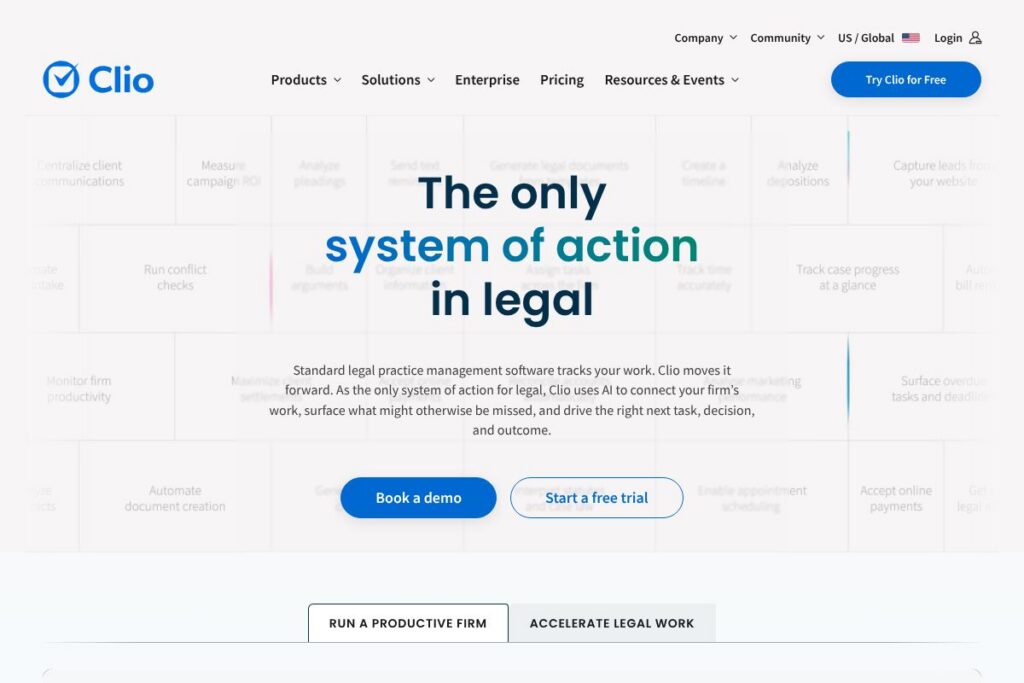
Clio is a cloud-based legal practice management platform that brings case management, client intake, billing, and legal research together in one system. It is designed for firms of all sizes, from solo practitioners to large legal departments, and includes features for matters, contacts, calendars, documents, timekeeping, and invoicing.
Clio positions itself around its Intelligent Legal Work Platform, which embeds context-aware AI and legal research to speed drafting, automate routine work, and surface relevant matter information. Compared with MyCase, which focuses on affordability and straightforward case and billing workflows for small firms, Clio offers broader integrations and more advanced automation. Against PracticePanther, Clio provides a larger ecosystem of third-party integrations and a stronger emphasis on enterprise security. Compared with Rocket Matter, Clio leans more heavily into built-in legal research and AI-assisted drafting.
All of this makes Clio well suited to firms that want a single system to manage the full client lifecycle, from intake to invoicing, while preserving auditability and compliance across offices.
How Clio Works
Clio centralizes matter and client records so every item of work, document, calendar event, and billing entry links back to the appropriate matter and contact. The platform runs in the web app and native mobile apps, and teams access shared matter workspaces to coordinate tasks, store documents, and track time.
Clio’s AI works on contextual data from your matters and documents to assist with drafting, legal research, and task suggestions. Typical workflows include using Clio for client intake and conflict checks, drafting with AI-assisted templates, tracking time while working in documents or on phone calls, creating invoices from tracked time and expenses, and reconciling payments back to matters. Firms commonly combine Clio with calendar and email services so client communications and deadlines remain synchronized.
Clio features
Clio is organized around matter-centric work with features spanning intake, case management, billing, document automation, and AI-driven legal research. The platform highlights integrations, security controls, and reporting tools that firms use to maintain compliance and measure profitability.
Here are some key features worth highlighting:
Case management
Matter workspaces collect client details, related documents, notes, calendar events, and tasks in a single view so firms can see the full history of a case. Shared access controls let staff and outside counsel collaborate while preserving role-based permissions for confidential records.
Clio AI
Clio’s context-aware AI assists with drafting, summarizing documents, and performing legal research that references the firm’s matters and preferences. The AI is positioned to reduce manual drafting time and provide research starting points, while keeping the firm in control of final outputs.
Time tracking and billing
Built-in time capture works on desktop and mobile with timers, manual entries, and bulk adjustments; those entries flow into customizable invoices with trust accounting where required. Integrations with payment processors make it possible to accept online payments and reconcile receipts to matters.
Client intake and CRM
Clio provides configurable intake forms, conflict checks, and automated workflows so potential clients move from lead to matter with required retention steps completed. Intake data feeds directly into the matter record to remove duplicate data entry.
Document management and automation
The platform stores documents with versioning, metadata, and folder structures, and supports templates and clause libraries for faster drafting. Integration with Microsoft Word and Office 365 enables editing while preserving document links to matters.
Reporting and analytics
Clio offers reports on matters, trust accounting, billing, and productivity to help firms monitor cash flow and profitability. Customizable dashboards give partners and managers visibility into utilization, collections, and workload distribution.
With these capabilities, the biggest benefit of Clio is the consolidation of the end-to-end legal workflow into one system that connects intake, matter work, documents, billing, and analytics with optional AI assistance and a broad integration ecosystem.
Clio pricing
Clio uses a subscription pricing model with tiered plans and enterprise options tailored to firm size and needs; it typically offers individual and team subscriptions as well as custom contracts for larger organizations. For current plan details and any promotional offers, see the current pricing options on the official Clio site.
What is Clio used for
Clio is used to manage the full lifecycle of legal work: client intake and conflict checking, matter administration, document drafting and storage, timekeeping, invoicing, and trust accounting. Small firms use it to run everyday operations on a single platform while midsize and larger firms rely on its integrations and reporting to coordinate work across teams.
Clio is also used as a central data store that feeds firm-level reporting and supports compliance requirements like SOC 2 and HIPAA where applicable. The platform’s AI and legal research features are commonly used to accelerate drafting and to provide research starting points that reduce manual review time.
Pros and cons of Clio
Pros
- Comprehensive matter-centric platform: The product combines intake, case management, documents, timekeeping, and billing in one system, reducing the need for multiple disconnected tools.
- Context-aware AI and research: AI features focus on drafting and research that reference the firm’s matters and documents, helping reduce repetitive drafting work.
- Strong compliance and security posture: Independent audits and certifications support firms that must meet SOC 2, ISO 27001, HIPAA, and PCI requirements.
- Large integrations ecosystem: Native connections to Office 365, Google Workspace, Microsoft Teams, Zoom, and many other apps let firms connect existing tools.
Cons
- Learning curve for larger feature set: Firms that are used to single-purpose tools may need time to adopt Clio’s full feature set and optimize workflows.
- Customization may require planning: Tailoring workflows, templates, and permissions for large firms requires configuration and governance to avoid inconsistent use across offices.
- Enterprise cost considerations: For firms that need advanced automation, custom security, or enterprise support, contracts can be more expensive compared with lightweight alternatives aimed at solo practitioners.
Does Clio Offer a Free Trial?
Clio offers a free trial and options to schedule a live demo; the trial can be started without a credit card and gives access to core practice management features so firms can evaluate intake, matters, time tracking, and billing. To see the platform in action or arrange guided onboarding, request a demo via the Clio demo page.
Clio API and Integrations
Clio provides developer access through a public API that enables firms to build custom integrations and automate data flows; the API documentation describes endpoints for matters, contacts, time entries, and documents. The API supports common authentication patterns and webhooks for event-driven workflows.
Clio also maintains an app directory of native integrations that includes Office 365, Google Workspace, Microsoft Teams, Zoom, payment processors, accounting systems, and more than 250 additional connectors to extend the platform. Explore the integration directory for prebuilt connectors and partner apps.
10 Clio alternatives
Paid alternatives to Clio
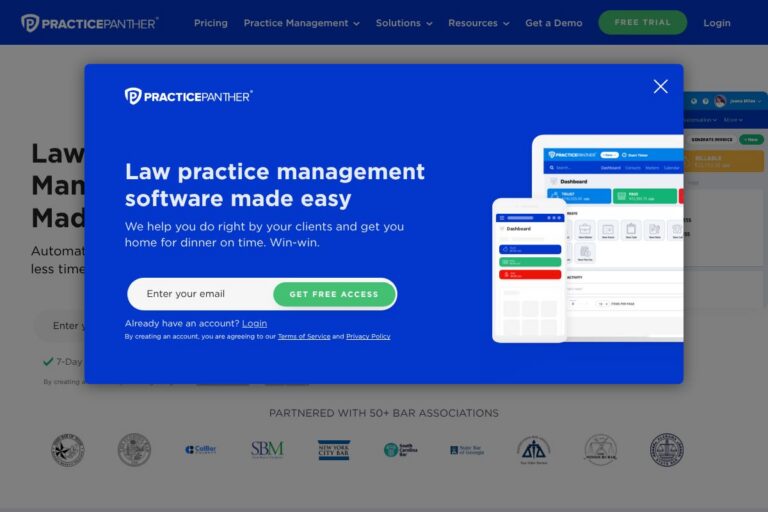
- PracticePanther — Cloud practice management with matter management, billing, and automation aimed at small to mid-size firms. Integrates with popular accounting and payment tools.
- MyCase — Case management and client portal tool designed for small firms, with integrated billing and a focus on straightforward usability.
- Rocket Matter — Offers matter management, billing, and productivity features with additional emphasis on legal-specific workflow templates and client intake.
- LEAP — All-in-one legal practice solution with integrated forms and document automation, often used by firms that need legal-specific templates and local jurisdiction tools.
- Zola Suite — Practice management with accounting built in, offering deeper financial controls for firms that want accounting and practice management in one solution.
- Smokeball — Desktop and cloud hybrid focused on matter automation and productivity for small practices, with automated time capture and document tools.
- TimeSolv — Time and billing solution that integrates with practice management systems for firms that need flexible time tracking and invoicing.
Open source alternatives to Clio
- CaseBox — Open source case management and document collaboration platform that can be adapted for legal workflows and matter tracking.
- Odoo — Open source ERP with CRM, document management, and invoicing modules that firms can configure for basic legal practice needs.
- ERPNext — Open source business platform with modules for CRM, projects, and accounting that can be customized to support legal operations.
- CiviCRM — Open source constituent relationship platform used by organizations for contact management and engagement workflows, which can be adapted for client intake and communications.
Frequently asked questions about Clio
What is Clio best used for?
Clio is best used for end-to-end legal practice management. It centralizes client intake, matter management, document automation, time tracking, invoicing, and reporting for law firms of all sizes.
Does Clio integrate with Google Workspace and Office 365?
Yes, Clio integrates with both Google Workspace and Office 365. Those integrations sync calendars, emails, and document workflows so firm data stays connected across productivity apps.
Can Clio handle trust accounting and compliance?
Yes, Clio supports trust accounting and compliance workflows. The platform includes trust ledger functionality and audit controls needed to manage client funds in jurisdictions that require trust accounting.
Is Clio suitable for larger law firms or enterprise legal departments?
Clio can scale to larger firms and legal departments. It provides enterprise-grade security controls, custom configurations, and options for centralized administration across multiple offices.
Does Clio provide an API for custom integrations?
Yes, Clio offers a public API. Developers can use the API and webhooks to integrate matters, contacts, time entries, and documents with other systems.
Final verdict: Clio
Clio stands out as a full-featured legal practice management platform that brings intake, matter work, documents, billing, and analytics together with context-aware AI and legal research. Its strengths are the breadth of features, the scale of third-party integrations, and the focus on compliance and security that many regulated practices require.
Compared with MyCase, which aims to deliver a simpler and often more budget-friendly experience for small firms, Clio is positioned to serve firms that need deeper automation, wider integrations, and enterprise security options. For firms that need a single, auditable platform that can grow with the practice, Clio is a strong candidate; for firms that want the most cost-effective, minimal setup, smaller alternatives may be more appealing.
For pricing, demos, and the most up-to-date feature lists, view the official Clio homepage or schedule a walkthrough on the Clio demo page.