What is Everchron
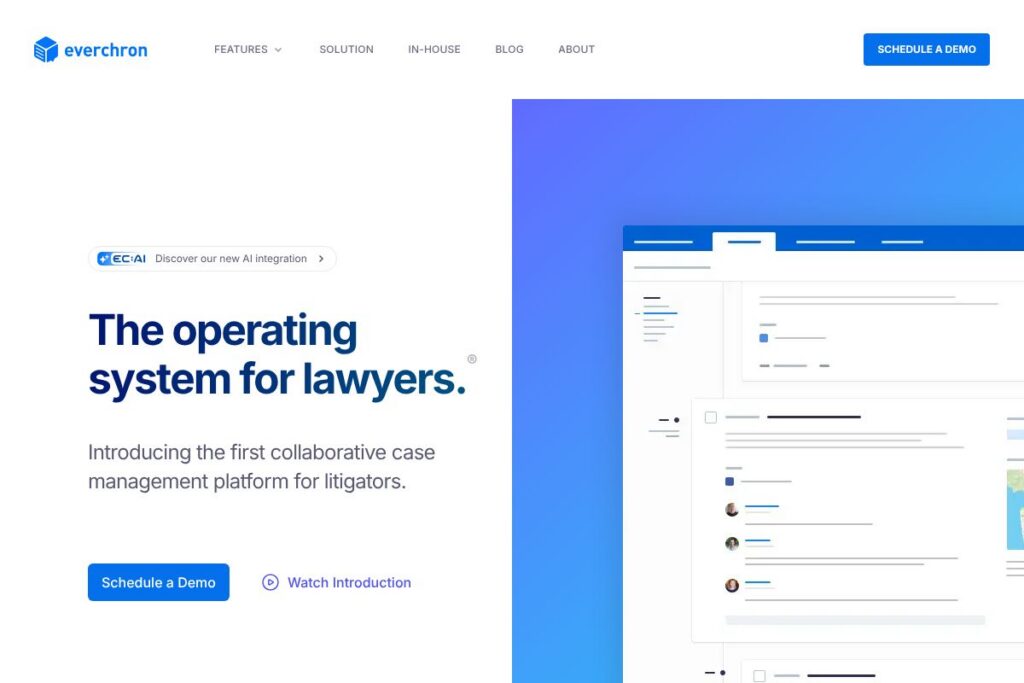
Everchron is litigation management software designed to help legal teams build the story of a case and manage the large volume of documents, transcripts, and people involved in complex matters. It centers on a case chronology that links events, facts, evidence, people, and documents so teams can see connections and assemble narrative threads for depositions, motions, and trial preparation.
Everchron sits in the same space as eDiscovery and litigation platforms such as Relativity, Everlaw, and CaseFleet, but it places stronger emphasis on chronology, witness preparation, and a unified master file for case content. Compared with Relativity, which focuses heavily on processing and review for eDiscovery, Everchron is built around chronology-first workflows and witness kit generation. Compared with CaseFleet, which is also chronology-oriented, Everchron adds a broader master file and integrated transcript reader for side-by-side exhibit playback.
All of this makes Everchron a particularly useful tool for litigation teams that need a single, collaborative workspace to assemble timelines, prepare witnesses, and review transcripts in context. It is especially well suited for multi-district litigation and cases with extensive document sets and multiple parties, where linking people, issues, exhibits, and events reduces manual cross-referencing and speeds trial preparation.
How Everchron Works
Teams create a case workspace and build a structured chronology by adding events, facts, and evidence, then tagging related people, issues, and documents. Each chronology entry can be linked to documents and multimedia so the narrative is backed by source material and ready for export or trial use.
A master file holds filings, correspondence, depositions, and exhibits in an organized filing structure that reduces the noise common to generic document management systems. Users can annotate, code, and highlight documents directly inside Everchron’s viewer, then push grouped materials into reports or witness kits for depositions and trial.
Transcript workflows use a built-in reader where users highlight, annotate, and code deposition transcripts, while viewing associated exhibits or video side-by-side. The platform automates witness profile generation by collecting linked documents and timeline entries into an exportable witness kit so witness prep shifts from manual assembly to review and analysis.
Everchron features
Everchron combines timeline building, document and transcript review, and collaborative access controls into a single litigation-focused workspace. Core capabilities include a linked case chronology, a master file for large matters, an integrated transcript reader with exhibit playback, automated witness profiles and witness kit export, and a universal viewer that renders many file types instantly.
Case chronology builder
The chronology builder lets teams create and sequence events, tag issues, and connect evidence so the case narrative is visible and navigable. Chronology entries can be linked to documents, people, and entities which makes finding supporting material faster during depositions and drafting. The shared timeline supports collaboration across in-house counsel, outside counsel, and experts.
Master file for large matters
The master file is structured to handle multi-district litigation and cases with thousands of documents, keeping key filings, correspondence, and exhibits accessible without the clutter typical of generic DMS platforms. It reduces duplication and organizes items by issue, document type, and relevance so review and production workflows are more efficient. This structure benefits cases that require multiple teams to work on overlapping evidence sets.
Automated witness profiles and witness kit export
Everchron automatically assembles witness profiles by collecting linked documents, relevant chronology entries, and cited exhibits into a unified profile. With a single export, teams can produce a witness kit that contains the materials needed for preparation and deposition. That saves hours of manual compilation and reduces the risk of missing key evidence.
Transcript reader with exhibit and video playback
The proprietary transcript reader supports highlighting, annotation, and coding and allows users to view exhibits and video synchronized with transcript timestamps. This makes deposition review more granular and helps teams prepare precise lines of questioning. Annotations remain linked to the master file and can be included in witness kits or trial binders.
Universal document viewer
Everchron’s viewer renders over 100 file types instantly so review, redaction notes, and coding can happen without external software. Instant rendering accelerates triage and reduces format-related review delays, especially when exhibits include unusual or legacy formats. The viewer also supports inline annotations that travel with the case materials.
Real-time collaboration and access controls
Teams can invite in-house counsel, outside counsel, co-counsel, local counsel, and experts into the workspace with role-based permissions and fine-grained access control. Real-time updates let multiple users annotate and edit without version conflicts, and audit logs track activity across the case. These controls simplify cross-team coordination during fast-moving litigation phases.
Linking, search, and entity mapping
Everchron indexes people, entities, issues, and documents so users can navigate relationships via linked profiles and search queries. Mapping connections between witnesses, documents, and events surfaces patterns useful for strategy and witness preparation. The search and linking features reduce time spent locating corroborating material.
With these features combined, Everchron focuses teams on the story of the case while keeping all supporting materials accessible and exportable for witness prep and trial. The strongest benefit is a chronology-centered workflow that reduces manual organization and makes case narratives reproducible across teams.
Everchron pricing
Everchron uses a custom, enterprise-oriented pricing model tailored to the size and complexity of matters and the number of seats required. For detailed and current pricing options, contact Everchron or review the Everchron homepage to request a quote and a demo.
What is Everchron Used For?
Litigation teams use Everchron to build and maintain a single source of truth for case narratives, timelines, and the evidence that supports them. It is commonly used for deposition preparation, trial readiness, chronology building, and organizing complex case materials across multiple parties and jurisdictions.
In-house legal departments, outside counsel, co-counsel, and expert witnesses find value in the platform because it centralizes documents, transcripts, and exhibits while enabling role-based collaboration. Everchron is especially useful in multi-district litigation and high-volume matters where linking events, people, and documents reduces duplication and manual assembly work.
Pros and Cons of Everchron
Pros
- Chronology-first approach: The platform organizes case work around a linked timeline so teams can assemble narrative threads and connect events, people, and documents without manual cross-referencing.
- Integrated transcript and exhibit review: The transcript reader with synchronized video and exhibit playback speeds deposition review and helps produce focused witness kits and deposition outlines.
- Designed for large matters: The master file and universal viewer handle complex cases and many file types, making Everchron suitable for MDLs and high-document-volume litigation.
- Automated witness kit exports: Automated profiles collect related documents and timeline entries for quick witness kit generation, saving preparation time.
Cons
- Enterprise-focused pricing: Pricing is provided on a custom basis which can be a higher upfront cost for small firms and solo practitioners compared with single-seat SaaS alternatives.
- Learning curve for new users: Chronology-centered workflows require a shift in how teams organize case materials, and adoption may require training for users accustomed to traditional DMS or eDiscovery review platforms.
- Integration variability: Integration depth with other platforms varies by vendor and may require coordination with vendor support or professional services for complex workflows.
Does Everchron Offer a Free Trial?
Everchron offers paid enterprise subscriptions with trial deployments and demo access available on request. Trial or pilot deployments are typically arranged through Everchron’s sales team so prospective customers can evaluate the chronology builder, transcript reader, and master file on representative matter data; contact the team via the Everchron homepage to arrange a demo.
Everchron API and Integrations
Everchron supports integrations and export paths that connect case materials to external document repositories and litigation platforms; for specifics on connectors and API access, review the integration information on the Everchron site or contact their team. These integration options are typically used to move processed documents in and out of eDiscovery platforms or to connect with document review tools.
If your workflow requires developer access, Everchron can provide API or connector details through their customer onboarding and technical documentation; reach out to their support or sales team from the Everchron homepage to request API documentation and integration guidance.
10 Everchron alternatives
Paid alternatives to Everchron
- Relativity — Enterprise eDiscovery and legal hold platform that focuses on processing, review, and production for complex discovery workflows. Relativity is widely used in large litigation and government matters.
- Everlaw — Cloud-native eDiscovery and case-building platform with strong review, analytics, and deposition preparation features aimed at law firms and corporate legal teams.
- CaseFleet — Chronology-focused case management tool that emphasizes timelines, source tagging, and fact management for litigation teams and solo practitioners.
- Logikcull — Automated eDiscovery platform for small to mid-sized matters, offering fast ingestion, search, and production without heavy infrastructure needs.
- DISCO — eDiscovery and review platform that emphasizes speed and AI-driven organization for large document review projects.
- Nextpoint — Cloud-based litigation support that combines document management, deposition and trial exhibit handling, and case analytics.
- Onna — Data integration platform that connects disparate sources to legal and compliance workflows, useful for consolidating evidence across cloud services.
Open source alternatives to Everchron
- Casebox — Open source case management and document collaboration platform that can be customized for legal workflows and evidence organization.
- Docassemble — An open source expert system for guided interviews and document assembly that can be adapted to automate parts of legal workflows and evidence collection.
- OpenKM — Open source document management system that supports document versioning, metadata, and workflows for teams that prefer self-hosting and customization.
- Nextcloud — Self-hosted collaboration and file-sync platform that, when combined with plugins, can serve as a secure document repository and team workspace for small legal teams.
Frequently asked questions about Everchron
What is Everchron used for?
Everchron is primarily used for litigation management and collaborative case work. Teams use it to build chronologies, manage transcripts and exhibits, and prepare witnesses and trial materials in a single workspace.
Does Everchron integrate with other eDiscovery platforms?
Yes, Everchron supports integrations and export workflows with eDiscovery and document repositories. Integration options and connector availability are provided during onboarding or can be discussed with Everchron’s support and sales teams.
Can Everchron handle multi-district litigation cases?
Yes, Everchron is designed to scale to large matters including multi-district litigation. The master file and universal viewer are optimized for high document volumes and complex party structures.
Does Everchron provide transcript review tools?
Yes, Everchron includes a proprietary transcript reader with highlighting, annotations, and synchronized exhibit and video playback. These features are intended to streamline deposition review and witness preparation.
How do I get pricing for Everchron?
Everchron uses custom enterprise pricing tailored to matter size and seat counts. To get a quote or request a demo, contact the team through the Everchron homepage.
Final verdict: Everchron
Everchron excels at making the story of a case accessible and actionable by combining a chronology-first workspace, an organized master file, and specialized transcript and witness-prep tools. For teams that need to move from disparate documents to a coherent narrative quickly, the integrated witness kit exports and synchronized transcript reader are practical features that reduce manual work and improve trial readiness.
Compared with competitors such as Everlaw, which focuses broadly on eDiscovery and review with enterprise pricing, Everchron differentiates itself by prioritizing chronology and witness preparation. Both platforms use enterprise pricing models, but teams that prioritize timeline-driven workflows and automated witness profile generation will find Everchron better suited to those specific needs. For further evaluation and to arrange a demo, visit the Everchron homepage.