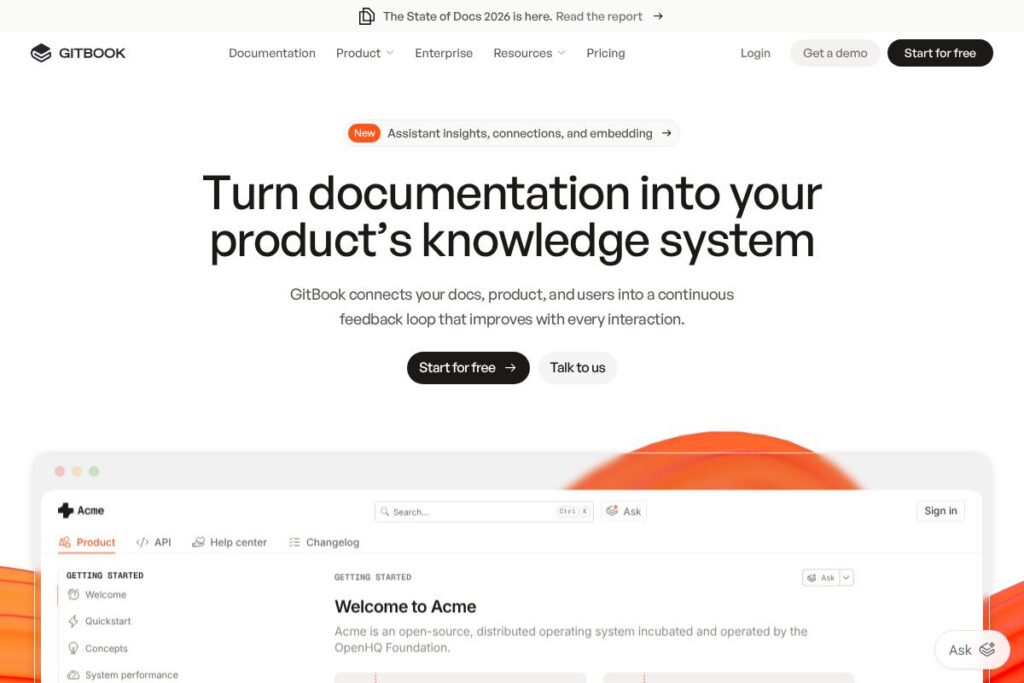
What is GitBook
GitBook is a documentation platform built to make product docs a first-class part of the product experience. It combines a structured authoring environment with search, permissions, and AI-driven insights so documentation can answer user questions and expose knowledge gaps as the product evolves.
Compared with Confluence, GitBook prioritizes a cleaner reading experience and structured docs workflows rather than broad team collaboration and wiki-style content. Compared with Notion, GitBook focuses specifically on documentation lifecycle features like versioning, access control, and docs-as-code integration instead of a general workspace for notes and databases. Against developer-focused tools such as Read the Docs, GitBook pairs a user-friendly web interface with enterprise features like SSO and compliance support rather than being primarily a static site generator.
GitBook does well at connecting documentation to product usage and support flows. It is especially suitable for product teams, developer documentation, and customer-facing knowledge bases that require controlled access, auditability, and continuous improvement through analytics and AI suggestions.
How GitBook Works
Documentation lives in GitBook as structured content with a hierarchy of pages, searchable metadata, and built-in version controls. Authors write in a rich editor with support for markdown and docs-as-code workflows, then publish content that is indexed for fast search and AI discovery.
Teams typically integrate GitBook with their source control and CI pipelines so docs updates can follow engineering workflows. Editors collaborate through draft workflows, review comments, and staged publishing while analytics and AI insights highlight unanswered questions and stale pages to prioritize updates.
GitBook features
GitBook centers on documentation quality and discoverability. Core capabilities include docs-as-code support, access control, AI-driven suggestions and analytics, enterprise security and compliance, and white-glove migration and support options. Recent updates emphasize AI discovery and automated suggestions that help teams identify knowledge gaps and improve content coverage.
Let’s talk GitBook’s Features
Docs-as-code workflows
GitBook supports integrating documentation with Git-based repositories so docs can be authored alongside source code. This enables versioned content changes, pull-request workflows, and automated publishing tied to CI pipelines, which helps engineering and docs teams keep content consistent with product changes.
AI insights and discovery
Built-in AI analyzes search signals and content to surface knowledge gaps and suggest improvements. Teams can use AI-driven recommendations to prioritize document maintenance, add missing pages, and surface relevant articles to users based on their search patterns.
Collaborative authoring and review
The editor provides real-time collaboration, commenting, and staged publishing to support team review cycles. Role-based workflows reduce conflicts by separating drafting, reviewing, and publishing responsibilities across product, documentation, and support teams.
Access control and authenticated content
Granular role and permission settings let you choose who can view, edit, or publish content at page or space levels. Authenticated access options let teams expose docs only to customers, internal teams, or partners, supporting both public and private documentation needs.
Enterprise security and compliance
GitBook includes SAML-based SSO, SOC 2 and ISO 27001 alignment, and GDPR-focused controls to meet enterprise security requirements. These features are designed to help security and legal teams manage access, data residency, and auditability across documentation assets.
Migration and white-glove support
GitBook offers hands-on migration services and onboarding assistance to import content from legacy platforms. Dedicated support and training help organizations standardize doc structure, set permissions, and ramp teams quickly.
Integrations and extensibility
The platform integrates with common developer and collaboration tools so docs can live within broader workflows. Integrations include source control systems, identity providers for SSO, and collaboration apps to surface documentation where teams work.
With these capabilities, GitBook helps teams keep documentation aligned with product changes while making knowledge easier to find and maintain over time.
GitBook pricing
GitBook uses a subscription and enterprise model with tiered plans tailored for individual users, teams, and organizations that require advanced security and support. Pricing is typically structured around seats and feature tiers with additional enterprise options for compliance and custom integrations.
For the most current plan breakdown and details on enterprise options, view the GitBook homepage or check the enterprise features and contact options to request custom pricing and a tailored quote.
What is GitBook used for
Product documentation and developer docs are the most common uses of GitBook, including API references, developer guides, onboarding manuals, and customer knowledge bases. Its structured authoring, version control, and search make it suitable for content that must stay synchronized with product releases.
Internal knowledge bases, support portals, and authenticated customer documentation are also common, since GitBook supports fine-grained access control and SSO for secure distribution. Teams use GitBook to reduce friction between engineering and documentation by using docs-as-code workflows and integrations into CI pipelines.
Pros and cons of GitBook
Pros
- Docs-as-code friendly: Integrates with Git workflows so documentation can follow the same versioning and review processes as source code, which reduces drift between product and docs.
- Enterprise-grade security: Provides SAML SSO, SOC 2 and ISO 27001 alignment, and GDPR-focused controls to support regulated environments and customer requirements.
- AI-driven insights: Analyzes search and usage to identify knowledge gaps and recommend content improvements, helping teams prioritize documentation work.
- Granular access control: Tiered roles and authenticated content options let you expose docs selectively to public users, customers, or internal teams.
Cons
- Customization limits for non-doc uses: The platform focuses on documentation and may feel restrictive compared with flexible workspaces like Notion when used for general project management or databases.
- Enterprise onboarding required: Large organizations often need white-glove migration and 1:1 support to fully map complex permission models and integrations, which can extend time to value.
Does GitBook Offer a Free Trial?
GitBook offers a free plan and paid enterprise options. The free tier is intended for individuals or small teams to publish documentation, while paid tiers and enterprise offerings add advanced security, integrations, and support; see the GitBook homepage for precise details and sign-up options.
GitBook API and Integrations
GitBook provides developer-facing APIs and a set of integrations to connect documentation with source control, identity providers, and collaboration tools. Refer to the GitBook documentation for API endpoints and examples on automating content updates and search indexing.
Common integrations include source control systems for docs-as-code workflows, identity providers for SSO, and collaboration platforms so teams can surface articles in the tools they already use. Integration details and setup guides are available in the platform documentation.
10 GitBook alternatives
Paid alternatives to GitBook
- Confluence — A team wiki and collaboration tool from Atlassian focused on internal knowledge sharing and project documentation with tight Jira integration.
- Notion — A flexible workspace that combines notes, databases, and docs; better suited for mixed use cases beyond documentation but less strict about docs-as-code workflows.
- ReadMe — Documentation platform oriented toward API reference, developer portals, and interactive API explorer features.
- Document360 — Knowledge base software with versioning, category-based content, and analytics aimed at support teams.
- Zendesk Guide — Part of the Zendesk suite, focused on support knowledge bases and customer-facing help centers integrated with ticketing.
Open source alternatives to GitBook
- Docusaurus — A static site generator optimized for documentation sites, built by Facebook and designed for developer docs and versioned content.
- MkDocs — A simple static site generator that uses Markdown and is popular for project documentation with a variety of themes.
- Sphinx — A documentation generator commonly used for Python projects that supports extensive cross-referencing and extensions.
- Read the Docs — An open source documentation hosting and build service that automates building and publishing docs from source repositories.
Frequently asked questions about GitBook
What is GitBook used for?
GitBook is used for creating and maintaining product and developer documentation. Teams publish API references, user guides, onboarding docs, and internal knowledge bases with versioning and access control.
Does GitBook offer enterprise security features?
Yes, GitBook provides enterprise security controls. Features include SAML-based single sign-on, SOC 2 and ISO 27001 alignment, and GDPR-focused data handling options.
Can GitBook integrate with source control systems?
Yes, GitBook supports docs-as-code integrations. You can connect repositories to enable versioned documentation workflows and automate publishing from CI pipelines; see the GitBook documentation for setup guidance.
Is GitBook suitable for private, authenticated documentation?
Yes, GitBook supports authenticated and access-controlled content. Tiered permissions and SSO let organizations expose docs only to selected customers, partners, or internal teams.
How does GitBook help identify knowledge gaps?
GitBook uses analytics and AI-driven suggestions to highlight gaps. The platform analyzes search queries and content coverage to recommend pages to add or update based on user behavior.
Final verdict: GitBook
GitBook is a focused documentation platform that pairs developer-friendly docs-as-code workflows with enterprise features like access control, SSO, and compliance. It stands out for its combination of structured authoring, AI-informed insights, and migration support which makes it practical for teams that need documentation to stay tightly coupled with product development.
Compared with Confluence, GitBook emphasizes a polished reader experience and documentation lifecycle features rather than broad internal collaboration. Confluence uses a per-user subscription model and is often positioned as a general team workspace, while GitBook centers on documentation discovery, controlled access, and content quality, making it a strong choice for product and developer docs where discoverability and compliance matter.