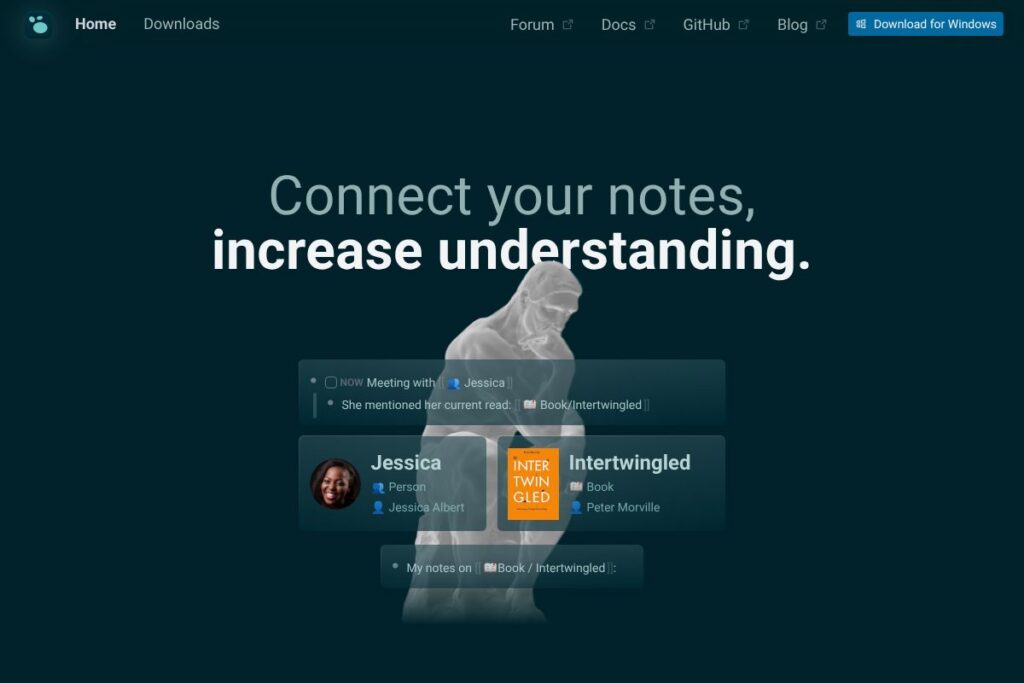
What is Logseq
Logseq is an open-source note-taking and knowledge management application built around a block-based outliner, bi-directional links, and local-first storage. It is designed for people who want to capture ideas, connect information over time, and maintain control over where their data lives without relying on a hosted lock-in solution. You can run it on desktop, mobile, or sync content via Git or optional cloud services while keeping files in Markdown or Org mode formats.
Compared with competitors Logseq emphasizes local storage and privacy. Roam Research focuses on rapid backlinking and hosted collaboration with a subscription model, Notion provides flexible databases and polished templates but stores content in the cloud, and Obsidian offers an extensible desktop-first experience with a plugin ecosystem and optional paid sync. Logseq sits between these approaches by combining an outliner-first editing model, robust query features, and a community-driven plugin system while remaining fully open-source.
Logseq excels at linked thinking, personal knowledge bases, and research workflows. It is especially useful for students, academics, writers, developers, and project managers who need block-level linking, local file control, and a system that supports review and spaced repetition. Its open architecture and active community make it a practical choice for people who want flexibility without surrendering ownership of their notes.
How Logseq Works
Notes are organized as pages and blocks so each idea can be referenced independently and reused across documents. You create daily journals or named pages, add blocks of content, then create links to other pages or blocks with double brackets, which generates automatic backlinks and a growing graph of related ideas.
Queries and filters let you surface items that match tags, properties, or full-text conditions, turning your notes into a searchable, structured repository. For workflows, users commonly capture meeting notes in the journal, link decisions to project pages, and query outstanding tasks so nothing falls through the cracks.
What does Logseq do?
What Logseq Brings to the Table: Logseq combines block-based outlining, bidirectional linking, and query-powered views to make large sets of notes navigable and actionable. Core capabilities include a daily journal, backlinks and graph view, a query language for custom views, flashcard-style spaced repetition, and an extensible plugin system that extends functionality. Recent community efforts have improved mobile sync options and plugin discoverability.
Outliner and block-based notes
Logseq stores content as discrete blocks which you can nest, reference, and reuse across pages. This structure makes it easy to convert brainstorming into outlines, extract snippets into other documents, and maintain atomic notes for long-term knowledge building.
Bi-directional links and graph view
Creating links automatically generates backlinks so context travels with your notes and you can explore relationships visually in the graph view. This helps reveal connections you might otherwise miss and supports networked thinking across topics and projects.
Queries and custom views
Logseq includes a query system that surfaces blocks or pages by tag, property, date, or content pattern, enabling custom dashboards and review queues. Teams and individual users rely on queries to create task lists, reading lists, and research indexes without duplicating content.
Flashcards and spaced repetition
Built-in flashcard support converts blocks into study items for spaced repetition review to aid memorization. This feature is particularly useful for students and researchers who want to retain facts and citations alongside contextual notes.
Local-first storage and sync options
Notes are stored locally in Markdown or Org mode files so you retain full control over your data and can use standard version control workflows. For device synchronization you can use Git-based sync, third-party file sync providers, or community plugins that connect to cloud services, depending on your privacy and collaboration needs.
Plugins and community ecosystem
An active plugin ecosystem provides connectors, themes, export tools, and automation that expand Logseq beyond a basic outliner. Community-created plugins add integrations for reference managers, calendar systems, and custom editors so you can adapt Logseq to domain-specific workflows.
With Logseq you get an extensible toolkit for building a personal or team knowledge base that prioritizes data ownership and linked thinking. The biggest benefit is the combination of block-level linking and local file formats that make notes portable, queryable, and durable over time.
Logseq pricing
Logseq follows an open-source, local-first model rather than a traditional subscription pricing structure. The core application is free to use, and you can self-host or store notes locally without recurring fees.
Open-source and free
Logseq is free and open-source under community licensing, allowing you to download the desktop and mobile apps and access the source code on the Logseq GitHub repository. Optional paid services or third-party sync solutions may exist in the ecosystem, but they are separate from the core app and community plugins.
For downloads and official releases, visit the Logseq homepage and check the documentation site for installation and syncing options.
What is Logseq Used For?
Logseq is commonly used for personal knowledge management, research note-taking, and project documentation where linking ideas and preserving context matter. Students often use it for class notes and flashcards, researchers for literature reviews and citation tracking, and writers for drafting and outlining content with block reuse.
Teams use Logseq for meeting notes, shared knowledge repositories, and lightweight project tracking when they require local control or prefer plain-text storage. Developers and technical users leverage its Markdown and Org mode compatibility to integrate notes into code workflows and version control systems.
Pros and Cons of Logseq
Pros
- Privacy-first storage: Notes are stored locally and in plain text so you retain full control over your data and can use Git for versioning and backups.
- Linked thinking made practical: Bi-directional links, block references, and the graph view make it simple to discover and navigate relationships between ideas.
- Extensible with plugins: A community plugin ecosystem adds integrations, export formats, and automation that extend the app without changing core functionality.
- Study and knowledge retention features: Built-in flashcards and review modes support spaced repetition workflows directly inside your notes.
Cons
- Learning curve for new users: The outliner and block-reference model can be unfamiliar to users used to page-centric apps and requires some setup for power workflows.
- Limited hosted collaboration out of the box: While sync options exist, collaborative editing comparable to fully hosted SaaS tools often relies on external services or plugins.
- Interface polish varies: Because the project is community-driven, UI consistency and built-in templates are less uniform than some commercial alternatives.
Does Logseq Offer a Free Trial?
Logseq is free and open-source. You can download and use the desktop and mobile applications at no cost, access the source code on the Logseq GitHub repository, and follow setup guides on the Logseq documentation site to get started without a paid trial.
Logseq API and Integrations
Logseq provides a plugin API and a developer guide that explains how to build extensions, themes, and connectors; see the Logseq plugin developer documentation for API endpoints and examples. The plugin system is the main extension point for automation, import/export, and third-party integrations.
For integrations, Logseq supports import and export to Markdown and Org mode, Git-based sync workflows, and a variety of community plugins for reference managers, calendar tools, and other services as documented on the Logseq documentation site.
10 Logseq alternatives
Paid alternatives to Logseq
- Notion — A flexible all-in-one workspace with databases, templates, and online collaboration built around cloud-hosted pages and blocks. Notion targets teams that need unified docs and lightweight apps.
- Roam Research — Focused on networked thought with backlinks and an outliner-first interface, Roam is a hosted service geared toward heavy knowledge workers and researchers.
- Obsidian — Desktop-first knowledge base with a large plugin ecosystem; the core app is free but Obsidian sells paid services such as sync and publish features.
- Evernote — A long-standing note app with multi-device sync, search, and web clipping, suited for users who prefer a traditional notebook metaphor with cloud sync.
- Microsoft OneNote — Free-form note-taking tightly integrated into Microsoft 365, suitable for users already invested in Microsoft workflows.
Open source alternatives to Logseq
- Joplin — An open-source note app with end-to-end encryption, notebook organization, and support for Markdown plus sync via various backends.
- TiddlyWiki — A single-file personal wiki that runs in the browser or as a local file, highly customizable for personal knowledge bases.
- Trilium Notes — Hierarchical note-taking with strong scripting and automation features, suitable for building complex knowledge trees.
- Org-roam — An Emacs-based system that brings Roam-style backlinks and Zettelkasten workflows into Org mode for Emacs users.
- Zettlr — An open editor oriented toward academic writing with citation management and support for Zettelkasten workflows.
Frequently asked questions about Logseq
What is Logseq used for?
Logseq is used for note-taking, knowledge management, and research workflows. Users build interconnected notes, manage tasks, and create review queues using queries and links.
Is Logseq free to use?
Yes, Logseq is free and open-source. The core desktop and mobile apps and the source code are available without subscription on the Logseq GitHub repository.
Does Logseq have an API for plugins?
Yes, Logseq exposes a plugin API for developers. The plugin developer documentation explains available hooks, UI extensions, and examples for building plugins.
Can Logseq sync notes across devices?
Yes, notes can be synced using Git-based workflows, third-party file sync tools, or community plugins. You can also export and import Markdown or Org mode files to move content between devices or apps.
Does Logseq support spaced repetition or flashcards?
Yes, Logseq includes flashcard and spaced repetition features. You can convert blocks into study items and schedule reviews directly inside your knowledge base.
Final verdict: Logseq
Logseq is a strong choice for users who prioritize privacy, local control, and linked thinking. It does block-level linking, queries, and spaced repetition well while keeping source files in portable formats, which makes it suitable for long-term knowledge work and research.
Compared with Obsidian, which offers a free core experience but monetizes sync and publishing services, Logseq provides a fully open-source core experience that emphasizes local-first storage and plugin-driven extensibility. If you want a free, community-driven knowledge base that keeps your files portable and searchable, Logseq is an effective solution, especially for academics, writers, and technically minded users who value data ownership.


