What is JivoChat
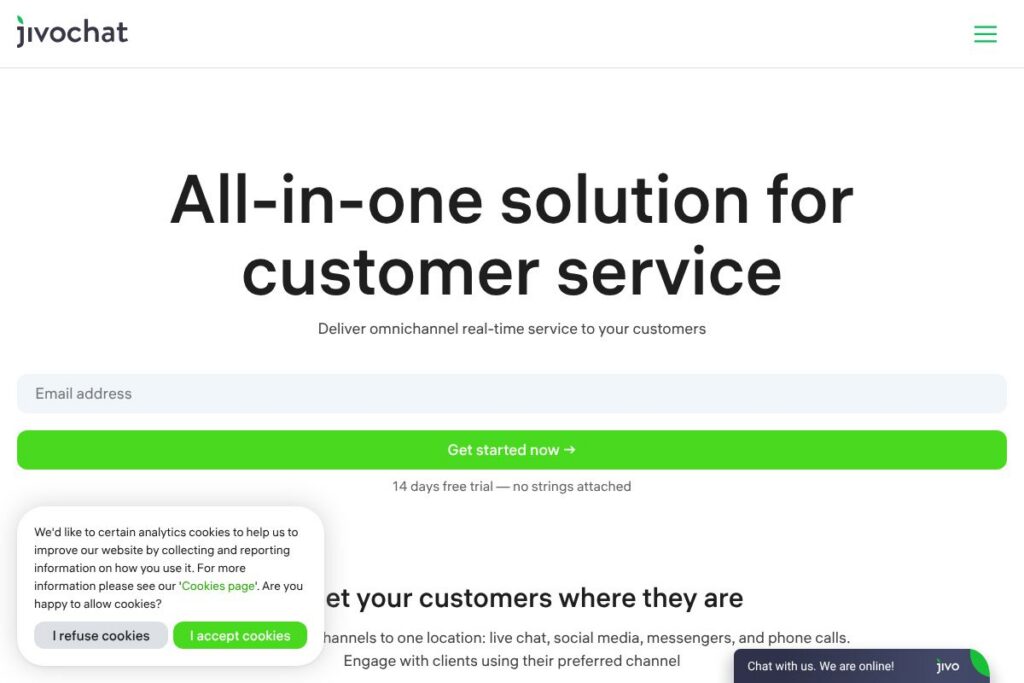
JivoChat is a live chat platform that collects website chats, social messengers, emails, and phone calls into one agent interface so teams can respond in real time. It focuses on converting visitors into customers by combining chat widgets, chatbots, WhatsApp automation, and built-in telephony into a single workspace that runs on desktop and mobile apps.
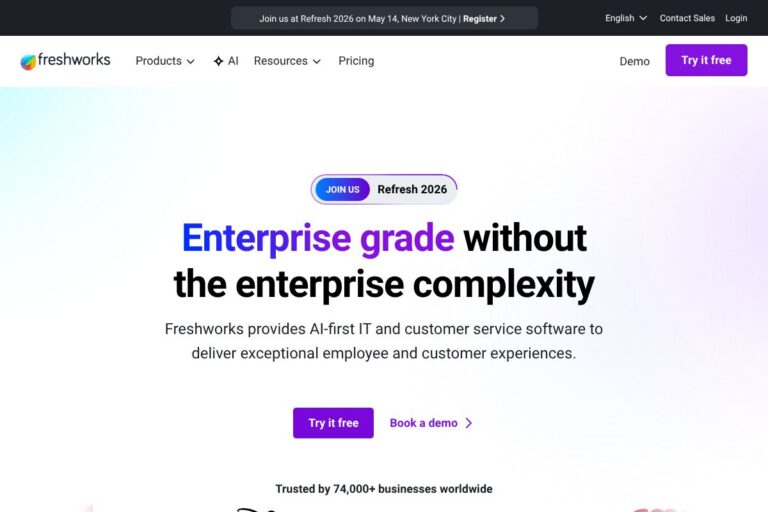
JivoChat competes with established customer messaging platforms such as Zendesk, Intercom, and LiveChat. Compared to Zendesk, JivoChat emphasizes real-time multichannel conversations rather than a full ticketing system. Against Intercom, it offers a lighter-weight, often more affordable approach to chat plus native WhatsApp and messenger integrations. Versus LiveChat, JivoChat provides broader omnichannel aggregation including social DMs and telephony in one interface.
All of this makes JivoChat well suited for small to mid-sized businesses and ecommerce sites that need an easy-to-install chat widget, quick omnichannel routing, and simple automation to improve response time and conversion rates. Its combination of chatbots, WhatsApp automation, and integrated telephony is especially useful where agents must manage many simultaneous conversations.
How JivoChat Works
JivoChat installs on your website as a JavaScript widget and connects external channels like WhatsApp, Facebook, Instagram, Telegram, email, and phone into a single agent console. Incoming messages are routed to available agents, and the console surfaces visitor context, response suggestions, and canned phrases to speed replies.
Teams typically set up channel links and automations, add 1-2 chat widgets on high-traffic pages, and configure chatbot flows to answer common questions. Agents use desktop or mobile apps to handle multiple chats in parallel, escalate to videocalls or voice when needed, and review saved conversations for quality and handoffs.
What does JivoChat do?
JivoChat bundles omnichannel messaging, automation, and telephony into one tool so businesses can track customer conversations across channels. Core capabilities include website live chat widgets, WhatsApp Business integration, social inbox for Facebook and Instagram, Telegram support, email routing, chatbots, videocalls, and a basic telephony system.
Let’s talk JivoChat’s Features
Omnichannel Inbox
The omnichannel inbox brings web chat, WhatsApp, Facebook Messenger, Instagram DMs, Telegram, email, and phone calls into a single agent feed. Agents see conversation history and visitor metadata next to messages, which reduces context switching and helps keep response times low.
Chatbots and Automation
Chatbots handle routine questions and initial routing, letting agents focus on higher-value conversations. Automated flows can qualify leads, present product options, gather contact details, and hand off to human agents when needed, which improves first-response coverage.
WhatsApp Integration and Broadcasts
JivoChat connects natively to WhatsApp Business so teams can continue conversations inside the Jivo interface, send permitted broadcasts, and apply templated messaging. This centralizes WhatsApp alongside other channels without requiring agents to use separate phone apps.
Social Messenger Support
Native connections for Facebook, Instagram, and Telegram allow agents to reply to DMs, comments, and mentions directly from the Jivo console. Managing social messages in the same workspace helps preserve conversation history and prevents account sharing risks.
Telephony and Call Management
Built-in telephony routes calls to agents, provides a single business number, and logs call activity alongside chats. Managers can monitor call quality and link voice interactions to customer records for a unified support history.
AI Assistant and AI Agent
JivoChat integrates OpenAI-based assistance to suggest responses, draft messages, and support multilingual replies. The AI Agent can provide automated answers to common queries, reducing live-agent load and improving availability during off hours.
Videocalls and Screen Sharing
Agents can initiate videocalls directly from chat to demo products or provide guided support. This capability is useful for higher-touch sales conversations and technical walkthroughs without forcing users to move to separate apps.
Developer API and Embedding
A Web API enables developers to embed the chat widget in custom web apps, fetch conversation history, and build integrations with CRMs or backend systems. The API supports event hooks and message passing for advanced workflows; review the JivoChat Web API documentation for endpoints and examples.
With this feature set, JivoChat helps teams reduce missed messages, speed up response times, and capture more leads by meeting customers on their preferred channels.
JivoChat pricing
JivoChat uses a SaaS pricing model with a freemium entry point and a time-limited trial for paid tiers. The vendor offers a free tier for small teams, a 14-day trial for paid features, and paid plans that scale with advanced integrations and telephony capabilities. View the JivoChat homepage for the most current plan details and any promotional offers.
Monthly Billing:
Free Plan – Free (Up to 5 agents, basic chat widget, core integrations)
Paid Plans – Varies per feature set and number of agents; monthly billing is available for teams that prefer flexible month-to-month subscriptions
Annual Billing:
Paid Plans (Annual) – Varies with annual commitments often reducing the effective monthly cost; annual billing typically includes the same features as monthly plans with discounted rates for upfront payment
Enterprise
Enterprise – Custom pricing (Advanced security, dedicated support, custom SLAs, and telephony scaling). Contact sales through the JivoChat enterprise page for tailored quotes and deployment options.
What is JivoChat Used For?
JivoChat is commonly used for website customer support, lead capture, and conversational sales. Ecommerce sites use it to answer product questions, share links and images, and push visitors into purchase funnels using quick replies and proactive greetings.
Support teams use JivoChat to consolidate conversations from social channels, WhatsApp, and email so agents can respond faster and preserve a single conversation history. Sales teams use broadcasts, chatbot qualification, and videocalls to nurture leads without leaving the messaging workspace.
Pros and Cons of JivoChat
Pros
- Multichannel consolidation: The omnichannel inbox keeps website chat, WhatsApp, Facebook, Instagram, Telegram, email, and calls in one interface to reduce agent context switching and credential sharing.
- Accessible automation: Chatbots, WhatsApp automation, and an AI assistant let teams automate frequent questions and triage inquiries before human handoff.
- Built-in telephony and videocalls: The combination of voice, video, and chat in one product supports richer sales and support interactions without multiple vendors.
Cons
- Feature depth for enterprises: Some large enterprises may find reporting and advanced CRM automation less mature than full-service help desk platforms, requiring additional integrations.
- Platform learning curve: Teams that consolidate many channels will need time to standardize workflows and train agents to use the omnichannel console efficiently.
Does JivoChat Offer a Free Trial?
JivoChat offers a free plan for small teams and a 14-day free trial for paid features. The free tier covers up to five agents with basic chat and integrations, while the trial provides temporary access to advanced automations, telephony, and AI tools so teams can evaluate the full capabilities before committing.
JivoChat API and Integrations
JivoChat provides an API for embedding the chat widget, retrieving chat history, and integrating with CRMs and backend systems. Developers can consult the JivoChat Web API documentation for available endpoints, authentication details, and sample code.
Key built-in integrations include WhatsApp Business, Facebook and Instagram messaging, Telegram, email routing, and telephony connectors. The JivoChat integrations list outlines supported apps and recommended connection steps.
10 JivoChat alternatives
Paid alternatives to JivoChat
- Zendesk — Mature ticketing and messaging platform with deep SLA, reporting, and enterprise-focused workflows.
- Intercom — Conversational support and product messaging with strong customer data and in-app engagement features.
- LiveChat — Focused live chat product with a polished widget and built-in ecommerce integrations.
- Freshdesk — Customer support suite combining tickets, chat, and automations with multi-channel routing.
- Drift — Conversation-driven marketing and sales platform optimized for B2B lead qualification and routing.
- Help Scout — Simple shared inbox and chat that integrates closely with email-first support teams.
- Tidio — Chat and chatbot platform geared toward small ecommerce stores with easy setup.
- Olark — Lightweight chat tool focused on simple installation and conversational reports.
- HubSpot Conversations — Part of HubSpot CRM that centralizes chat, email, and bots with CRM context.
- Genesys Cloud CX — Enterprise contact center solution for large-scale voice and messaging orchestration.
Open source alternatives to JivoChat
- Rocket.Chat — Self-hosted team chat with channels, messaging APIs, and omnichannel add-ons for customer messaging.
- Chatwoot — Open source customer inbox that supports web chat, WhatsApp, Facebook, and email with self-hosting options.
- Mibew Messenger — Simple open source live chat that can be embedded in websites for basic real-time support.
- Zammad — Open source helpdesk with email and chat integration for teams that want self-hosted ticketing.
Frequently asked questions about JivoChat
What is JivoChat used for?
JivoChat is used for real-time customer conversations across website chat, messengers, email, and phone. Businesses use it to support customers, qualify leads, and increase conversions by responding quickly in the channels customers prefer.
Does JivoChat support WhatsApp integration?
Yes, JivoChat connects natively to WhatsApp Business. You can manage WhatsApp conversations inside the Jivo inbox, use message templates, and run permitted broadcasts where allowed.
Can JivoChat be embedded in a custom web application?
Yes, JivoChat offers a Web API and embed options. Developers can use the JivoChat Web API documentation to add the widget, handle events, and sync chats with backend systems.
Is there a free tier of JivoChat?
Yes, JivoChat has a free plan that supports up to five agents. The free tier includes the basic chat widget and core channel integrations, and a 14-day trial unlocks paid features for evaluation.
How does JivoChat help with data security?
JivoChat centralizes conversations so sensitive data is stored in the platform rather than on individual staff phones. It supports role-based access for agents, conversation logs for auditing, and integration-friendly APIs so organizations can manage data retention and compliance.
Final Verdict: JivoChat
JivoChat is a practical, feature-rich option for businesses that need an omnichannel messaging hub with low setup friction. It does particularly well at consolidating website chat, WhatsApp, social DMs, email, and telephony into one agent workspace, which helps small and mid-market teams reduce missed messages and improve response speed.
Compared with Intercom, which focuses on deep product messaging and sophisticated customer data, JivoChat is more straightforward and often more cost-effective for teams that prioritize messaging coverage across many external channels. For organizations that need enterprise-grade reporting or tightly integrated CRM workflows, platforms like Zendesk may offer more built-in analytics, but JivoChat provides a strong balance of automation, omnichannel coverage, and developer APIs for customization.
Overall, JivoChat is a solid choice for ecommerce merchants, SMB support teams, and sales groups who need a single point of contact for customers across chat, messengers, and voice without a heavy ticketing system.