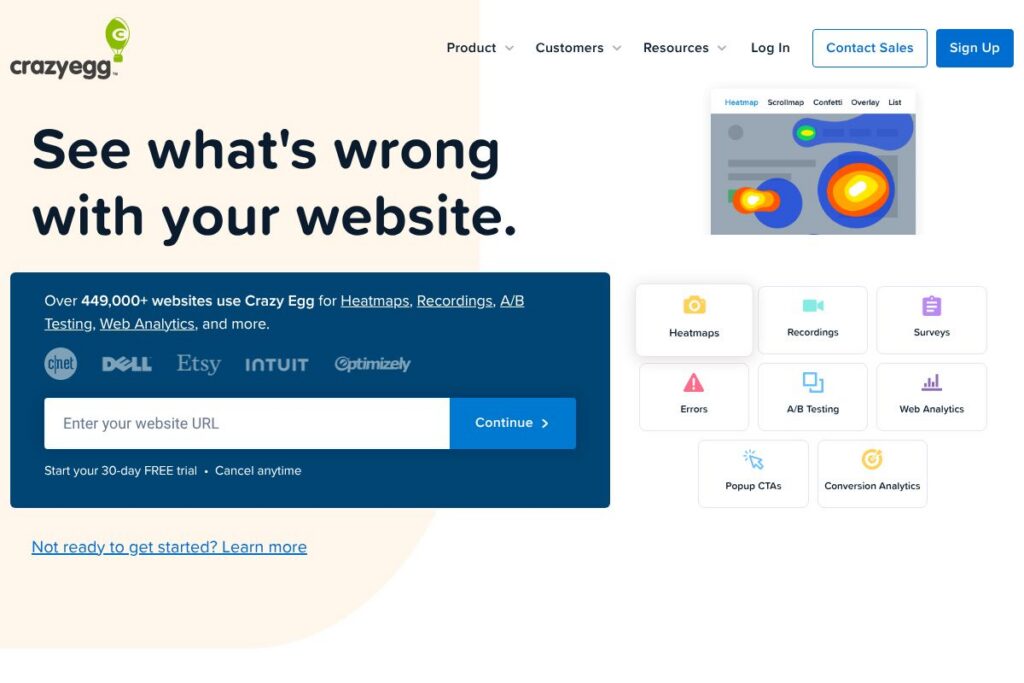
What is Crazy Egg
Crazy Egg is a web analytics and optimization platform focused on visualizing user behavior and running experiments to improve site performance. Its primary capabilities include heatmaps and scrollmaps, session recordings, on-page surveys, A/B testing, and lightweight analytics dashboards that aim to reduce setup overhead compared with enterprise analytics suites.
Crazy Egg sits in the same category as tools like Hotjar, FullStory, and Optimizely. Compared with Hotjar, Crazy Egg places more emphasis on integrated A/B testing alongside heatmaps. Compared with FullStory, Crazy Egg is typically positioned as a simpler, faster-to-deploy option for teams that want conversion insights without the heavier product analytics focus. Compared with Optimizely, Crazy Egg is generally easier to set up for small to mid-size marketing and UX teams while Optimizely targets deeper experimentation at scale.
All of this makes Crazy Egg well suited to conversion rate optimization and UX research workflows for marketing teams, product teams, and small agencies that need visual, actionable insights without complex configuration.
How Crazy Egg Works
Installing Crazy Egg requires adding a single tracking snippet to your pages or deploying via Google Tag Manager, Shopify, or WordPress, after which the platform begins collecting anonymized click and scroll data. Heatmaps aggregate clicks and scroll depth visually so teams can quickly identify high- and low-engagement page areas, while session recordings let you watch individual visitor sessions to spot friction points and unexpected behaviors.
A/B testing is available from the same interface, letting you create variants, serve them to segments of traffic, and measure lift using Crazy Egg’s conversion metrics. On-page surveys and popup CTAs can be targeted to specific pages or segments to collect qualitative feedback or capture leads, and the web analytics dashboard presents core metrics with options to export reporting for further analysis.
What does Crazy Egg do?
Crazy Egg organizes behavior data around visual reports and lightweight experiments. Core capabilities include heatmaps, session recordings, A/B testing, on-site surveys, popup CTAs, and a compact analytics dashboard that emphasizes speed and ease of use. The platform also highlights simple integration options for common CMS and tag manager setups.
Let’s talk Crazy Egg’s Features
Heatmaps
Heatmaps show aggregated click, tap, and scroll activity so you can see which content draws attention and which areas are ignored. Visual layers such as click maps, scrollmaps, and confetti-style overlays help teams prioritize layout and content changes to improve engagement.
Session Recordings
Session recordings let you watch real visitor interactions to understand navigation paths, form interactions, and points of friction. Watching recordings reveals usability issues that are difficult to diagnose from aggregated metrics alone and helps validate hypotheses before engineering changes.
A/B Testing
A/B testing allows you to run experiments on headlines, CTAs, or layout changes without heavy development work. Results are measured against conversions tracked in the dashboard so you can determine which variant performs better and roll out winners safely.
Web Analytics
The analytics dashboard provides simplified, near real-time traffic metrics without extensive setup or sampling. It surfaces key indicators such as visits, bounce rate, and conversion events, and supports exporting data for deeper analysis.
Surveys
On-site surveys capture qualitative feedback directly from visitors using targeted question flows or templates. Surveys can be deployed to specific pages or segments to collect insights that explain the quantitative signals from heatmaps and recordings.
Popup CTAs
Popup CTAs include buttons, modals, and sticky bars that you can deploy on existing pages to capture leads or test messaging. Click and conversion rate reporting for CTAs provides a quick way to iterate on copy and design.
Integrations and Easy Setup
Crazy Egg integrates with common deployment methods such as Google Tag Manager, Shopify, and WordPress and offers a single snippet for straightforward installation. Integration guides and platform-specific instructions speed up setup so teams can start collecting data quickly.
The biggest benefit is the combination of visual analytics and experimentation in a compact interface, which helps teams move from observation to action without managing multiple disparate tools.
Crazy Egg pricing
Crazy Egg uses a subscription pricing model with tiered plans that scale by features and usage, aimed at individuals, small teams, and enterprise customers. Specific plan details and billing options may change over time, so it is best to review the current choices directly.
For the latest plan descriptions and billing options, view Crazy Egg’s current pricing options.
What is Crazy Egg Used For?
Crazy Egg is commonly used for conversion rate optimization, UX research, and validating design or content changes with real visitor data. Marketing teams use heatmaps and A/B tests to raise clickthrough and signup rates, while product teams use session recordings to diagnose usability problems and prioritize fixes.
It is also practical for small agencies and freelancers who need a compact toolset to audit client sites, run experiments, and report improvements. The combination of qualitative and quantitative tools helps teams pair user feedback with behavioral evidence to make informed decisions.
Pros and Cons of Crazy Egg
Pros
- Visual analytics that are easy to read: The heatmaps and scrollmaps present behavior data in an immediately actionable format, making it faster to identify problems and test solutions.
- Integrated experiment and feedback tools: Having A/B testing, surveys, popups, and analytics in the same product reduces the need for stitching data across multiple vendors.
- Simple setup and common integrations: A single tracking snippet plus guides for Google Tag Manager, Shopify, and WordPress make deployment quick and accessible for non-technical users.
Cons
- Limited deep product analytics: For teams needing advanced event tracking, funnels, and user-level analytics, Crazy Egg is less feature-rich than enterprise product analytics platforms like FullStory.
- Pricing transparency varies: Public documentation focuses on features and plans but detailed usage limits and long-term volume pricing may require contacting sales for enterprise needs.
Does Crazy Egg Offer a Free Trial?
Crazy Egg offers a free trial for new users so you can evaluate heatmaps, recordings, and testing features before committing to a subscription; check the trial duration and limits on their site. For trial details and signup options, see Crazy Egg’s trial and account signup information.
Crazy Egg API and Integrations
Crazy Egg provides integrations for common platforms and tag managers, including Google Tag Manager, Shopify, and WordPress, with setup guides to connect tracking quickly. For details on available connectors and step-by-step instructions, check Crazy Egg’s integration options.
If you need programmatic access or custom automation, review the developer resources linked from the integrations documentation or contact Crazy Egg support to discuss API access and data export options.
10 Crazy Egg alternatives
Paid alternatives to Crazy Egg
- Hotjar – Heatmaps, session recordings, and survey tools with a focus on qualitative research and an easy-to-use recorder plus built-in feedback widgets.
- FullStory – Detailed session replay and product analytics designed for deeper user-level analysis and technical debugging workflows.
- Optimizely – Robust experimentation platform built for larger-scale A/B testing and feature flagging across web and mobile.
- VWO – Conversion optimization suite that combines A/B testing, heatmaps, session recordings, and personalization features.
- Heap – Event-centric analytics with automatic capture of user interactions and retroactive analysis of behavioral data.
- Lucky Orange – Heatmaps, replays, and live chat bundled with conversion funnels and form analytics for rapid troubleshooting.
Open source alternatives to Crazy Egg
- Matomo – Self-hosted analytics platform with heatmap and session recording plugins, offering full data ownership and privacy controls.
- Open Web Analytics – Open source web analytics that includes page heatmap capabilities and session tracking for self-hosting teams.
- Plausible – Lightweight, privacy-focused analytics that is open source and suitable for teams prioritizing minimal data collection.
- Ackee – Self-hosted analytics for developers wanting a simple, privacy-conscious tracking solution with a small footprint.
Frequently asked questions about Crazy Egg
What does Crazy Egg track on my website?
Crazy Egg captures aggregated click, scroll, and page interaction data. It also records session replays, survey responses, and conversion events depending on your configuration.
Can Crazy Egg integrate with Google Tag Manager?
Yes, Crazy Egg integrates with Google Tag Manager. You can deploy the Crazy Egg tracking snippet through a tag in your GTM container for straightforward installation.
Does Crazy Egg offer A/B testing features?
Yes, Crazy Egg includes A/B testing tools. You can create variants, split traffic, and measure conversions from within the same interface used for heatmaps and recordings.
Is Crazy Egg suitable for small businesses?
Crazy Egg is well suited to small businesses and marketing teams. Its simple setup, visual reports, and combined testing and feedback features make it practical for resource-constrained teams.
Can I export data from Crazy Egg?
Yes, Crazy Egg supports data export for reporting and analysis. Export options typically include CSV downloads of metrics and session data depending on your plan and usage.
Final verdict: Crazy Egg
Crazy Egg excels at making visitor behavior visible through heatmaps, recordings, and integrated A/B testing, all delivered in a compact interface that reduces setup friction. The platform is particularly useful for teams that need quick insights to guide conversion improvements without managing multiple tools.
Compared with Hotjar, which is strong on qualitative feedback and offers a free basic tier, Crazy Egg brings more integrated testing features alongside visual analytics; for teams that prioritize running experiments and iterating on page designs, Crazy Egg can reduce the number of vendor integrations required. For detailed pricing and to decide which option fits your traffic and testing needs best, review Crazy Egg’s current pricing options.


