Mailchimp: An Overview
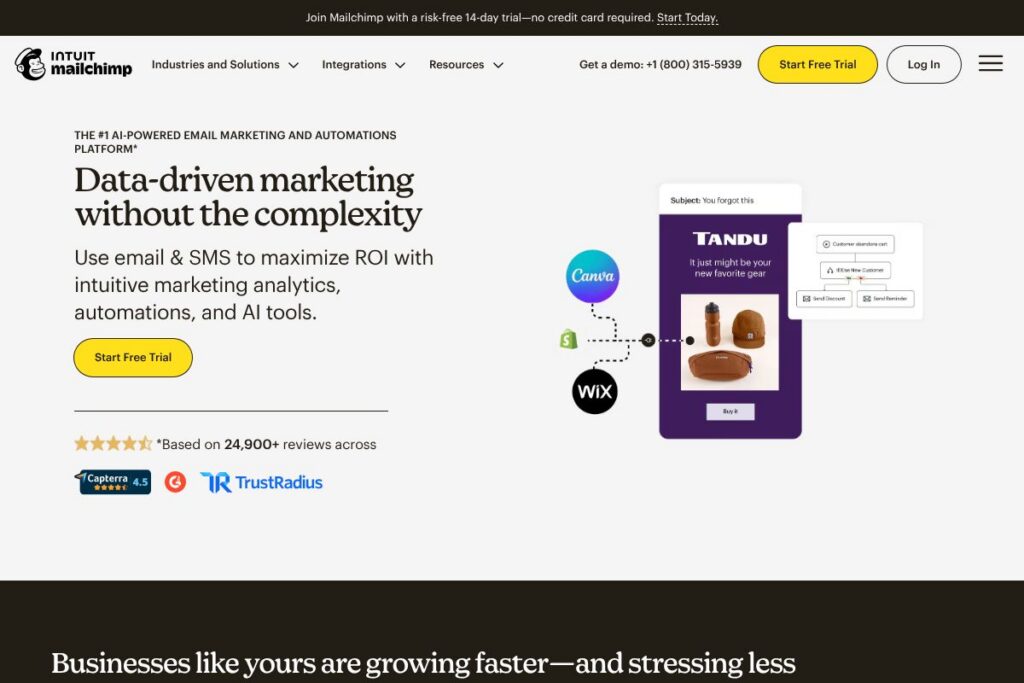
Mailchimp is an email and SMS marketing platform that helps businesses create campaigns, automate outreach, and analyze performance across channels. It combines visual campaign builders, prebuilt templates, audience segmentation, and generative AI tools to speed content creation and optimize send strategies for both e-commerce and general marketing programs.
Compared with competitors, Mailchimp sits between entry-level tools like Constant Contact and more e-commerce-focused platforms like Klaviyo. Unlike Klaviyo, which centers on deep e-commerce data integrations and often has higher per-contact costs, Mailchimp provides a broader set of builtin marketing features and tiered onboarding options. Against Sendinblue and ActiveCampaign, Mailchimp emphasizes a simpler user experience, bundled SMS add-ons, and AI-assisted content; it is less developer-focused than ActiveCampaign but offers more premade templates than Sendinblue.
Mailchimp works well for small businesses, marketing teams that want combined email and SMS channels, and stores that need straightforward campaign analytics without a heavy engineering lift. Its combination of automation, audience tools, and AI content features makes it a practical option for teams that want to scale communications across email and SMS while keeping setup manageable.
How Mailchimp Helps Marketing Teams
Campaign creation uses a drag-and-drop editor plus AI-assisted copy and subject line generation to speed content production. Users can assemble templates, preview messages for desktop and mobile, and send both email and SMS campaigns from the same account.
Audience management centers on segments and tags derived from contact attributes and behavior. Teams can build segments for purchase history, engagement, or lifecycle stage and then target those groups with automated or one-off campaigns.
Automation workflows cover common flows such as welcome sequences, abandoned cart recovery for e-commerce, post-purchase follow ups, and date-based triggers. Automations can include multi-step email sequences and SMS touches, and they integrate with on-site forms and popups for lead capture.
What does Mailchimp do?
Mailchimp bundles campaign authoring, list management, and analytics into a single platform with AI enhancements that help generate copy and suggest send times. Core capabilities include email and SMS campaigns, audience segmentation, visual automations, and performance reporting.
Let’s talk Mailchimp’s Features
AI-powered content generation
AI tools draft subject lines, preview text, and message copy based on your brand voice and campaign goals, reducing time spent on creative iterations and supporting consistent messaging across channels.
Email campaign builder
A visual drag-and-drop editor with responsive templates streamlines campaign assembly, letting teams customize designs without coding and preview layouts for different devices.
SMS marketing add-on
SMS can be added to paid plans to reach customers by text, enabling combined email and SMS sequences for higher engagement and conversion when used alongside email campaigns.
Automation workflows
Prebuilt and custom automation flows handle onboarding sequences, cart recovery, transactional follow ups, and date-based reminders, helping teams deliver timely messages without manual triggers.
Audience segmentation and predictive insights
Behavioral and demographic segmentation lets teams create targeted lists, while predictive tools surface likely purchasers or churn risks to prioritize outreach.
Reporting and analytics
Campaign and automation reports track opens, clicks, revenue attribution, and engagement trends, enabling iterative optimization of subject lines, content, and send cadence.
Templates and custom-coded emails
A library of templates accelerates setup, and advanced users can import custom-coded templates for branded layouts and precise rendering control.
Transactional email support
For developers and transactional workflows, Mailchimp supports high-deliverability transactional email via its transactional offering, useful for receipts, confirmations, and system notifications.
With this feature set, Mailchimp focuses on helping teams create multi-channel marketing programs using a mix of automation and AI, while keeping the interface approachable for non-technical users.
Mailchimp pricing
Mailchimp uses a tiered subscription model with a free entry level, and paid plans that scale by features and audience size. Plans include a free tier and progressively larger feature sets on paid tiers, plus add-ons such as SMS credits and dedicated onboarding for higher tiers.
Plan structure and what they include
Free: provides basic email campaigns, templates, and limited automation for small lists and trial use. See the Mailchimp plans and pricing page for exact limits and included features.
Essentials: offers expanded templates, A/B testing, and higher sending limits, aimed at growing teams that need more customization and testing tools.
Standard: includes advanced automations, predictive segmentation, and AI features plus options for combined email and SMS campaigns; this plan often includes personalized onboarding for new accounts.
Premium: geared to larger organizations with advanced segmentation, multivariate testing, priority support, and higher sending and contact limits.
Notes on billing and discounts
Billing options include monthly and annual subscriptions, with discounts sometimes available for large contact counts. Mailchimp has promotions such as a 14-day trial for the Standard plan and periodic discounts for accounts with large contact lists; check the Mailchimp plans and pricing hub for current offers and terms.
What is Mailchimp used for?
Marketers use Mailchimp to run regular newsletters, promotional campaigns, and cross-channel sequences that combine email and SMS. It is commonly used for e-commerce follow ups, abandoned cart recovery, welcome funnels, and membership or event communications.
Small businesses and midmarket teams use Mailchimp to centralize audience data, set up automated customer journeys, and measure campaign ROI without a heavy reliance on engineers or external systems. The platform also supports transactional messaging for order confirmations and system notices.
Pros and Cons of Mailchimp
Pros
- Wide adoption and familiarity: Many marketers already know Mailchimp, which lowers onboarding friction and provides a large ecosystem of templates and guides. This makes it easy to find community support and setup help.
- Multi-channel campaigns: Email and SMS can be combined in automations and campaigns, increasing engagement when both channels are used together. Teams can use both channels for cart recovery and re-engagement sequences.
- AI and automation features: Builtin AI copy tools and predictive segmentation speed campaign creation and surface high-value contacts for targeted outreach, reducing manual list work.
- Extensive integrations: Mailchimp connects with e-commerce platforms, CRM systems, and website builders, allowing data to flow into campaigns and automations.
Cons
- Pricing for large lists: For very large contact bases, costs can become significant when add-ons like SMS credits are included, so teams should model costs before committing to a large plan. This means budgeting carefully for scale.
- Feature variability by plan: Advanced features such as multivariate testing, priority support, and certain AI capabilities are gated behind higher tiers, requiring upgrades for enterprise needs.
- Less developer-centric than competitors: While offering APIs and transactional options, Mailchimp is more focused on marketer usability than deep developer customization compared with some alternatives, which may matter for complex integrations.
Does Mailchimp Offer a Free Trial?
Mailchimp offers a free plan and a 14-day free trial for the Standard plan. The free tier supports basic email campaigns and limited automation, while the Standard trial provides access to enhanced automations, AI features, and additional sending capacity for the trial period. For exact trial terms and eligibility, view the Mailchimp plans and pricing information.
Mailchimp API and Integrations
Mailchimp provides a developer API with endpoints for managing audiences, campaigns, templates, and reports; the Mailchimp API documentation details the available endpoints and authentication methods. The API supports automation triggers and programmatic campaign creation for teams that want to integrate marketing actions into custom systems.
Key native and marketplace integrations include Shopify, WooCommerce, Salesforce, Zapier, and Slack, among hundreds more. These connections help sync customer data, trigger automations from e-commerce events, and push campaign activity into other team tools.
10 Mailchimp alternatives
Paid alternatives to Mailchimp
- Klaviyo — A marketing platform focused on e-commerce with granular customer analytics and event-based segmentation, favored by online retailers.
- ActiveCampaign — Combines advanced automation, CRM, and email marketing with developer-friendly automation options for sales and marketing alignment.
- Sendinblue — Offers email, SMS, and chat with a focus on transactional messaging and flexible send-volume pricing.
- Constant Contact — A user-friendly email marketing tool with event and small business features, geared to straightforward campaigns and local businesses.
- HubSpot Marketing Hub — Integrated marketing automation inside a CRM, useful for inbound marketing and larger teams that need full-funnel analytics.
- Campaign Monitor — Strong template and design capabilities with scalable lists and reporting suited to design-forward campaigns.
- GetResponse — Provides email marketing, landing pages, and webinar tools in a single platform for customer acquisition campaigns.
Open source alternatives to Mailchimp
- Mautic — An open source marketing automation platform with campaign building, email sending, and extensive customization for teams that want self-hosting control.
- Listmonk — A high performance, self-hosted newsletter and mailing list manager focused on speed and simplicity.
- Mailtrain — A self-hosted newsletter app built on Node.js and MySQL, providing subscriber management and automation for technical users.
- Postal — A mail delivery platform suitable for sending high volumes of transactional and marketing email from your own servers.
Frequently asked questions about Mailchimp
What is Mailchimp used for?
Mailchimp is used for email and SMS marketing, automations, and audience management. Teams use it to send newsletters, promotional campaigns, and automated customer journeys tied to behavior and purchases.
Does Mailchimp offer SMS messaging?
Yes, Mailchimp supports SMS as an add-on on paid plans. SMS credits are purchased separately and message availability depends on recipient country and local regulations.
How much does Mailchimp cost?
Mailchimp uses tiered subscription plans including a free option and paid tiers. Because prices vary by contact count and chosen add-ons, view the Mailchimp plans and pricing hub for the latest rates and plan details.
Can Mailchimp integrate with my store or CRM?
Yes, Mailchimp integrates with many e-commerce platforms and CRMs. Popular integrations include connectors for platforms like Shopify and Salesforce, plus Zapier for custom third-party workflows.
Does Mailchimp provide an API for developers?
Yes, Mailchimp offers a public developer API. The Mailchimp API documentation provides endpoints for audiences, campaigns, templates, and reporting.
Final verdict: Mailchimp
Mailchimp is strong for teams that want an all-in-one email and SMS solution with approachable tools, built-in AI content helpers, and standard automation flows. Its free tier and trial options lower the barrier to try combined email and SMS campaigns, while its templates and onboarding make it accessible to non-technical users.
Compared to Klaviyo, Mailchimp typically offers broader general marketing features and a friendlier onboarding experience, while Klaviyo leans harder into e-commerce event tracking and advanced segmentation with pricing that often scales higher as contact lists grow. For organizations that prioritize integrated AI-assisted campaign creation and multi-channel outreach without a large developer investment, Mailchimp presents a balanced choice. For pure e-commerce optimization and highly granular purchase-event segmentation, consider evaluating Klaviyo alongside Mailchimp to compare costs and data needs.