What is AWeber
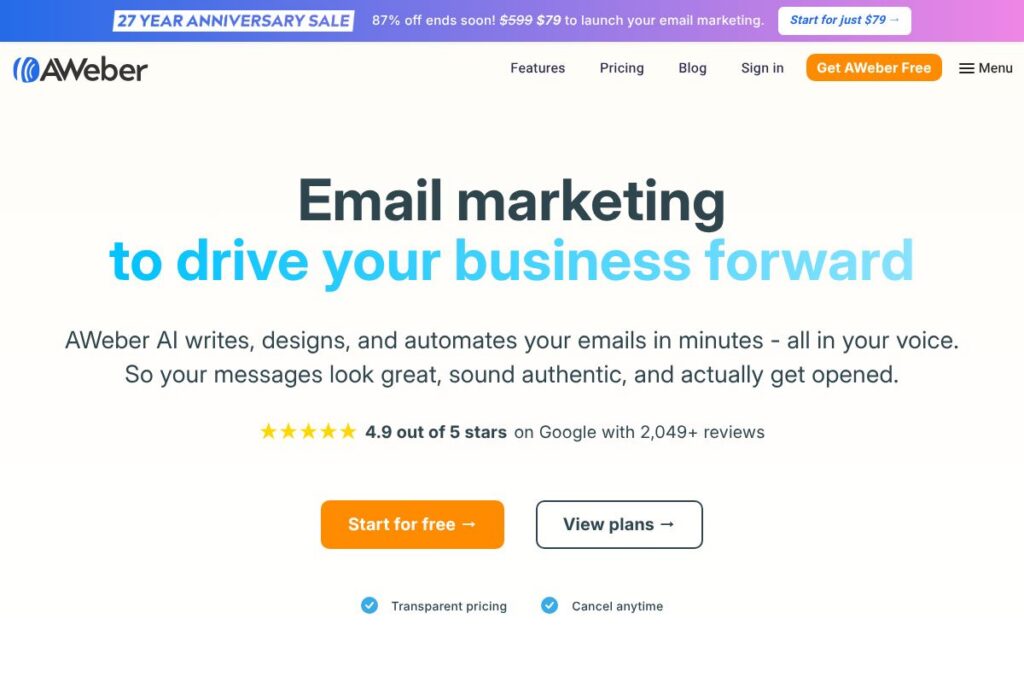
AWeber is an email marketing platform aimed at small businesses, content creators, and independent marketers. It provides tools to build email campaigns, design signup forms and landing pages, automate follow-up sequences, and process payments via integrated ecommerce processors. The platform emphasizes ease of use, reliable deliverability, and support for common small-business workflows.
Compared with Mailchimp, AWeber focuses more on a straightforward email builder and direct support for list management rather than a broad suite of marketing CRM features. Compared with Constant Contact, AWeber offers more automation options and deeper template customization, while ConvertKit targets creators with tagging-centric subscriber workflows that differ from AWeber’s list-and-segment approach. These distinctions make AWeber a practical choice when you want solid deliverability and simple, reliable automation without an overly complex CRM layer.
All of this makes AWeber well suited for small businesses, bloggers, and ecommerce sellers who need dependable email delivery and easy campaign setup. It is especially useful for teams that prioritize speed of setup, clear subscriber management, and integrated payment processing via supported processors.
How AWeber Works
AWeber organizes work around audiences, messages, and automation. You create or import an audience, design broadcast emails or automated sequences, and send to segments based on tags, signup source, or engagement. Signup forms and landing pages collect addresses and other user data directly into lists or tagged segments.
Campaign workflows commonly start with a signup form embedded on a website or landing page, move into a welcome or onboarding automation, and branch into targeted broadcasts or product-focused sequences. For ecommerce, AWeber routes payment data through integrated processors so purchase events can trigger follow-up messages or tag-based segmentation. Reporting tracks opens, clicks, bounces, and conversions so teams can refine messaging over time.
What does AWeber do?
AWeber centers on email creation, subscriber management, automation, and ecommerce-ready integrations. Core capabilities include a drag-and-drop email builder, prebuilt templates, signup forms and landing pages, autoresponder sequences, and analytics. Recent focus has been on improving automation and integrations that simplify accepting payments and syncing subscriber data.
Let’s talk AWeber’s Features
Drag-and-drop email builder
The builder lets you design responsive emails with prebuilt blocks for images, buttons, and social links. It reduces the need for HTML knowledge and speeds up campaign creation for small teams and solo operators.
Subscriber management and segmentation
AWeber stores lists, supports tagging, and segments contacts by activity or custom fields. That makes targeting broadcasts and automation conditions simpler without requiring a separate CRM.
Automation and autoresponders
Sequenced autoresponders and conditional automations enable welcome series, onboarding, and behavior-triggered follow-ups. Automation rules can be based on tags, purchases, or link clicks to tailor messaging automatically.
Signup forms and landing pages
Built-in form builders and landing page templates capture leads and integrate directly with your audience. Forms support double opt-in and can be embedded or hosted to match common website setups.
Templates and design library
AWeber provides a library of responsive email templates and layout blocks to speed design. Templates help teams maintain consistent branding across campaigns and reduce time spent on layout decisions.
Ecommerce and payment processing
AWeber integrates with payment processors so you can accept purchases from landing pages and trigger post-purchase campaigns. This helps automate receipts, follow-ups, and tagging based on customer activity.
Analytics and deliverability tools
Reporting covers opens, clicks, unsubscribe rates, and delivery statistics so you can monitor campaign health. Built-in deliverability features and best-practice guidance help maintain inbox placement.
Integrations and migration tools
AWeber includes connectors for common platforms and offers migration assistance to import data from other ESPs. This reduces friction when switching providers or linking to ecommerce and web platforms.
With these capabilities, AWeber provides a compact set of tools that covers the end-to-end email marketing lifecycle for small teams, prioritizing simplicity and reliable delivery.
AWeber pricing
AWeber uses a subscription model with tiered plans that scale by subscriber count and feature needs, alongside a free entry option. Specific plan prices vary based on the number of subscribers and billing cadence, and may change over time.
For current plan details and to compare features by subscriber tier, view AWeber’s current pricing options. The site shows plan comparisons, subscriber thresholds, and any promotional offers relevant to new accounts.
What is AWeber used for
AWeber is commonly used for email newsletters, onboarding sequences, product announcements, and post-purchase follow-ups. Small businesses use it to keep customers informed, nurture leads, and send transactional-style messages tied to ecommerce activity.
It is also used by bloggers, podcasters, and creators to manage subscriber lists, deliver gated content, and automate welcome or drip series. Agencies and consultants working with small-business clients use AWeber for straightforward campaign management and migration support when moving from other ESPs.
Pros and Cons of AWeber
Pros
- Easy-to-use editor: The drag-and-drop builder makes email creation fast for users without coding skills, which shortens campaign setup time and reduces reliance on developers.
- Reliable deliverability: Industry-standard deliverability practices and monitoring help ensure messages reach inboxes, benefiting teams that depend on consistent email performance.
- Simple ecommerce integration: Built-in support for payment processors and ecommerce triggers lets sellers automate receipts and follow-ups without complex configuration.
- Migration assistance: AWeber offers services and guidance to import audiences from other ESPs, which lowers the barrier when switching providers.
Cons
- Limited advanced CRM features: The platform does not provide the deeper CRM and multi-channel marketing automation found in larger marketing suites, which can be a drawback for businesses needing full customer lifecycle management.
- Segmentation depth: While segmentation and tagging are supported, some competitors offer more granular behavioral segmentation and visual automation builders that scale better for complex campaigns.
- Strict anti-spam policy enforcement: AWeber enforces a strict acceptable use policy and prohibits purchased lists and other practices; this protects deliverability but requires careful list practices from users.
Does AWeber Offer a Free Trial?
AWeber offers a free plan and a time-limited free trial for paid tiers. The Free Trial begins on enrollment and continues for the duration shown during signup, with automatic conversion to a paid subscription at the end of the trial unless you cancel. Trial sending limits include email sending caps such as 12x your subscriber count per month for Plus plans and 10x your subscriber count per month for Lite plans, and exceeding limits may end the trial and start a paid plan.
AWeber API and Integrations
AWeber provides a developer API for programmatic access to lists, subscribers, and messages; consult the AWeber API documentation for endpoints and authentication details. The platform also supports many out-of-the-box integrations with common tools and payment processors.
Key integrations include Stripe, PayPal, Shopify, WordPress, Zapier, Google Analytics, and Facebook, which cover ecommerce, site forms, automation, and analytics needs. For developer reference, see the AWeber developer portal to build or review integrations.
10 AWeber alternatives
Paid alternatives to AWeber
- Mailchimp — All-in-one marketing platform with email, landing pages, and advanced marketing CRM features suitable for teams who want a broader toolset.
- ActiveCampaign — Strong automation and CRM integration for businesses that need complex customer journeys and advanced segmentation.
- ConvertKit — Creator-focused email marketing with easy tagging and sequence workflows that suit bloggers and course creators.
- GetResponse — Includes webinars, landing pages, and automation with ecommerce features for growing small businesses.
- Sendinblue — Email and SMS combined, with a pay-as-you-go option for higher-volume senders and robust transactional messaging.
- Constant Contact — Simple email campaigns and event management tools, commonly chosen by small organizations and nonprofits.
- HubSpot Marketing Hub — A more comprehensive marketing platform that combines email with CRM, analytics, and inbound tools for scaling teams.
Open source alternatives to AWeber
- Mautic — Self-hosted marketing automation offering email campaigns, landing pages, and detailed workflows, suited to teams that want control over infrastructure.
- Mailtrain — Open source newsletter application built on Node.js with list management and campaign scheduling for self-hosted setups.
- phpList — Long-standing open source email campaign manager that handles large lists and on-premise control for organizations with in-house hosting.
- Listmonk — High-performance open source newsletter and mailing list manager that focuses on speed and efficiency for technical teams.
Frequently asked questions about AWeber
What is AWeber used for?
AWeber is used for email marketing, list management, and simple automation. Businesses and creators use it to send newsletters, onboard subscribers, and trigger follow-ups tied to purchases or user behavior.
Does AWeber integrate with Stripe?
Yes, AWeber integrates with Stripe for payment processing. Integration allows you to accept payments and trigger email sequences based on purchase events when using supported landing pages or checkout flows.
Can AWeber migrate my data from another ESP?
Yes, AWeber offers migration assistance for customers moving from other ESPs. Their migration workflow includes secure transfer of lists and guidance to map fields and automate the import process.
Is AWeber suitable for ecommerce stores?
Yes, AWeber is suitable for small ecommerce stores that need email automation and basic payment integrations. It supports purchase-triggered automations and integrates with common payment and ecommerce platforms.
How does AWeber handle spam and list quality?
AWeber enforces strict anti-spam and list-quality policies and prohibits purchased lists. These rules protect deliverability and require that subscribers explicitly opt in to receive messages.
Final verdict: AWeber
AWeber does email marketing well for small businesses that need straightforward campaign creation, solid deliverability, and easy subscriber management. It combines an intuitive email editor, built-in forms and landing pages, and ecommerce-ready integrations to cover common use cases without requiring a large marketing team to manage campaigns.
Compared with Mailchimp, AWeber tends to focus more narrowly on email and list workflows rather than the broader marketing CRM and multi-channel features Mailchimp now includes. Pricing for both services scales by subscriber count and feature set; AWeber’s model includes a free entry option and paid tiers that grow with audience size, while Mailchimp’s tiers diverge more on advanced marketing features. For teams that want dependable email delivery, simple automation, and direct ecommerce integration without a complex CRM, AWeber is a pragmatic choice.