Campaign Monitor: An Overview
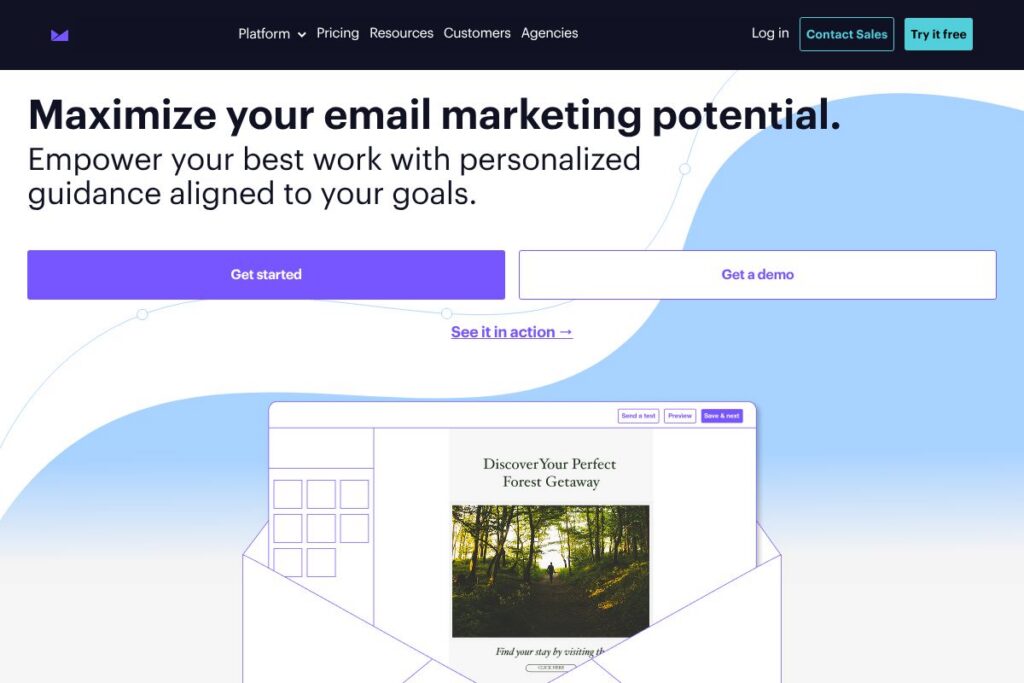
Campaign Monitor is an email marketing platform built for teams that need polished templates, audience segmentation, and visual automation to run newsletters, promotional campaigns, and lifecycle journeys. The product centers on a drag-and-drop email builder, a visual journey designer for automated sends, and analytics dashboards that track opens, clicks, and revenue attribution. Recent additions emphasize AI-driven campaign optimization and a Website Builder to connect web signups directly to lists.
Compared to Mailchimp, Campaign Monitor focuses more tightly on email design and deliverability while Mailchimp positions itself as a broader marketing CRM with a free tier and additional channels. Against Klaviyo, Campaign Monitor is typically simpler to set up for standard email programs, while Klaviyo prioritizes deep e-commerce integrations and advanced behavioral data. Versus ActiveCampaign, Campaign Monitor offers a more design-forward experience with a visual journey builder, while ActiveCampaign emphasizes CRM-driven automation and conditional workflows.
All of this makes Campaign Monitor a strong choice for teams that prioritize clean email design, predictable deliverability, and straightforward automation. It works well for marketing teams, agencies, and small to midsize businesses that need professional templates and clear performance reporting without a steep learning curve.
How Campaign Monitor Works
Campaign Monitor uses a web-based interface where users build audiences, design email templates, and configure automated journeys. Lists and segments are created from uploaded contacts, signup forms, or linked data sources; segments can be based on subscriber attributes, engagement, or purchase history to target messages precisely.
Campaign Monitor’s visual journey designer lets you map triggers, conditions, and timed sends using a drag-and-drop canvas, so teams can implement onboarding sequences, abandoned cart flows, or re-engagement campaigns without coding. Emails are designed in a responsive drag-and-drop editor that supports locked template areas, custom HTML blocks, and mobile previews so campaigns look consistent across devices.
Campaign Monitor provides reporting dashboards that show opens, clicks, and conversions in real time, plus A/B testing and send-time optimization to refine campaigns. Teams can export campaign data or connect to other systems via integrations and the API for deeper analytics and workflow automation.
What does Campaign Monitor do?
Campaign Monitor combines email creation, audience management, automation, and analytics into a single platform. Core capabilities include a drag-and-drop email builder, a visual journey designer for automation, audience segmentation and list management, and reporting dashboards that surface campaign performance. Recent feature additions include AI-powered campaign assistance for subject lines and content optimization, and a Website Builder that connects signups to lists.
Let’s talk Campaign Monitor’s Features
Drag-and-drop Email Builder
The builder offers prebuilt modules, responsive layouts, and precise styling controls so teams can produce branded campaigns without coding. Template locking allows designers to preserve brand-critical sections while letting other team members edit content safely. Mobile previews and inline image handling make it straightforward to ensure campaigns render well on phones and tablets.
Visual Journey Designer (Automation)
The visual canvas enables conditional flows, timed waits, and multi-step journeys that trigger on events like signups or purchases. It simplifies common automations such as welcome series, re-engagement, and transactional flows by mapping the sequence visually instead of scripting logic. The designer also supports branching based on engagement so you can vary follow-ups for active versus inactive subscribers.
AI Email Booster and Segment Mapper
AI features assist with subject line suggestions, content optimization, and audience creation to improve engagement and streamline campaign setup. Segment Mapper helps build audiences by analyzing contacts and recommending segment criteria based on behavior and attributes. These capabilities accelerate list building and provide data-driven suggestions for targeting.
Template Library and Template Management
Campaign Monitor provides professionally designed templates for newsletters, product announcements, and promotions to speed campaign creation. Administrators can manage template versions, lock sections, and centralize brand assets so teams maintain consistency across sends. Templates are fully responsive and customizable with options for custom HTML when needed.
Website Builder
The Website Builder offers drag-and-drop page creation that connects directly to Campaign Monitor lists, enabling marketers to collect subscribers and manage landing pages from within the same account. Templates and form integrations make it quick to deploy campaign landing pages tied to email flows. The builder is useful for small businesses that want a simple site connected to their email programs.
Analytics and Reporting
Interactive dashboards display opens, clicks, delivery rates, and conversion metrics across campaigns and automation journeys. Campaign-level reporting and comparative views help teams understand performance trends and attribute revenue to email sends. Built-in A/B testing and send-time optimization are included to support iterative improvements.
Deliverability and List Management
Deliverability controls include authentication options, unsubscribe handling, and list hygiene tools to reduce bounces and spam complaints. Segmentation and suppression management let teams exclude low-engagement recipients or target high-value segments. These features help maintain sender reputation and inbox placement.
Transactional Email Support
Campaign Monitor supports transactional sends via API for receipts, notifications, and order confirmations separate from marketing campaigns. Transactional messaging is handled with dedicated templates and delivery monitoring to ensure reliability. This keeps operational emails distinct from promotional sends and provides tracking for both types.
With these capabilities, Campaign Monitor is strongest at combining polished design tools with accessible automation and clear analytics, making it a practical choice for teams that want professional email programs without heavy technical lift. Explore Campaign Monitor’s automation features and the email template library to see specific capabilities.
Campaign Monitor pricing
Campaign Monitor uses a subscription model with plan tiers and options that scale by features and audience size; pricing details are published through the vendor rather than a dedicated pricing endpoint. The platform typically offers account tiers for individuals, teams, and enterprise customers with add-ons for advanced features like AI tools and dedicated deliverability support.
For the most accurate and current plan options and any seat or credit-based pricing, view Campaign Monitor’s current pricing options. Contact sales for custom enterprise packages and feature availability across plans.
What is Campaign Monitor Used For?
Campaign Monitor is commonly used for email newsletters, promotional campaigns, product announcements, and event invitations where visual design and responsive templates matter. Marketing teams use it to send one-off campaigns as well as to set up automated customer journeys like welcome series and re-engagement flows.
Agencies and small businesses use Campaign Monitor to manage multiple client lists, standardize templates across teams, and track campaign ROI using the reporting dashboards. Its Website Builder and form integrations make it a compact solution for collecting leads and connecting them directly to email workflows.
Pros and Cons of Campaign Monitor
Pros
- Design-forward email builder: The drag-and-drop editor and template library make it fast to create visually polished campaigns without coding, and template locking preserves brand consistency across teams.
- Visual automation: The journey designer simplifies building multi-step sequences with conditional branching, reducing the need for technical expertise to run lifecycle campaigns.
- Clear reporting and dashboards: Interactive analytics provide real-time campaign metrics that help teams iterate on subject lines, content, and send timing.
- Strong deliverability features: Authentication, list hygiene, and suppression tools help maintain sender reputation and inbox placement.
Cons
- Limited built-in CRM functionality: Organizations needing a full marketing CRM with deep lead scoring and sales pipeline features may find Campaign Monitor less comprehensive than all-in-one platforms.
- Feature availability varies by plan: Advanced capabilities such as some AI features and enterprise-grade services are gated behind higher tiers, requiring plan upgrades for larger teams.
- Less emphasis on advanced e-commerce analytics: For merchants who need highly detailed purchase behavior and revenue attribution workflows, specialized e-commerce email platforms offer deeper native integrations.
Does Campaign Monitor Offer a Free Trial?
Campaign Monitor provides trial access and trial options for new users. Trial features typically include the email builder, templates, and access to automation tools so teams can evaluate campaign creation and basic reporting; for exact trial length and limits, check Campaign Monitor’s account signup and trial pages on the vendor site.
Campaign Monitor API and Integrations
Campaign Monitor offers a public developer API for sending transactional emails, managing subscribers, and triggering automation; see the API documentation for endpoints, authentication, and SDKs. The API supports creating and updating lists, sending messages, and retrieving reporting data for integrations.
Common native integrations include e-commerce platforms, CRMs, and middleware such as Shopify, Salesforce, WordPress, and Zapier, letting teams sync contacts and events to power automated journeys. For specific connector details and third-party integrations, review Campaign Monitor’s integrations directory on the vendor site.
10 Campaign Monitor alternatives
Paid alternatives to Campaign Monitor
- Mailchimp — An all-in-one marketing platform with email, landing pages, and a free tier for small lists, useful for teams that want multiple marketing channels in one product.
- Klaviyo — Focused on e-commerce email and SMS with deep revenue attribution and behavioral segmentation for online stores.
- ActiveCampaign — Combines email automation with CRM capabilities and advanced conditional automation for sales and marketing workflows.
- Sendinblue — Offers email, SMS, and chat with pay-as-you-go and subscription options, useful for teams that want multi-channel messaging.
- HubSpot — A broader marketing CRM that includes email marketing as part of a larger suite of tools for lead management and marketing automation.
- Constant Contact — Designed for small businesses with straightforward email campaigns, event marketing, and list building tools.
- GetResponse — Offers email marketing, automation, webinars, and landing pages in a single platform.
Open source alternatives to Campaign Monitor
- Mautic — Open source marketing automation with email campaigns, segmentation, and workflows that you can self-host and extend.
- phpList — A self-hosted email campaign manager suitable for sending bulk newsletters and managing large lists.
- Listmonk — A high-performance, self-hosted newsletter and mailing list manager built for speed and scale.
- Postal — An open source mail delivery platform for sending transactional and marketing mail from your own infrastructure.
- OpenEMM — An open source email marketing platform with campaign management, tracking, and reporting features.
Frequently asked questions about Campaign Monitor
What is Campaign Monitor used for?
Campaign Monitor is used for designing, sending, and measuring email marketing campaigns and automated customer journeys. Teams use it for newsletters, promotional campaigns, and lifecycle automation with responsive templates and analytics.
Does Campaign Monitor have an API?
Yes, Campaign Monitor provides a public API for managing lists, sending transactional messages, and retrieving reporting. Developers can review the API documentation for endpoint details and SDK examples.
Can Campaign Monitor handle automated customer journeys?
Yes, Campaign Monitor includes a visual journey designer for building automated sequences with conditional logic and timed sends. The canvas lets marketers set triggers, waits, and branches without code.
How does Campaign Monitor compare to Mailchimp on pricing?
Campaign Monitor uses tiered subscription plans that scale by features and audience size, while Mailchimp offers a freemium tier with upgradable paid plans. Organizations that need simple free entry points may prefer Mailchimp, whereas teams focused on design and deliverability often choose Campaign Monitor.
Is Campaign Monitor suitable for e-commerce businesses?
Campaign Monitor can be used for e-commerce email, including promotional sends and basic transactional messages. For deep e-commerce data and revenue attribution, platforms like Klaviyo are typically more specialized, but Campaign Monitor integrates with common e-commerce platforms to power targeted campaigns.
Final Verdict: Campaign Monitor
Campaign Monitor excels at enabling teams to produce professionally designed email campaigns and to map straightforward automation journeys with a visual interface. Its drag-and-drop builder, template management, and reporting are well suited to agencies and marketing teams that prioritize design consistency and deliverability.
Compared with Mailchimp, Campaign Monitor leans more toward polished email design and predictable sending behavior, while Mailchimp emphasizes a broader marketing toolset and a free entry tier that helps very small senders. Pricing and feature fit will depend on whether you need a broader marketing suite or a focused email-first platform with strong design and automation tools.
Overall, Campaign Monitor is a practical choice for organizations that want reliable email delivery, clear analytics, and a design-first editor without a heavy technical lift. For API-driven transactional use or deep e-commerce analytics, consider pairing it with specialized tools or evaluating competitors focused on those needs.