Formstack: An Overview
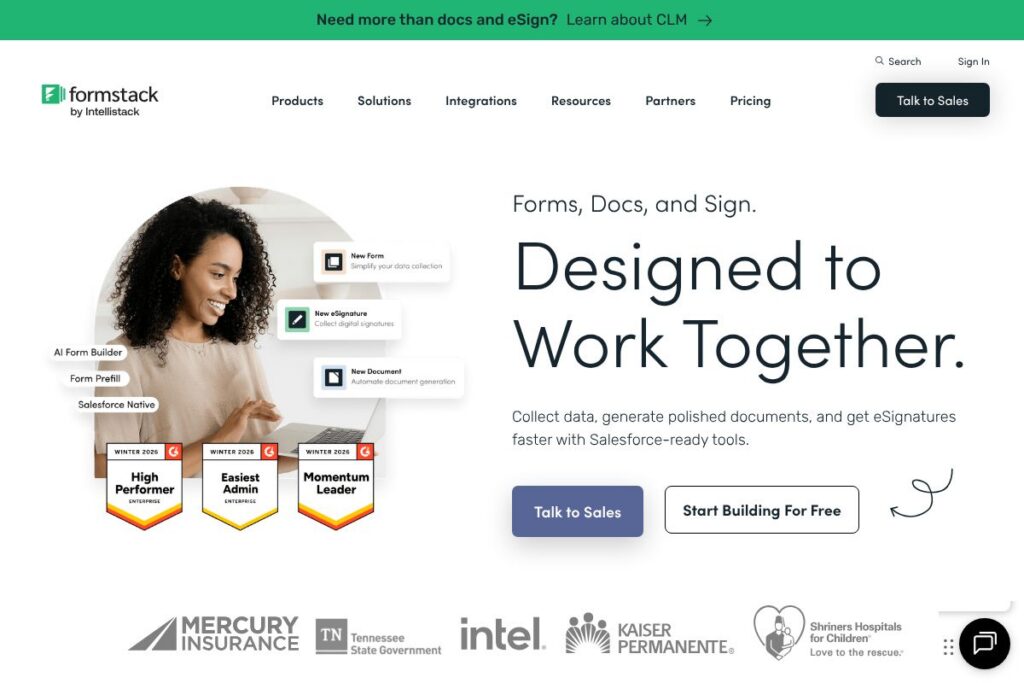
Formstack is a cloud-based platform for creating online forms, generating documents, and collecting electronic signatures. Its core capabilities group together form building, document automation, eSign, workflow automation, and integrations with third-party systems such as CRMs and payment processors.
Formstack competes with tools that focus on form design and surveys like Typeform and JotForm, and with document and signature platforms such as DocuSign and Adobe Sign. Compared with Typeform, Formstack emphasizes enterprise features, compliance, and integrations rather than conversational form layouts. Compared with DocuSign, Formstack provides deeper upstream data capture and document generation before signature.
Formstack does well at connecting data capture to downstream document workflows and compliance controls, making it suitable for regulated industries, sales operations, HR intake, and any team that needs forms, documents, and signatures to flow into other systems. All of this makes it a practical choice for organizations that need secure, connected forms rather than a standalone survey tool.
How Formstack Works
The platform provides a visual form builder with drag-and-drop fields, conditional logic, validation, and styling tools for branding. You build a form, configure logic and notifications, then embed the form on a website, share a direct link, or send it by email.
Collected responses can trigger document generation, automated workflows, and eSignature requests. For example, a completed form can populate a contract template, route the generated document for approvals, and then capture signatures through the built-in eSign component, all while logging data back to a CRM such as Salesforce.
Formstack connects to other systems using native integrations, third-party connectors, or its API, which lets teams push and pull data, automate record creation, and build multi-step processes that reduce manual handoffs. Typical implementations use Formstack for intake, approvals, and record creation that would otherwise require manual data entry.
What does Formstack do?
Formstack’s platform centers on three product areas: online forms for data capture, document generation for turning submissions into polished files, and eSignatures to close approvals. Additional capabilities include workflow automation, conditional logic, payment collection, template libraries, and role-based access controls.
Let’s talk Formstack’s Features
Form Builder
The visual builder supports drag-and-drop layout, conditional logic, field validation, and repeatable sections for complex data collection. It includes branding options and prebuilt templates so teams can create secure intake forms quickly and embed them on web pages or distribute links.
Document Generation
Formstack can map form data into templates to produce PDFs, Word documents, or other file types. This reduces manual document assembly by automatically generating contracts, invoices, or onboarding packets from submitted form data.
eSignatures
The eSignature component allows signatures to be collected as part of a form or on generated documents, with signer authentication and audit trails. This is useful for approvals, consent, and contract execution without exporting files to a separate signature tool.
Workflow Automation
Built-in workflow tools let you route submissions, trigger email notifications, and start multi-step approvals based on form data. Automation reduces manual follow-up and integrates with other systems to keep data synchronized.
Integrations and Salesforce Connectivity
Formstack provides native connectors and integration options for CRMs, marketing tools, payment gateways, and cloud storage. It specifically offers Salesforce-ready features for mapping form fields to records and automating document creation inside Salesforce; see Formstack’s Salesforce integration for implementation details.
Security and Compliance
Formstack includes role-based access, encryption, audit logs, and options for HIPAA compliance where required. These controls help teams meet regulatory and internal security requirements while centralizing data capture.
With these capabilities, Formstack primarily helps teams reduce manual paperwork, accelerate approvals, and maintain data integrity between capture and downstream systems.
Formstack pricing
Formstack uses a subscription pricing model with plans tailored to individuals, teams, and enterprise customers. Pricing varies by feature set, number of users, and compliance requirements, and enterprise agreements typically include advanced security, support, and deployment options.
For up-to-date plan details and to compare features across tiers, explore Formstack’s plans and pricing on the vendor site. Organizations that need HIPAA compliance, Salesforce-ready solutions, or custom integrations can contact Formstack sales for enterprise quotes and volume discounts.
What is Formstack Used For?
Formstack is commonly used for regulated data intake such as healthcare forms, HR onboarding, insurance claims, and legal intake where security and auditability matter. Its document generation and eSign capabilities make it well suited for contract automation, order forms, and consent collection flows.
Business teams also use Formstack for operational automation: routing approvals, creating CRM records from form submissions, and collecting payments. Small teams value the low-code builder and templates, while large organizations adopt it for centralized intake and compliance controls that integrate with existing enterprise systems.
Pros and Cons of Formstack
Pros
- Comprehensive workflow suite: The platform combines form building, document generation, and eSign in one product, reducing the need for multiple vendors. This lowers integration overhead and simplifies audit trails.
- Strong integrations for enterprise systems: Native connectors and a developer API make it practical to sync form data to CRMs, cloud storage, and other business systems. This supports end-to-end automation for sales, HR, and legal workflows.
- Security and compliance features: Encryption, role-based access, and audit logs support regulated use cases including HIPAA-ready deployments. Enterprises can apply policies and controls around data capture and document handling.
Cons
- Learning curve for complex workflows: Setting up multi-step automations and advanced integrations requires planning and familiarity with the platform; organizations without technical resources may need professional services.
- Enterprise orientation for advanced features: Some compliance or advanced integration features are targeted at mid-market and enterprise customers, which may lead smaller teams to prefer simpler or lower-cost alternatives for basic forms.
Is Formstack Free to Try?
Formstack offers a free trial for new users. The trial provides access to core features so teams can build forms, test document generation, and try eSignature workflows; to start a trial or sign up, visit Formstack’s trial sign-up page.
Formstack API and Integrations
Formstack provides a developer API and webhooks for programmatic access to forms, submissions, and document generation. The developer documentation describes endpoints for creating forms, retrieving submissions, and integrating eSign workflows; see Formstack’s developer documentation for technical details.
In addition to the API, Formstack includes native integrations with CRMs like Salesforce, payment gateways, cloud storage platforms, and automation tools. These integrations let teams reduce manual data handling and keep records synchronized across systems.
10 Formstack alternatives
Paid alternatives to Formstack
- Typeform — Focuses on conversational form experiences and survey-style interactions that improve respondent engagement.
- JotForm — Offers a broad template library, conditional logic, and a generous free tier useful for small teams testing forms.
- DocuSign — Specializes in electronic signatures and agreement lifecycle management with enterprise-grade security.
- Adobe Sign — Part of the Adobe Document Cloud with extensive eSignature and document management features for enterprise use.
- SurveyMonkey — Strong survey and feedback capabilities with analytics and respondent management for market research.
- Wufoo — Simple form building with templates and payment integrations suitable for basic data collection.
- Formidable Forms — A WordPress-first solution with advanced field types and calculations for site-embedded forms.
Open source alternatives to Formstack
- FormTools — A self-hosted form management system that stores and manages form submissions on your own servers.
- OhMyForm — An open source form builder with a modern UI and self-hosting options for teams that want full control.
- Drupal Webform — A module for Drupal sites that enables complex form and survey workflows for content-managed websites.
Frequently asked questions about Formstack
What is Formstack used for?
Formstack is used for secure data capture, document generation, and eSign workflows. Organizations deploy it for intake forms, contract automation, and any process that requires routing submissions into downstream systems.
Does Formstack integrate with Salesforce?
Yes, Formstack includes Salesforce-ready tools and native connectors. You can map form fields to Salesforce records, automate document generation inside Salesforce, and push data back to your CRM.
Can Formstack collect payments through forms?
Yes, Formstack supports payment collection via native gateways and integrations. You can add payment fields to forms and route transactions to supported processors.
Does Formstack provide an API for developers?
Yes, Formstack offers a developer API and webhooks for automation. The developer documentation outlines endpoints for form management, submission retrieval, and document operations.
Is Formstack suitable for HIPAA compliance?
Formstack offers features and deployment options to support HIPAA compliance. Security controls such as encryption, access controls, and audit logs help meet regulated data requirements when configured appropriately.
Final verdict: Formstack
Formstack excels at bringing together form building, document automation, and eSignature in a single platform that integrates with enterprise systems. Its combination of secure data capture, Salesforce connectivity, and workflow automation makes it a strong choice for organizations that need to move paperwork out of manual processes and into automated flows.
Compared with JotForm, which offers a strong free tier and a focus on ease of use for smaller teams, Formstack leans more toward mid-market and enterprise customers that need compliance, advanced integrations, and centralized document workflows. For teams that require end-to-end automation from intake to signature and robust security controls, Formstack is worth evaluating; for teams that need simple surveys or a free entry point, one of the paid or open source alternatives may be a better fit.