Google Meet: An Overview
Google Meet provides browser-based and app-based video conferencing for teams, customers, and classrooms. Meetings can include video, audio, screen sharing, and live captions, and are accessible from a meeting link or directly from Gmail and Google Calendar. The service is built to scale from casual one-on-one calls to large, moderated sessions for hundreds of participants.
Compared with Zoom, Google Meet is more tightly integrated into G Suite and Google Workspace apps, which simplifies scheduling and access through Gmail and Calendar. Compared with Microsoft Teams, Meet focuses on straightforward video and meeting controls rather than an embedded persistent chat workspace. Compared with Cisco Webex, Meet emphasizes web-first access and a simpler user interface while relying on Google Workspace controls for administration and security.
Google Meet excels at seamless integration with Google Workspace, quick access from a browser without separate downloads, and straightforward admin controls for organizations. It is best suited for teams that already use Gmail and Calendar, organizations that want a low-friction meeting experience, and educators running remote classes.
How Google Meet Works
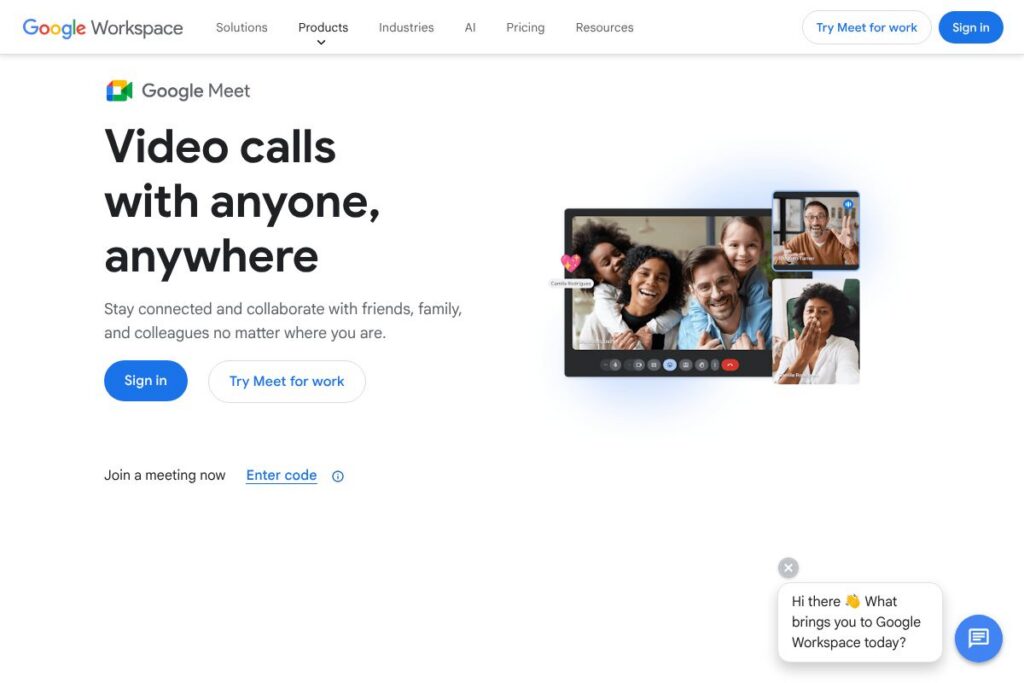
Meet runs in a web browser or native mobile apps and uses a meeting link or code to connect participants. Hosts create meetings in Google Calendar or Gmail, or join directly from the Google Meet homepage, and participants join by clicking the link or entering a code.
Meet integrates with Google Calendar so the meeting link and dial-in details appear automatically in event invites. Hosts control participant admission, mute participants, and manage presentation rights from the meeting toolbar. Meetings can be recorded to Google Drive, and recordings are shared with event attendees or saved in the organizer’s Drive folder.
What does Google Meet do?
Google Meet is organized around secure video meetings and collaboration across devices. Core capabilities include high-definition video, screen and window sharing, meeting recording, live captions, and integration with Google Calendar and Drive. Recent updates have improved noise cancellation, low-light handling, and conference room hardware support.
What Google Meet Brings to the Table
Video and audio conferencing
Meet supports multi-party video with adaptive bitrate to handle varying network conditions. Meetings support gallery or spotlight views and automatic layout adjustments so teams can focus on speakers or shared content. Audio features include echo cancellation and automatic gain control to improve call quality.
Screen sharing and presentations
Users can share an entire screen, a specific window, or a Chrome tab for smoother video and audio sharing. Presenters can give control to other participants and use the integrated Q and A or chat for moderated sessions. Shared content is visible to participants on desktop and mobile clients.
Recording and transcripts
Hosts on supported Workspace plans can record meetings to Google Drive for later review and compliance. Recordings include audio, video, and shared presentations, and can be accessed from the organizer’s Drive or linked in Calendar events. Automatic meeting transcripts are available in some Workspace editions for indexing and review.
Live captions and translations
Live captions provide on-the-fly speech-to-text for accuracy in noisy environments or for accessibility. In some editions, captions can be translated into multiple languages to help multinational teams follow along. Captions work in real time for participants on supported devices without additional setup.
Noise cancellation and video enhancements
Meet includes background noise suppression to reduce distractions from typing or nearby conversations. Video quality adapts to bandwidth and can apply low-light adjustments to improve visibility in dim environments. These enhancements reduce the need for additional hardware in many scenarios.
Security and admin controls
Meet uses encryption in transit and integrates with Google Workspace admin controls such as single sign-on, device management, and audit logs. Admins can enforce meeting policies, require meeting codes, and limit recording or external participant access. Enterprise features add advanced compliance and data loss prevention options.
With Google Meet you get a consistent, web-first meeting experience that fits directly into Google Workspace workflows. The features focus on accessibility, simple hosting controls, and secure collaboration across desktop and mobile devices.
Google Meet Pricing
Google Meet follows a freemium model with a free tier for individual users and paid tiers bundled as part of Google Workspace for organizations. Paid tiers add features such as longer meeting durations, higher participant limits, recording, attendance tracking, and administrative controls. View the Google Workspace plans for the most current options and any promotional changes.
Free
- Free (Personal): $0/month (One-on-one and group meetings with basic features, joining from Gmail or meet.google.com)
Google Workspace Plans
Monthly Billing:
- Business Starter – $6/user/month (Custom email, video meetings for up to 100 participants, 30 GB cloud storage per user)
- Business Standard – $12/user/month (All Starter features plus recording, meetings up to 150 participants, 2 TB pooled cloud storage)
- Business Plus – $18/user/month (All Standard features plus enhanced security and meetings up to 500 participants)
Annual Billing:
- Business Starter – $6/user/month billed annually (same features as monthly)
- Business Standard – $12/user/month billed annually (same features as monthly)
- Business Plus – $18/user/month billed annually (same features as monthly)
Enterprise
Enterprise – Custom pricing (Includes advanced security, higher participant capacity, and enterprise support). For details about enterprise features and licensing, review the Google Workspace plans.
What is Google Meet Used For?
Google Meet is commonly used for internal team meetings, client calls, remote interviews, and virtual training sessions. Its integration with Google Calendar makes scheduling recurring meetings and distributing joining links straightforward for both small teams and large organizations.
It is also used in education for remote classes and office hours, where teachers schedule sessions through Classroom and students join via Calendar links. For customer-facing webinars and demos, Meet supports moderated Q and A, attendee management, and recording for later distribution.
Pros and Cons of Google Meet
Pros
- Tight Google Workspace integration: Calendar invites automatically include meeting links and attendee management, which streamlines scheduling and access for organizations that use Gmail and Calendar.
- Browser-first access: Participants can join from Chrome, Firefox, Edge, or Safari without installing a client, reducing friction for external guests and quick ad-hoc calls.
- Robust security controls: Admin policies, single sign-on support, and encryption in transit provide enterprise-grade controls for organizations managing compliance and data governance.
- Simple recording and sharing: Recording meetings to Google Drive and sharing through Calendar or Drive makes post-meeting access and archival straightforward for teams.
Cons
- Feature depth compared with competitors: Some advanced webinar features, breakout room controls, and third-party ecosystem integrations are less extensive than those offered by specialist platforms like Zoom in comparable tiers.
- Reliance on Google ecosystem: Organizations not using Google Workspace may find integration benefits limited and may prefer platforms that integrate more broadly with Microsoft or other productivity suites.
- Administrative complexity at scale: Large organizations can face complexity when configuring tenant-level settings, federation, and cross-domain meeting policies.
Does Google Meet Offer a Free Trial?
Google Meet offers a free tier and paid trials through Google Workspace. Individuals can use Meet for free with a Google account, including basic meeting features. Organizations can sign up for Google Workspace plans, which often include trial periods or promotional credits, and details are available on the Google Workspace plans page.
Google Meet API and Integrations
Google provides developer resources that let you integrate Meet functionality through Google Workspace APIs and Google Calendar APIs. The Google Workspace developer documentation outlines available endpoints, meeting controls, and embed options for qualified partners and administrators.
Meet integrates natively with Gmail, Google Calendar, Google Drive, and Classroom, and supports interoperability with SIP/H.323 conference room systems for on-premise hardware. Third-party integrations and calendar add-ons extend Meet’s workflow connectivity for CRM and LMS tools.
10 Google Meet alternatives
Paid alternatives to Google Meet
- Zoom – A feature-rich conferencing platform popular for webinars, breakout rooms, and extensive third-party integrations. See Zoom pricing plans for tiers.
- Microsoft Teams – Combines persistent chat, file collaboration, and meetings with deep integration into Microsoft 365 for organizations using Outlook and SharePoint.
- Cisco Webex – Enterprise-focused conferencing with advanced security, hardware integration, and meeting optimization for large deployments.
- GoTo Meeting – Reliable meetings with simple admin controls, focused on business users and webinar capabilities.
- BlueJeans – Cloud-based meetings with Dolby Voice audio and tools for large-scale events and broadcast scenarios.
Open source alternatives to Google Meet
- Jitsi Meet – Open source, browser-based video conferencing that can be self-hosted for full control and privacy. It supports screen sharing, chat, and simple deployment.
- BigBlueButton – Designed for online learning, with built-in whiteboard, polling, breakout rooms, and recording tools suited for educators.
- Apache OpenMeetings – A web conferencing solution that supports recording, screen sharing, and collaborative whiteboards for self-hosted deployments.
- Janus WebRTC Server – A WebRTC server for developers who need building blocks to create custom conferencing systems and streaming applications.
Frequently asked questions about Google Meet
What is Google Meet used for?
Google Meet is used for video conferencing, presentations, and remote collaboration. It supports meetings for teams, client calls, remote education, and recorded sessions tied to Google Drive.
Does Google Meet cost money?
Google Meet offers a free tier and paid options through Google Workspace. Paid Workspace plans unlock recording, larger participant limits, attendance tracking, and advanced admin controls.
Can Google Meet integrate with Google Calendar?
Yes, Google Meet integrates directly with Google Calendar. Event invites include meeting links and dial-in details automatically, simplifying scheduling and join workflows.
Is Google Meet secure for business use?
Google Meet includes encryption in transit and Workspace admin controls for security. Admins can enforce access policies, single sign-on, and audit logging to meet organizational compliance requirements.
Does Google Meet offer meeting recordings?
Yes, meeting recording is available on supported Google Workspace plans. Recordings are saved to Google Drive and can be shared with attendees or archived for later review.
Final Verdict: Google Meet
Google Meet is a practical, secure video conferencing option for organizations that rely on Google Workspace. It stands out for its browser-first approach, tight Calendar and Drive integration, and clear admin controls that make scheduling, recording, and sharing straightforward for teams.
Compared with Zoom, Google Meet provides a smoother experience for organizations already using Gmail and Calendar, while Zoom offers deeper webinar and breakout capabilities at comparable price points. For organizations evaluating options, consider whether integrated productivity tools or advanced meeting features are a higher priority when comparing Google Meet with Zoom and other conferencing platforms. For pricing and plan details, review the Google Workspace plans and compare them to competitors’ published pricing for a side-by-side assessment.