What is Webex
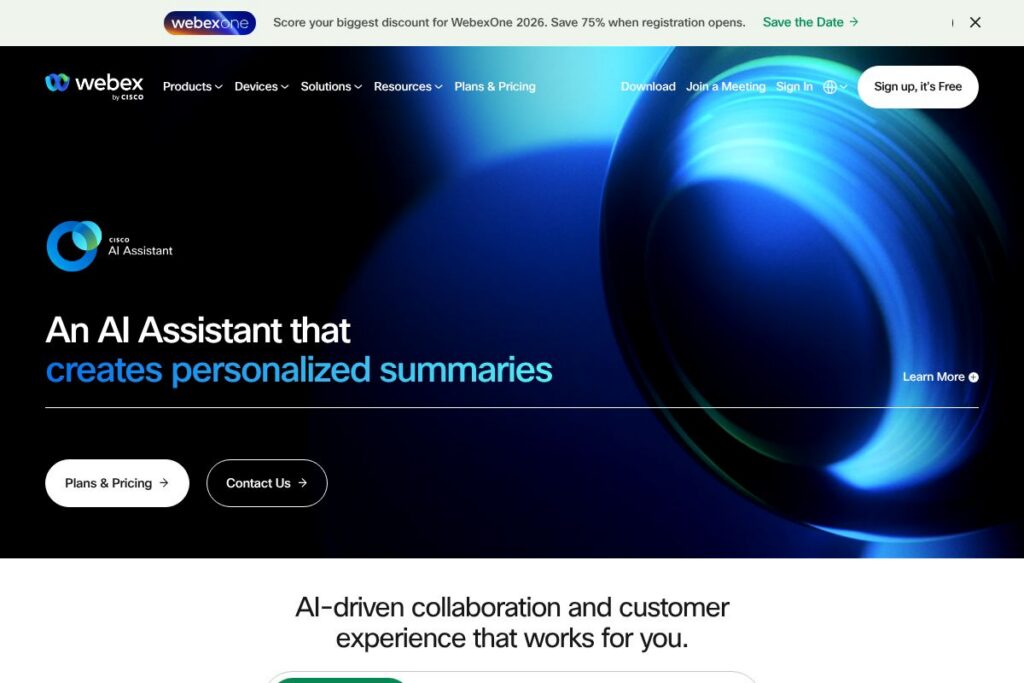
Webex is a unified collaboration platform that provides video meetings, cloud calling, contact center services, and device and workspace management for organizations of all sizes. It bundles real-time collaboration with customer experience tools so IT, support centers, and distributed teams can use a single vendor to run meetings, handle voice, and manage physical meeting rooms.
Webex competes directly with platforms such as Zoom and Microsoft Teams. Compared to Zoom, Webex places more emphasis on integrated contact center and CPaaS capabilities in the same ecosystem. Compared to Microsoft Teams, Webex focuses on a device and workspace portfolio plus dedicated contact center features that appeal to organizations that want a single vendor for conferencing hardware and customer service operations.
All of this makes Webex a strong choice for companies that need both internal collaboration and external customer engagement in one platform. It is particularly useful for enterprises and mid-sized businesses that manage contact centers, deploy dedicated meeting room hardware, or want centralized IT controls for hybrid workplaces.
How Webex Works
Webex delivers meetings and calling through cloud-hosted services accessible via native desktop, mobile, and browser clients. Users schedule or start meetings from the calendar or app, invite participants, and use built-in features such as background blur, live transcription, and AI-based meeting summaries to improve productivity.
For customer service, Webex Contact Center routes digital channels to agents and blends automated interactions with human escalation; contact flows can be orchestrated through the platform and integrated with CRM systems. IT teams use Control Hub as a single pane of glass to provision users, manage devices, and monitor service health with integrated diagnostics and third-party telemetry.
What does Webex do?
Webex is organized around four core areas: collaboration (meetings and calling), customer experience (contact center and CPaaS), workplace devices and room design, and IT/manageability tools. Recent additions emphasize AI-powered meeting productivity, workspace design tools, and deeper diagnostics through third-party integrations.
Let’s talk Webex’s Features
AI Assistant
An AI Assistant supports meeting summaries, action item extraction, troubleshooting guidance, and agent assist for contact centers. It helps reduce manual note-taking, surfaces relevant context during calls, and provides agents with next-best-action suggestions to speed resolution and improve consistency.
Contact Center
Webex Contact Center creates digital-to-human journeys across voice and digital channels and supports omnichannel routing, skills-based queues, and analytics for monitoring performance. The platform is designed to scale for enterprise support operations and integrates with CRM systems to personalize customer interactions.
CPaaS
Webex CPaaS lets teams automate end-to-end customer journeys on a single cloud communications layer, combining programmable voice, messaging, and event-driven workflows. This centralization makes it easier to orchestrate multi-channel campaigns and build integrations with backend systems.
Devices
Webex offers a portfolio of room and personal devices that combine audio, video, and touch controls with native Webex client support. Devices are certified for meeting experiences and simplify room setup for hybrid work, reducing compatibility troubleshooting.
Workspaces and Workspace Designer
Workspace Designer provides an interactive room configurator and standardized blueprints to plan and scale physical meeting spaces. It helps IT and facilities teams select device combinations and layout options to match room size and use cases.
Manageability (Control Hub)
Control Hub centralizes device and user management, security policies, diagnostic tools, and usage analytics for administrators. The hub includes intelligent insights for troubleshooting and integrates with network-level monitoring to speed incident resolution.
Security and Compliance
Security features include end-to-end encryption options, tenant-level controls, and compliance tooling to support industry and regional requirements. Webex builds privacy and compliance into platform design while providing admin controls for data governance.
With these capabilities, Webex combines collaboration, customer engagement, and physical workspace design into a single platform that reduces tool fragmentation and simplifies operations for IT and contact center leaders.
Webex pricing
Webex uses a subscription and enterprise pricing model with tiered plans and custom enterprise agreements tailored to usage, number of users, and required features. Because Webex offers a wide range of products from meetings and calling to contact center and devices, enterprise customers commonly buy bundled subscriptions or request custom quotes that combine services and hardware.
For specific plan details and options for meetings, calling, contact center, and devices, view Webex’s plans and options on the vendor site or contact their sales team for a tailored quote.
What is Webex used for
Webex is used for internal collaboration like video meetings, team messaging, and cloud calling across distributed teams. It supports recurring and ad hoc collaboration with features such as conferencing, recording, live captions, and AI summaries to make meetings more productive.
It is also used by customer experience teams to run contact centers and by developers to build communications into applications using CPaaS. Facilities and IT teams use workspace designer and device management tools to standardize meeting rooms and manage hardware at scale.
Pros and Cons of Webex
Pros
- Comprehensive platform: Webex combines meetings, calling, contact center, devices, and workspace tools into one ecosystem, reducing the need to stitch together multiple vendors.
- Strong contact center capabilities: Contact routing, omnichannel support, and agent assist features make Webex a good fit for customer service operations that need an integrated solution.
- Device and workspace portfolio: A broad set of certified devices and workspace design tools simplifies room deployment and reduces compatibility issues.
- Centralized manageability: Control Hub provides detailed administration, diagnostics, and policy controls that streamline IT operations.
Cons
- Enterprise-focused packaging: Pricing and packaging are commonly tailored to enterprise needs, which can be more complex for very small businesses to evaluate and procure.
- Feature overlap for some buyers: Organizations that already use another strong collaboration platform may find overlapping features and need to rationalize toolsets.
- Hardware dependency for best experience: To get consistent room experiences, many organizations rely on certified devices which adds procurement and deployment work.
Does Webex Offer a Free Trial?
Webex offers a free plan and trial options that let individuals test meetings and basic collaboration features; paid tiers and trials for calling, contact center, and device management are typically available for evaluation through the vendor. For details on what is included in the free tier and current trial offers, check Webex’s plans and evaluation options.
Webex API and Integrations
Webex provides developer APIs and SDKs for messaging, meetings, calling, and device control; the Webex Developer Platform includes documentation, sample code, and webhook support for building integrations. Explore the Webex developer resources at the Webex Developer Platform to review endpoints and SDKs.
The platform also integrates with major productivity and CRM systems to connect meetings, contact center interactions, and user directories. Common integration targets include calendar systems, CRMs, and monitoring tools for end-to-end workflows.
10 Webex alternatives
Paid alternatives to Webex
- Zoom — Primarily focused on meetings and webinars with add-on phone and contact center products; strong meeting ecosystem and developer APIs.
- Microsoft Teams — Integrated into Microsoft 365 with chat, meetings, calling, and deep Office app integration ideal for organizations using Microsoft 365.
- RingCentral — Cloud communications platform offering phone, messaging, and contact center capabilities with a strong focus on telephony.
- Cisco Unified Communications Manager — Enterprise telephony and UC solution from Cisco for organizations that require on-prem or hybrid voice deployments.
- Five9 — Cloud contact center specialist focused on advanced routing, analytics, and workforce optimization for customer service teams.
- Avaya OneCloud — Contact center and unified communications platform with comprehensive telephony and CX features.
- Google Meet — Video-first collaboration within Google Workspace, suitable for organizations using Google productivity tools.
Open source alternatives to Webex
- Jitsi — Open source video conferencing stack that can be self-hosted for privacy-focused or customized meeting deployments.
- BigBlueButton — Open source web conferencing for online learning and webinars, often used by educational institutions.
- Asterisk — Open source telephony engine for building custom calling and PBX solutions.
- Matrix / Element — Open source real-time communication protocols and clients that can be used to build chat and conferencing solutions.
Frequently asked questions about Webex
What is Webex used for?
Webex is used for video meetings, cloud calling, contact center operations, and workspace device management. Organizations deploy it to support internal collaboration and external customer engagement from the same vendor.
Does Webex include a contact center product?
Yes, Webex includes a contact center solution that supports omnichannel routing, AI-based agent assistance, and analytics to manage customer interactions.
Can Webex integrate with CRM systems?
Yes, Webex integrates with major CRM and productivity systems to surface customer context in contact center interactions and to sync calendar and user data for meetings.
Does Webex provide developer APIs?
Yes, Webex offers APIs and SDKs via the Webex Developer Platform for messaging, meetings, calling, and device control to build custom integrations and workflows.
Is Webex secure for enterprise use?
Webex includes enterprise-grade security and compliance features such as encryption options, admin controls, and data governance capabilities suitable for regulated industries.
Final verdict: Webex
Webex stands out as a broad collaboration and customer experience platform that combines meetings, cloud calling, contact center, device management, and workspace design tools in one vendor ecosystem. It does especially well when organizations need integrated hardware, centralized IT controls, and advanced contact center capabilities alongside conferencing.
Compared to Zoom, which offers a well-known meetings experience with a Pro plan at $14.99/month per host, Webex offers a wider set of bundled enterprise capabilities including CPaaS, certified devices, and workspace design tools. That makes Webex a strong choice for enterprises that prioritize integrated contact center functionality and room hardware over a meeting-first, per-host pricing model.