What is Ooma
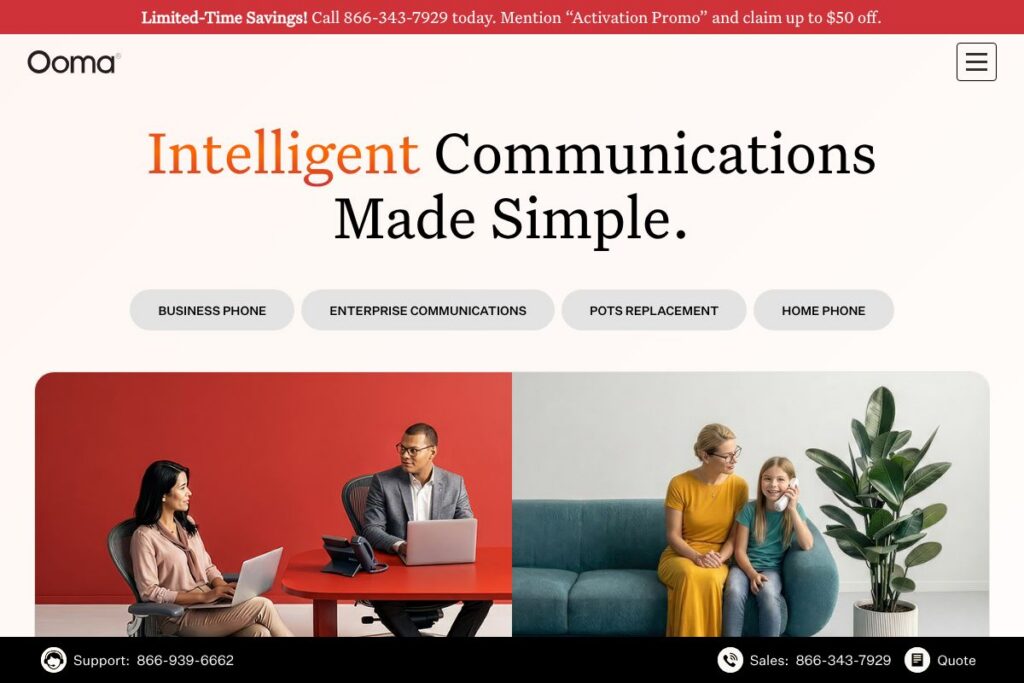
Ooma is a VoIP phone service that targets home users and small businesses, offering a combination of purchased hardware and cloud calling features. The service includes free or low-cost nationwide calling options for residential users, business-grade calling features for small offices, and add-on IP phones and handsets to match different deployment needs. Explore more about Ooma’s small business options on the Ooma business page and residential offerings on the Ooma home service page.
Ooma competes with established cloud phone providers such as RingCentral, Vonage, and 8×8, with a different packaging approach that centers on hardware purchases plus optional subscriptions for enhanced capabilities. Compared with RingCentral, which focuses on per-user subscriptions and broad UC features, Ooma is often positioned as a lower-cost choice for small teams that want simple deployment and a familiar handset experience. Compared with Vonage, Ooma emphasizes straightforward setup and hardware bundles, while 8×8 targets larger teams with integrated contact center features.
All of this makes Ooma a practical option for households and small businesses that want control over hardware and a predictable set of cloud telephony features, especially where straightforward number porting, virtual receptionist, and mobile app access are important. It is particularly well suited to small offices, remote workers who prefer a desk phone, and homeowners who want to replace legacy landlines without ongoing contracts.
How Ooma Works
Ooma routes voice calls over the public internet to deliver local and long distance calling without traditional PSTN subscriptions. For residential users, the Telo device or the Telo Air connects to a home router and pairs with a handset or the mobile app to place and receive calls. Businesses can use dedicated IP phones or Ooma Office hardware, connect through the Ooma cloud portal, and manage call routing, extensions, and voicemail settings.
Call handling is managed through a web portal and mobile apps that let administrators configure virtual receptionists, call forwarding, ring groups, and user extensions. Number porting is supported so organizations can bring existing phone numbers into Ooma, and the mobile app provides softphone capabilities for remote workers. For hardware setup and phone management, Ooma provides step-by-step guides and device configuration through its support resources.
Ooma features
Ooma combines on-premises hardware with cloud features focused on call handling, voicemail, and basic business telephony. Recent additions include AI-powered transcriptions that summarize conversations and hardware bundles such as Telo Air paired with HD handsets. The platform balances consumer-friendly tools for homes with small business features like virtual receptionist, extension management, and mobile app calling.
Here are some key features worth highlighting:
AI transcriptions
AI transcriptions generate searchable summaries of calls and convert voicemail into text, reducing the need to listen to full messages. This helps teams quickly scan for action items and key details after meetings, and it can speed follow-up by surfacing highlights. Ooma positions the feature as a productivity aid for users who want written records of conversations.
Free nationwide calling and basic plans
Residential configurations can deliver free or low-cost nationwide calling after initial hardware setup, which lowers monthly telephony expenditures compared with traditional landline plans. The offering typically includes basic voicemail and caller ID, while optional upgrades add advanced features. This model is especially relevant for homes replacing a legacy phone line and for small offices with predictable call patterns.
Virtual receptionist and call routing
The virtual receptionist provides automated menus, business hours routing, and configurable call flows to direct callers to the right extension or voicemail. Ring groups and call forwarding let small teams distribute inbound calls efficiently across staff members. These features reduce the need for a dedicated receptionist in small offices.
Mobile app and softphone functionality
Ooma’s mobile app lets users make and receive calls using their business number, view voicemail transcriptions, and manage call settings remotely. The app supports remote workers and staff who need to handle calls while away from a desk phone. This keeps user presence and call handling consistent across devices.
Hardware options and IP phones
Ooma sells and supports hardware like the Telo gateway, Telo Air, HD3 handset, and a range of IP phones suited to business use. Hardware bundles are available through retail partners and the Ooma store, and devices are designed for simple network setup and provisioning. For businesses that prefer physical handsets, Ooma’s hardware lineup provides clear upgrade paths.
Robocall protection and call blocking
Built-in call blocking and spam identification help reduce unwanted calls, using reputation databases and user-configured block lists. This improves daily productivity for both home users and small teams by lowering interruptions. Administrators can apply blocking rules across the account where supported.
With these capabilities, Ooma delivers a compact telephony stack that covers core calling needs while adding transcription and handset choices. The biggest benefit is the combination of simple hardware deployment plus cloud-based call features that small offices and homes can manage without complex telecom vendors.
Ooma pricing
Ooma uses a hybrid pricing model that combines one-time hardware purchases with optional subscription plans for premium and business features. Pricing varies by the type of deployment, whether residential or business, and by the set of add-on services selected.
For current details and a breakdown of available plans and hardware bundles, see Ooma’s overview of services on the Ooma website. The site includes information on home device bundles, business plans, and where to buy retail packages like the Telo Air + HD3 handset bundle.
What is Ooma used for
Ooma is commonly used to replace traditional landlines at home while reducing monthly calling costs and adding voicemail-to-text, caller ID, and call blocking. Home users who want to maintain a physical handset but avoid carrier contracts often choose Ooma for a predictable cost structure and straightforward hardware setup.
Small businesses use Ooma to provide multi-extension phone service, automated attendants, and basic call center features such as ring groups and call analytics. It suits offices that need reliable voice service without the complexity and price of large enterprise unified communications, and it supports remote staff via the mobile app and softphone capabilities.
Pros and Cons of Ooma
Pros
- Low ongoing cost potential: Residential users can achieve free or low-cost nationwide calling after purchasing hardware, which lowers monthly expenditures compared with traditional phone plans.
- Simple hardware-based setup: Devices like the Telo and HD handsets are straightforward to install, and Ooma provides clear provisioning tools for small business deployments.
- Business features for small teams: Virtual receptionist, ring groups, and extension management provide core office telephony without enterprise complexity.
- AI transcriptions and voicemail-to-text: These features help teams and homeowners quickly scan messages and capture actionable items from calls.
Cons
- Limited enterprise features: Larger organizations that need advanced contact center tools, deep reporting, or complex PBX integrations may find Ooma’s feature set constrained compared with enterprise vendors.
- Hardware dependency for some plans: Certain residential plans rely on purchasing a gateway or handset up front, which is a different cost structure than purely subscription-based services.
- Fewer built-in third-party integrations: While Ooma covers core calling needs, it does not match the breadth of native app integrations that larger UC platforms provide.
Does Ooma Offer a Free Trial?
Ooma offers a free plan option for residential users and optional paid upgrades for additional features. Residential service can include free nationwide calling with a purchased Telo device, while business accounts typically combine hardware and subscription tiers for enhanced features. Check Ooma’s site for the latest details on trials, promotions, and retail bundle offers on the Ooma home page.
Ooma API and Integrations
Ooma supports business integrations and provides programmatic access for account management and provisioning for qualifying customers. Details on developer access and partner integrations are available through Ooma’s business resources, which outline supported connections and developer tools.
Key integrations commonly used with hosted phone services include directory sync with productivity suites and CRM connectivity for call logging, and Ooma documents integration options on its business resources pages. For specifics about APIs and integration guides, consult Ooma’s developer and support documentation.
10 Ooma alternatives
Paid alternatives to Ooma
- RingCentral — Full featured cloud phone and unified communications suite for teams, with extensive integrations and advanced contact center capabilities.
- Vonage — Cloud communications platform with flexible APIs, hosted PBX features, and voice solutions tailored for small to mid-sized businesses.
- 8×8 — All-in-one voice, video, and contact center platform that scales from small offices to larger enterprises with built-in analytics.
- Nextiva — Business phone system focused on ease of use, customer experience tools, and integrated CRM features for sales and support teams.
- Grasshopper — Virtual phone system designed for entrepreneurs and small businesses that need business numbers without full PBX complexity.
- Google Voice — Simple business calling with mobile-first setup and integration with Google Workspace for simple teams and remote workers.
- Zoom Phone — Cloud phone system that extends Zoom’s meeting platform into desk phone and mobile calling with straightforward admin controls.
Open source alternatives to Ooma
- Asterisk — A mature open source telephony engine for building customized PBX systems and advanced voice workflows.
- FreeSWITCH — Flexible telephony platform for routing and handling voice, video, and messaging in scalable deployments.
- Kamailio — High-performance SIP server for routing and proxying SIP traffic in carrier and large-scale setups.
- OpenSIPS — SIP server for real-time communications, focused on high-volume routing and load balancing for custom telephony stacks.
- FusionPBX — Web-based GUI for FreeSWITCH that simplifies management of PBX features for self-hosted deployments.
Frequently asked questions about Ooma
What is Ooma used for?
Ooma is used for residential and small business phone service over the internet. It replaces traditional landlines and provides cloud features such as voicemail, virtual receptionists, and mobile app calling.
Does Ooma offer free nationwide calling?
Yes, Ooma advertises free or low-cost nationwide calling for certain residential configurations. That typically requires purchasing an Ooma gateway or handset to activate the service.
Can I keep my existing phone number when switching to Ooma?
Yes, Ooma supports number porting for customers who want to retain their existing phone numbers. Porting is handled through the account setup process and may require verification documents.
Does Ooma have an API for integrations?
Ooma provides developer and business integration options for qualifying customers. For API details and integration guides, review the resources on Ooma’s business pages.
Is Ooma suitable for small businesses?
Yes, Ooma is designed to serve small businesses with multi-extension setups, virtual receptionists, and ring groups. It is a practical choice for offices that want simple administration and physical handset options without enterprise complexity.
Final verdict: Ooma
Ooma delivers a pragmatic blend of hardware and cloud telephony aimed at homeowners and small businesses that want predictable calling capabilities with a simple management layer. Its strengths lie in straightforward device setup, an accessible feature set for small teams, voicemail transcription, and lower ongoing costs for residential users who buy hardware outright. For users who prioritize handset-based calling paired with a basic cloud portal, Ooma is a sensible match.
Compared with RingCentral, which focuses on subscription-based per-user pricing and a full UC feature set, Ooma is easier to deploy for small teams and often less expensive over time for homes and small offices that do not need advanced contact center tools. Organizations needing deep integrations, advanced analytics, or large-scale contact center features may prefer RingCentral or 8×8, while Ooma remains a practical choice for straightforward business telephony and residential replacements.