Vidyo: An Overview
Vidyo provides enterprise-grade video conferencing, video management, and live broadcasting capabilities delivered through cloud services and on-premises options. The platform focuses on secure, scalable deployments for regulated industries such as healthcare and government, and on media-rich use cases like lecture capture and corporate communications.
Compared with Zoom, Microsoft Teams, and Cisco Webex, Vidyo emphasizes embedded video workflows, customizable UI and accessibility features, and tighter integrations with learning management systems and enterprise video archives. Zoom and Teams prioritize ease of adoption and broad consumer familiarity, while Cisco Webex targets networked enterprise environments; Vidyo differentiates with tailored video management and industry-specific solutions, for example in telehealth and lecture capture.
All of this makes Vidyo well suited to organizations that need high control over video workflows, recorded content, and accessibility features. It is particularly useful for institutions that require compliance controls, large-scale broadcast capabilities, and deep integrations with LMS or clinical systems.
How Vidyo Works
Vidyo runs as a cloud-hosted service with options for hybrid or on-premises components, allowing organizations to mix hosted infrastructure with local room systems and recording appliances. Video sessions can be initiated from web clients, native apps, or integrated endpoints and routed through Vidyo’s scalable media infrastructure to maintain quality across variable network conditions.
Workflows typically combine live conferencing, automated recording, and post-event processing. For example, a university lecture can be captured by an on-site recorder, automatically uploaded to the video library, enriched with transcripts and captions, and published to an LMS for student access. Healthcare deployments often embed Vidyo into clinical portals so providers start secure video consults without leaving their EHR interface.
What does Vidyo do?
Vidyo combines real-time conferencing, large-scale live broadcasting, automated recording and video library management, accessibility tooling, and developer APIs so organizations can embed video across applications. The platform includes hardware recorder support and features for user-generated content, making it usable for training, telehealth, remote inspections, and corporate communication.
Let’s talk Vidyo’s Features
Scalable Cloud Conferencing
Vidyo supports multi-party conferencing across devices with adaptive routing to preserve audio and video quality on mixed networks. The cloud architecture lets organizations scale sessions from small team calls to town-hall broadcasts while maintaining centralized control over policies and user access.
Enterprise Security and Compliance
Security features include encrypted media paths, role-based access control, and configurable retention policies to meet industry regulations. These controls make Vidyo suitable for healthcare consultations, judicial proceedings, and other scenarios that require audit trails and data protection.
Enghouse Mediasite Recorders and Video Management
The platform integrates with engineered recorders and video capture appliances to automate high-volume recording and ingestion workflows. Recorded assets are indexed, searchable, and organized in a central library for easy retrieval and reuse; see the Enghouse Mediasite hardware recorders for more on recorder options.
Live Broadcasting and Webcasting
Vidyo supports live event streaming to large internal and external audiences with tools for scheduling, moderation, and analytics. Organizations use this for company all-hands, product launches, and public-facing events where controlled reach and reliability are important.
Accessibility, Captions, and AI-driven Enhancements
Automated captions, downloadable transcripts, OCR for on-screen text, and dyslexia-friendly presentation options improve accessibility and content discoverability. Built-in AI features can accelerate transcript generation and help produce shorter training assets from longer recordings.
Integrations and LMS Support
Vidyo provides connectors and embedding options for popular LMS platforms, EHRs, and collaboration systems so users can view, upload, and interact with video content inside their primary workflow. These integrations simplify access for students, clinicians, and frontline staff and reduce context switching.
With Vidyo you get a single video platform that handles live meetings, automated capture, and managed video libraries at scale, while providing enterprise controls and accessibility features that simplify deployment across regulated industries.
Vidyo pricing
Vidyo uses a custom enterprise pricing model tailored to deployment size, feature set, and hosting preference. Pricing is typically negotiated based on seat counts, recording and streaming capacity, retention requirements, and integration needs rather than published, fixed-rate tiers.
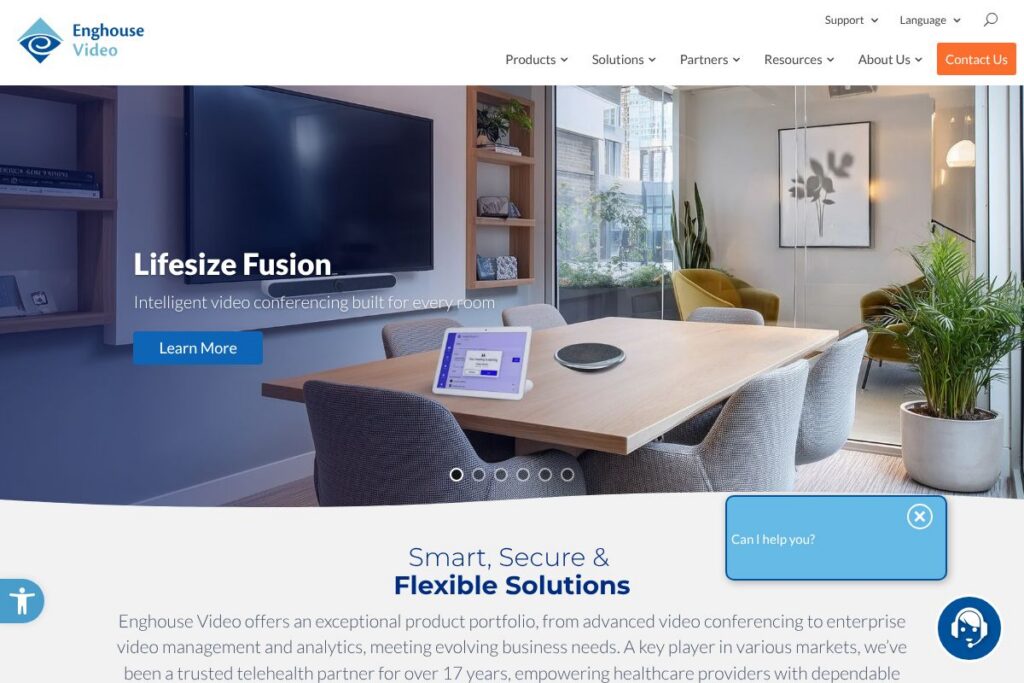
For detailed options, licensing models, and deployment choices consult the Enghouse Video enterprise solutions page or contact sales to request a tailored quote and capacity-based pricing.
What is Vidyo used for?
Vidyo is commonly used for telehealth consultations, virtual court proceedings, online education and lecture capture, and remote field service collaboration. These use cases benefit from secure, recorded sessions and the ability to integrate video into clinical, legal, or learning workflows.
Organizations also use Vidyo for large-scale internal communications and external broadcasts, training libraries driven by user-generated content, and retail experiences that blend live video with in-store services. Its accessibility features and LMS integrations make it practical for campuses and compliance-driven environments.
Pros and Cons of Vidyo
Pros
- Enterprise-grade security: Vidyo provides encrypted media, access controls, and retention configurations suitable for regulated industries, which helps meet compliance requirements without sacrificing usability.
- Scalability and broadcast capability: The platform can scale from point-to-point clinical calls to large live streams and recorded libraries, enabling the same vendor to handle diverse video needs across an enterprise.
- Strong video management: Automated capture, indexing, and LMS integration simplify long-term content organization and make training and knowledge sharing more efficient.
- Accessibility features: Captions, transcripts, dyslexia-friendly fonts, and keyboard navigation expand access and reduce friction for diverse user groups.
Cons
- Custom pricing and procurement: Enterprise licensing and deployment options mean there is no public, self-serve price, which can slow initial evaluation for smaller teams that prefer transparent plans.
- Implementation complexity for some deployments: Deep integrations with EHRs, LMS platforms, or custom apps often require professional services or developer resources to implement effectively.
Does Vidyo Offer a Free Trial?
Vidyo offers enterprise licensing and typically provides demos or trial deployments on request. Organizations evaluating the platform can request a proof-of-concept or pilot deployment to test integrations, recording workflows, and performance under real-world conditions; contact sales via the Enghouse Video contact and solutions resources to arrange a demo.
Vidyo API and Integrations
Vidyo provides developer APIs and SDKs that enable embedding video, controlling sessions, and automating recording and publishing workflows. The Vidyo developer documentation and Enghouse integration pages describe available endpoints, SDK platforms, and sample integrations.
Common integrations include LMS platforms, EHRs, single sign-on, and analytics systems to centralize user access and video metadata. These connectors reduce integration effort and enable video to be part of existing enterprise workflows rather than a separate silo.
10 Vidyo alternatives
Paid alternatives to Vidyo
- Zoom — Broadly used cloud conferencing with simple guest access, breakout rooms, and webinar capabilities suitable for SMBs and enterprises.
- Microsoft Teams — Combines chat, meetings, and collaboration tightly with Microsoft 365 apps and identity management for organizations using that ecosystem.
- Cisco Webex — Enterprise-focused conferencing with strong networking and device integration options and on-premises deployment paths.
- Google Meet — Integrated with Google Workspace for lightweight video meetings and calendar-driven joins with global reach.
- BlueJeans — Enterprise streaming and events platform with Dolby Voice audio and a focus on media-quality meetings.
- GoTo Meeting — Reliable meeting platform with simple scheduling, recording, and webinar add-ons for business users.
- Lifesize — Cloud video conferencing with a focus on room systems and conference hardware for polished AV experiences.
Open source alternatives to Vidyo
- Jitsi — Self-hosted video conferencing with flexible deployment and a strong developer community for customization.
- BigBlueButton — Education-focused open source platform for virtual classrooms with whiteboard and polling features.
- Apache OpenMeetings — Web conferencing and collaboration server you can self-host for internal meetings and webinars.
- Kurento — Media server for custom video applications where developers need low-level control over media pipelines.
Frequently asked questions about Vidyo
What is Vidyo used for?
Vidyo is used for enterprise video conferencing, telehealth, lecture capture, live broadcasting, and managed video libraries. Its focus on security, recording automation, and integrations makes it a fit for regulated and education environments.
Does Vidyo integrate with learning management systems?
Yes, Vidyo supports LMS integration for direct access to recorded lectures and live sessions from course pages. Integrations let students view, download transcripts, and upload user-generated content within their campus LMS.
Can Vidyo be used for telehealth consultations?
Yes, Vidyo is commonly deployed in telehealth scenarios with encrypted sessions and clinical portal integrations. The platform supports workflows that let clinicians launch video consults from within an EHR while keeping session logs and recordings under organizational control.
How is Vidyo secured for enterprise use?
Vidyo includes encrypted media paths, role-based access, and configurable retention policies. Those controls help organizations meet compliance requirements and implement audit trails for recorded sessions.
Does Vidyo provide API access for developers?
Yes, Vidyo offers APIs and SDKs for embedding video and automating capture and publishing workflows. Developer resources and integration guides are available through Vidyo and Enghouse documentation to support custom deployments.
Final verdict: Vidyo
Vidyo stands out as a platform for organizations that need a managed, secure, and scalable video infrastructure with strong recording and accessibility features. Its strengths are enterprise security, automated capture workflows through engineered recorders, and integrations that let video live inside clinical and learning systems rather than being a separate silo.
Compared with Zoom, which publishes plans starting at $14.99/month per host for small teams and emphasizes rapid adoption and simplicity, Vidyo targets enterprises that require customized deployments, hosted or hybrid architectures, and detailed video management. For organizations that need that level of control and compliance, Vidyo is a better fit; for organizations prioritizing straightforward pricing and fast self-serve rollout, Zoom or similar cloud-first providers may be more appropriate.