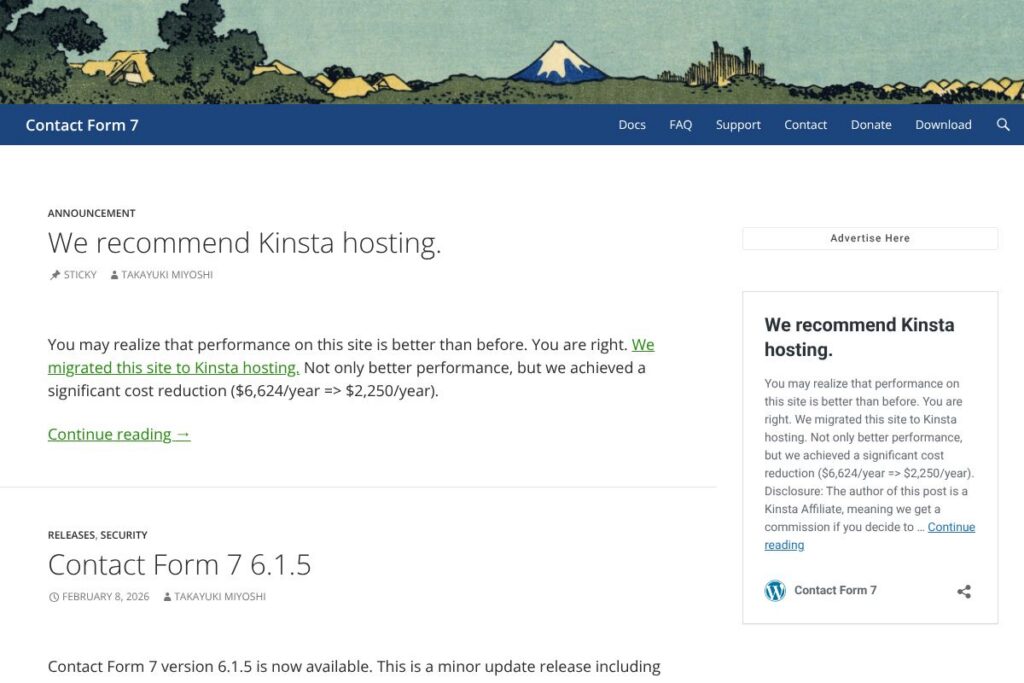
Contact Form 7 Explained
Contact Form 7 is a WordPress plugin that handles creating, customizing, and sending contact form submissions. It uses simple HTML-style markup inside the WordPress admin to define forms, and routes submissions to configurable email destinations while supporting spam filtering and file uploads.
Compared with WPForms, which emphasizes a visual drag-and-drop builder and paid tiers, Contact Form 7 stays deliberately minimal and free, appealing to users who prefer control over a visual interface. Compared with Gravity Forms, which targets enterprise workflows and heavy integrations through paid extensions, Contact Form 7 is lighter but more reliant on third-party add-ons for advanced features. Compared with Ninja Forms, Contact Form 7 is more developer-oriented and requires less bundled UI but also requires more manual setup for complex workflows.
Contact Form 7 does form submission, email routing, and basic spam control very reliably, and it works well for developers and site owners who want a low-footprint, extensible plugin. It is particularly suitable for small to medium websites, developers who can hook into its actions and filters, and anyone who needs a stable, free contact form solution.
How Contact Form 7 Works
Forms are created by adding form markup in the plugin’s form editor and then inserting the generated shortcode into posts, pages, or theme templates. Each form has a separate mail configuration where you map form fields to email headers and body content, and you can attach uploaded files to outgoing messages.
Submission handling supports AJAX so forms can submit without a page reload, and several built-in and add-on tools handle spam, including integration with reCAPTCHA and Akismet. Developers can customize behavior using WordPress actions and filters exposed by the plugin, which makes it straightforward to extend validation, storage, or notification logic.
What does Contact Form 7 do?
Contact Form 7 focuses on core form-building and submission features with a philosophy of doing a few things well while enabling extensions for everything else. Recent updates have focused on security fixes, compatibility with newer WordPress versions, and incremental improvements to form handling.
Here are some key features worth highlighting:
Form markup and fields
The plugin uses plain HTML-like tags and shortcodes to define form fields which gives you precise control over markup and semantics. This approach benefits developers and designers who need to match a site’s markup or accessibility requirements, without a heavy visual builder.
Shortcodes and shortcode insertion
Each form exposes a shortcode you paste into content or theme files to render the form anywhere on the site. Shortcodes make it easy to reuse the same form across multiple pages and to place forms inside widget areas or custom templates.
Spam protection and validation
Contact Form 7 supports validation rules and integrates with popular anti-spam services such as reCAPTCHA and Akismet through configuration or add-on plugins. These integrations reduce spam submissions while preserving the lightweight core.
AJAX submission and response handling
Built-in AJAX support allows forms to submit without a full page reload, improving user experience on both desktop and mobile. The plugin returns JSON responses that you can hook into for custom client-side handling or UI feedback.
Mail routing and customizable templates
Email routing is configurable per form, letting you set the recipient, subject, and message body using form tags. This lets teams route inquiries to the right mailbox and format notification emails with submitted field values.
File uploads and attachments
Forms can accept file uploads and attach them to emails, with configurable allowed file types and size limits. File handling works with WordPress media storage and can be extended or restricted through hooks and server-side configuration.
Developer hooks and extensibility
Contact Form 7 exposes a variety of actions and filters you can use to modify validation, submission handling, message content, and storage. A large ecosystem of third-party add-ons builds on these hooks to provide integrations and additional functionality.
With these capabilities, the biggest benefit is the combination of a minimal core and broad extensibility; you get a reliable contact form foundation that you can adapt to many use cases without unnecessary bloat.
Contact Form 7 Pricing
Contact Form 7 is released under the GNU GPL and is free to download and use on personal and commercial WordPress sites. There are no subscription fees or paid tiers for the core plugin.
If you need premium extensions, hosting features, or managed services those typically come from third-party developers and service providers. For example, explore the official plugin page on WordPress.org for the free download, and see community add-ons through the add-on plugins directory for paid extensions or integrations.
What is Contact Form 7 Used For?
Contact Form 7 is commonly used to add contact forms, lead capture forms, and simple inquiry forms to WordPress sites with minimal overhead. Site owners use it when they want control over form markup, validation, and email templates without installing a heavier form builder.
Developers use Contact Form 7 as a base for bespoke workflows, adding custom validation, storing submissions in custom tables or post types, or connecting forms to external services through add-ons or custom code. It is also widely used on multilingual sites when paired with compatible translation plugins.
Pros and Cons of Contact Form 7
Pros
- Simple, low-footprint core: The plugin adds minimal overhead, keeping page weight and admin complexity low while handling basic form needs reliably.
- Highly extensible: A large ecosystem of add-ons plus native WordPress actions and filters make it straightforward to extend and integrate with external services.
- Free and open-source: No licensing fees are required to use the plugin on multiple sites, and source code can be modified to meet custom requirements.
Cons
- Developer-oriented setup: Out of the box it relies on markup and shortcodes rather than a drag-and-drop UI, which can be less approachable for non-technical users.
- Relies on add-ons for advanced features: Complex form logic, CRM integrations, and advanced reporting typically require third-party plugins or custom development.
- Basic built-in reporting and storage: There is no built-in submission management interface beyond email; storing and managing entries requires add-ons such as Flamingo or custom storage solutions.
Does Contact Form 7 Offer a Free Trial?
Contact Form 7 is free to use and does not require a trial. The core plugin is distributed under the GPL and can be installed directly from the WordPress.org listing, while premium features are delivered through paid third-party add-ons if needed.
Contact Form 7 API and Integrations
Contact Form 7 provides developer-facing hooks, filters, and actions that let you intercept form validation, modify submitted data, and customize mail behavior; the developer documentation details these extension points. For storing submissions or adding backend features, the Flamingo add-on captures messages into the database, and many third-party plugins add integrations with CRMs, mailing lists, and payment processors.
Popular integrations available via add-ons or community plugins include email marketing services, Zapier automation, payment gateways, and CRM connectors. To explore these, see the plugin’s add-ons directory which lists common extensions and integration options.
10 Contact Form 7 alternatives
Paid alternatives to Contact Form 7
- WPForms — A commercial form builder with a drag-and-drop interface, templates, and premium integrations for CRMs and payment gateways.
- Gravity Forms — A mature paid plugin offering advanced form logic, extensive add-ons, and developer hooks for enterprise workflows.
- Formidable Forms — Paid tiers focus on advanced data handling, views, and calculated fields for applications beyond simple contact forms.
- Typeform — Cloud-hosted form platform with conversational forms and analytics, aimed at surveys and lead capture on and off WordPress.
- JotForm — Hosted form builder with templates, payment integrations, and embeddable forms that integrate with WordPress.
Open source alternatives to Contact Form 7
- Ninja Forms — A freemium WordPress plugin in the repository that provides a visual builder and free core functionality with paid add-ons.
- Forminator — A WordPress plugin offering a form builder, polls, and quizzes, distributed under the GPL with optional add-on features.
- Fluent Forms — A freemium WordPress plugin focusing on performance with a visual builder and many integrations in paid tiers.
- Caldera Forms — A form plugin with a developer-friendly approach; while development activity has changed over time, its code remains available under GPL.
Frequently asked questions about Contact Form 7
What is Contact Form 7 used for?
Contact Form 7 is used to create and manage contact forms on WordPress sites. It handles field definitions, validation, and email notifications while remaining lightweight and extensible.
Does Contact Form 7 work with page builders?
Yes, Contact Form 7 shortcodes can be embedded in most page builders. You insert the form shortcode into builder blocks or HTML widgets to render the form within custom layouts.
Can Contact Form 7 store submitted messages in WordPress?
Not by default, but it supports add-ons such as Flamingo for storing submissions. Flamingo captures messages into the database so you can manage entries from the WordPress admin.
Does Contact Form 7 protect against spam?
Yes, it supports integrations like reCAPTCHA and Akismet through configuration and add-ons. These protections reduce automated spam while preserving user experience.
Is Contact Form 7 suitable for multilingual sites?
Yes, Contact Form 7 can be used on multilingual sites when paired with compatible translation plugins. The plugin’s simple markup is easy to translate and manage across language versions.
Final Verdict: Contact Form 7
Contact Form 7 stands out for being a free, lightweight, and extensible contact form solution that fits well into the WordPress ecosystem. It does the essentials reliably, offers developer hooks for customization, and avoids the overhead of heavier builders, making it a strong choice for developers and site owners who prioritize control and low footprint.
Compared with a competitor like WPForms, which provides a paid drag-and-drop experience and bundled premium integrations, Contact Form 7 is more manual but cost-free and flexible. If you need an out-of-the-box visual builder and premium support, a paid alternative may be a better fit; if you need a dependable, extensible form foundation without licensing costs, Contact Form 7 is an appropriate choice.