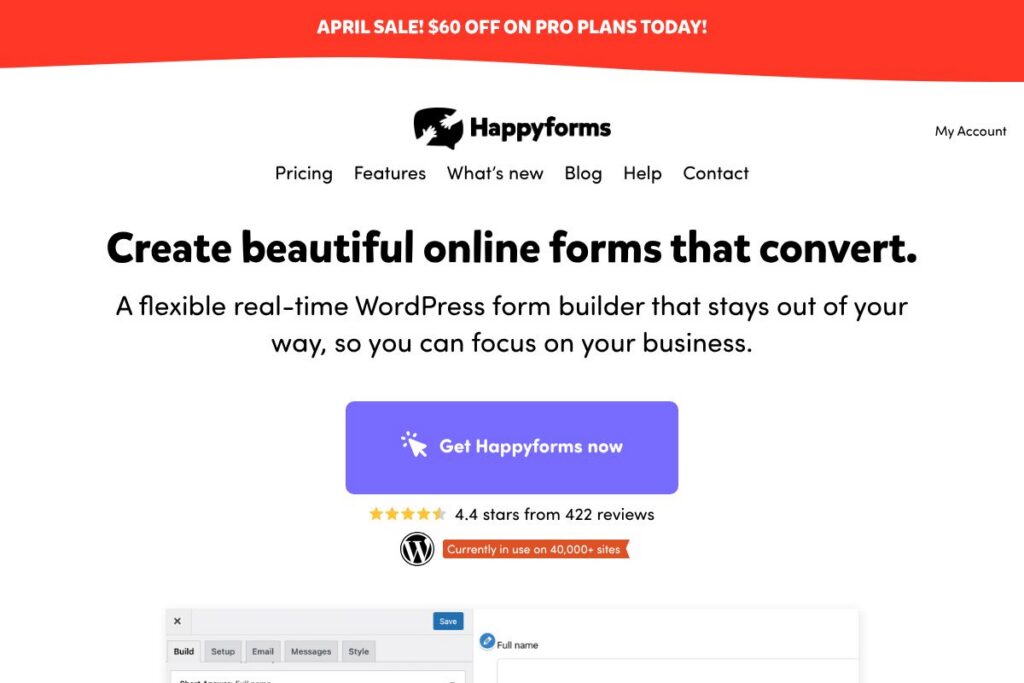
Happyforms: An Overview
Happyforms is a WordPress form builder that provides a visual drag-and-drop editor and live previews inside the WordPress customizer. It is designed for site owners who want to create contact forms, signup forms, registration pages, order forms, and surveys without coding, while keeping form logic, uploads, and payments inside one plugin.
Compared with WPForms and Gravity Forms, Happyforms emphasizes a lightweight interface and built-in features rather than relying on many paid add-ons. Compared with Contact Form 7, which is minimal and developer-oriented, Happyforms offers a more modern visual editor and workflow features that non-technical users can adopt quickly.
All of this makes Happyforms a practical choice for small businesses, marketers, and agencies that need a simple yet capable form solution for WordPress. It is particularly useful for teams that want to collect structured data, handle file uploads, and run simple payment flows without assembling multiple plugins or extensions.
How Happyforms Works
The plugin installs like any WordPress plugin and exposes a visual form builder inside the WordPress customizer so you can design and preview forms while seeing them in the context of your theme. Fields are added with a drag-and-drop interface, and each field includes settings for labels, validation, conditional visibility, and layout.
Workflows typically start with choosing a template or blank form, adding fields, configuring notifications and confirmation messages, and embedding the form via shortcode or block. For automation, Happyforms supports data export, webhooks, and integrations so you can route submissions to email lists, CRMs, or third-party automation services.
Happyforms features
Happyforms centers on a live form-building experience and an all-in-one feature set that reduces reliance on add-ons. Core capabilities include a drag-and-drop builder, conditional logic, multi-page forms, file uploads and signatures, payment support, submission management, and templates to speed deployment.
What Makes Happyforms Stand Out
Live Customizer Builder
The live builder runs inside the WordPress customizer which lets you see real-time previews of the form in your site layout. This helps designers and content editors tune spacing, labels, and styling without switching windows.
Drag-and-Drop Field Editor
Fields are added and arranged with a visual interface that includes text, email, dropdowns, checkboxes, file uploads, and signature fields. The editor reduces friction for non-developers and speeds up form creation for common workflows.
Conditional Logic and Multi-Page Forms
You can show or hide fields based on user responses and break long forms into pages for better conversion. Conditional logic and pagination allow more advanced registration and survey flows without extra plugins.
Payments and Coupon Codes
Happyforms supports payment collection within forms via multiple gateway options and coupon codes, allowing simple order or donation forms to run on the same site. That reduces the need for a separate checkout plugin for low-complexity transactions.
Submission Management and Exports
Form entries are stored in the WordPress dashboard where you can search, filter, export to CSV, and generate PDFs if required. This central repository simplifies record keeping and integration with reporting workflows.
Built-in Integrations and Webhooks
The plugin connects to common email and marketing tools, and supports webhooks for sending submissions to Zapier or custom endpoints. This enables automated workflows such as list building, CRM updates, or ticket creation.
Templates and Prebuilt Forms
Happyforms ships with a selection of templates for contact pages, lead capture, event registration, and order forms so you can get started quickly. Templates are editable in the same live builder for fast customization.
With these features, the biggest benefit is that most common form needs are covered in a single plugin without assembling multiple add-ons. That makes it easier to maintain and audit sites that handle customer interactions and data capture.
Happyforms pricing
Happyforms uses a freemium model with a fully functional core plugin available on WordPress and optional paid upgrades or hosted options for additional features and support. The core plugin covers basic forms and many advanced capabilities out of the box while paid tiers add premium integrations, priority support, or multisite licensing.
For the latest plan details and purchasing options, check the official Happyforms plugin page on WordPress.org which links to available premium upgrades and support channels.
What is Happyforms used for
Happyforms is commonly used to build contact forms, lead capture forms, event and registration forms, and lightweight order forms that accept payments. Its live builder and templates make it practical for marketing teams who need to create signup flows and manage subscriber lists without developer involvement.
Beyond marketing, site owners use Happyforms for customer intake, file collection, surveys, and volunteer or job applications where structured responses and attachments must be collected and stored. The submission management UI and export tools support basic CRM and reporting workflows.
Pros and Cons of Happyforms
Pros
- Live visual builder: The customizer-based editor provides an immediate preview of forms in the site context, which reduces iteration time and design mismatches.
- All-in-one feature set: Conditional logic, file uploads, signatures, multi-page forms, and payment handling are available without needing multiple add-ons, simplifying maintenance and updates.
- User-friendly submission management: Stored entries, search, filtering, and export options let non-technical users review and process responses from the WordPress dashboard.
Cons
- Limited enterprise features: Larger organizations may need advanced workflows, SSO, or complex enterprise integrations that are typically available via dedicated enterprise-grade form systems.
- Scaling and performance: Very high-volume submission sites should plan for submission storage and backups; WordPress databases can require tuning when handling large datasets.
- Third-party integration depth: While Happyforms offers common integrations and webhooks, some specialized marketing or CRM connectors may require middleware or custom development.
Is Happyforms Free to Try?
Happyforms offers a free core plugin on WordPress with optional paid upgrades for advanced features and support. The free plugin includes the live builder, most common fields, submission storage, and basic integrations. For premium integrations, payment gateway options, or priority support, view the upgrade options linked from the official WordPress plugin page.
Happyforms API and Integrations
Happyforms supports webhooks and built-in connectors to common email and marketing providers, enabling submission routing to services like Mailchimp or external automation platforms. The webhook approach lets developers forward data to Zapier, Integromat, or custom endpoints for deeper automation.
Documentation and integration details are linked from the plugin pages and support forums; review the plugin support area on WordPress.org for setup guides and examples on connecting to third-party services.
10 Happyforms alternatives
Paid alternatives to Happyforms
- WPForms — A popular drag-and-drop WordPress form builder with a polished UI and a large set of paid integrations and add-ons. See WPForms’ product site for plans and features.
- Gravity Forms — A mature, developer-friendly plugin with extensive add-ons for CRM, payment gateways, and conditional workflows. Explore Gravity Forms for details.
- Formidable Forms — Focused on advanced data handling and building data-driven applications inside WordPress, including views and reports. Review Formidable Forms.
- Ninja Forms — A modular builder with paid extensions for payments, marketing, and CRM integrations. Visit Ninja Forms for options.
- JotForm — A hosted form platform that integrates with WordPress and provides advanced widgets, templates, and enterprise features. See JotForm’s WordPress integration.
- Typeform — A hosted form and survey platform focused on conversational forms and high-conversion experiences, with WordPress embedding options. Check Typeform for details.
Open source alternatives to Happyforms
- Contact Form 7 — The long-standing free WordPress form plugin with simple shortcode-based forms and developer hooks. Available on WordPress.org.
- Forminator — A feature-rich free plugin with quizzes, polls, and payment support in its core offering; built to integrate with popular services. See Forminator on WordPress.org.
- Caldera Forms — A visual form builder that historically offered a generous free feature set and webhook support; review historical documentation and community forks.
- Fluent Forms — A lightweight form builder with a robust free tier and paid add-ons that cover marketing and payment integrations. Learn more at Fluent Forms.
Frequently asked questions about Happyforms
What is Happyforms used for?
Happyforms is used to create contact forms, lead capture forms, surveys, order forms, and registration pages within WordPress. Its live builder and templates speed up form creation and deployment for marketing, customer intake, and simple e-commerce flows.
Does Happyforms have a free version?
Yes, Happyforms provides a free core plugin on WordPress.org. The free version includes the live builder, many field types, and submission storage, with optional paid upgrades for premium integrations and support.
Can Happyforms accept payments?
Yes, Happyforms supports payment collection within forms using supported gateways and coupon codes. Payment setup and gateway options are accessible through the plugin and any premium add-ons or upgrade tiers offered by the vendor.
Does Happyforms integrate with email marketing tools?
Yes, Happyforms integrates with common email and marketing services via built-in connectors and webhooks. You can route submissions to mailing lists or automation platforms to expand your subscriber base without a separate newsletter plugin.
How do I export submissions from Happyforms?
Submission data can be searched, filtered, and exported from the WordPress dashboard. Happyforms supports CSV exports and tools for generating PDFs or forwarding entries to external systems via webhooks.
Final verdict: Happyforms
Happyforms is a practical, user-friendly WordPress form builder that combines a visual live builder with a broad set of core features so site owners can handle forms, uploads, conditional flows, and simple payments without assembling many add-ons. Its strength is the low-friction design experience and in-dashboard submission management which suits marketers and small businesses.
Compared to WPForms, which offers an extensive marketplace of paid add-ons and tiered annual plans, Happyforms leans on a strong free core plugin with optional paid upgrades. If you need enterprise-grade connectors or advanced reporting available in paid WPForms or Gravity Forms plans, those tools may be a better fit; if you want a single, simpler plugin that covers most form use cases, Happyforms is worth evaluating.
For downloads, documentation, and upgrade options see the official Happyforms plugin listing on WordPress.org and the plugin support threads for setup and integration tips.