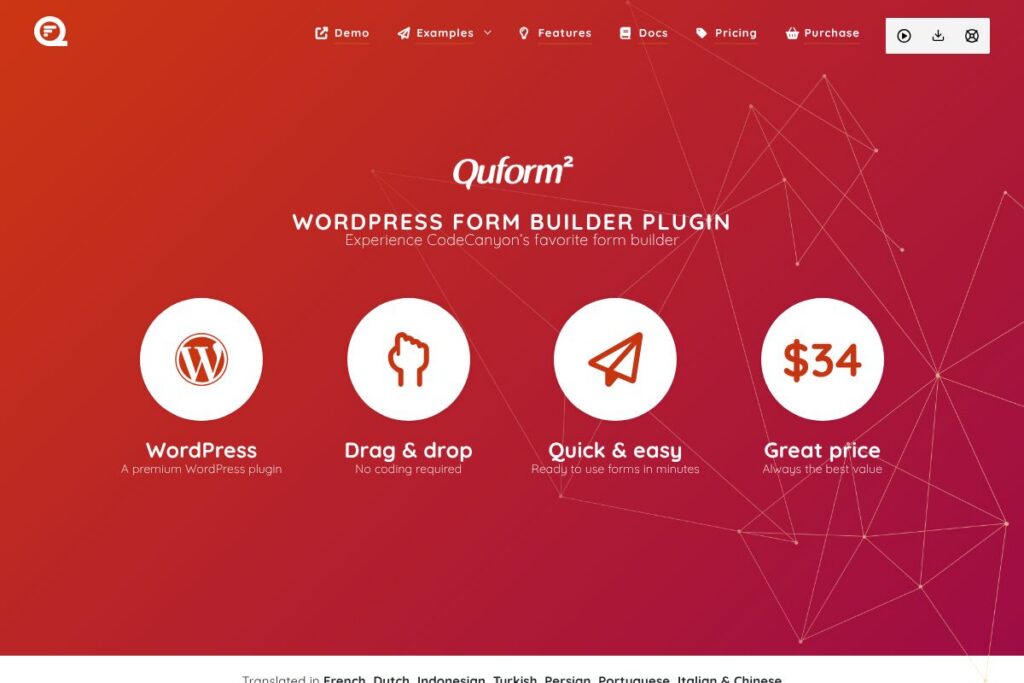
Quform: An Overview
Quform is a premium WordPress form builder sold through CodeCanyon that provides a visual, drag-and-drop interface for creating forms without writing code. It focuses on fast form creation, a large set of field types, conditional logic, theming options, and responsive output for desktop and mobile sites.
Compared with competitors, Quform differs from Gravity Forms by being a one-time purchase plugin rather than a subscription, which can be more cost effective for single-site use. Compared with WPForms and Ninja Forms, Quform emphasizes a compact, themeable builder and an entry price that is lower up front, while some competitors offer deeper native integrations and subscription-based add-ons.
Quform is well suited for designers and agencies who want polished, customizable forms that integrate into WordPress themes and are ready to deploy quickly. It does form building, file uploads, conditional flows, and multi-page forms very well, making it a practical choice for contact forms, lead capture, and client questionnaires.
How Quform Works
Quform uses a browser-based form builder inside the WordPress admin where you construct forms by dragging elements onto a canvas, arranging layout columns and pages, and configuring per-field settings. Each element exposes validation, conditional visibility, and label or placeholder options so you can tailor both appearance and behavior.
On submit, Quform can send notifications, save entries to the database for review, and handle file uploads. Typical workflows include creating a lead capture form, connecting notification emails to team inboxes, and using conditional fields to shorten forms for specific user paths. Use the Quform CodeCanyon listing to see demos and screenshots of the builder in action.
Quform features
Quform centralizes its capabilities around an easy visual builder, flexible field types, conditional logic, and styling controls that remove the need for custom CSS for most use cases. The plugin ships with built-in anti-spam, multi-page support, file handling, and a theming system that adapts forms to your site design.
Let’s talk Quform’s Features
Drag and drop builder
The builder lets you place fields, split layouts into columns, and reorder elements with the mouse, which speeds form composition and layout adjustments. This approach reduces repetitive configuration and is suitable for both simple contact forms and complex multi-column forms.
Field types and form elements
Quform includes a broad set of inputs such as text, email, select, checkboxes, radio groups, file uploads, and date pickers across its element library. Having diverse field types makes it easier to collect structured data without custom coding.
Conditional logic and on-submit conditions
You can show or hide fields and sections based on user choices, and set conditional actions that run on submit to tailor notifications or routing. Conditional flows help keep forms concise and improve completion rates by only asking relevant questions.
Theming and styling options
An integrated theming system and per-form style controls let you adjust colors, spacing, labels, and field sizes so forms match your site design without touching CSS. This reduces handoffs between designers and developers when aligning forms to brand guidelines.
Responsive and multi-page forms
Forms render responsively across devices and support multi-page setups for long surveys or step-based flows, which improves usability on mobile and breaks long forms into manageable sections. Multi-page support also enables progress indicators and segmented data collection.
Spam protection and validation
Quform supports reCAPTCHA and additional anti-spam measures, along with client-side and server-side validation for required fields and formats. These protections reduce spam submissions while maintaining a smooth user experience.
File uploads and entry management
Enhanced file upload options handle attachments securely, and an entries system lets you search, filter, and edit submissions from the WordPress admin. This makes it practical to manage inbound content and export or reference entries as needed.
With these features, Quform provides a compact toolset for building well-styled, functional forms in WordPress with minimal developer overhead.
Quform Pricing
Quform is sold as a single-purchase premium WordPress plugin on CodeCanyon with a one-time fee for a regular license, rather than a recurring subscription. This model is common for marketplace plugins and is often preferred by users who want a single upfront cost for license usage.
Single purchase
Regular license – $34 (one-time purchase on CodeCanyon, includes updates and a period of support as defined by the marketplace). View the Quform CodeCanyon listing for the current purchase options and license details.
Enterprise or extended licensing
Extended or bulk licensing: For projects that require broader redistribution or custom licensing terms, contact the author or use the marketplace options linked from the product page. The CodeCanyon listing provides links to request support and licensing information.
What is Quform Used For?
Quform is commonly used to build contact forms, lead generation forms, registration forms, client intake questionnaires, and event RSVPs where site owners need more control than simple contact plugins provide. Its multi-page and conditional features make it useful for longer forms like surveys and application forms.
Designers and agencies use Quform to match form appearance to custom themes without writing CSS, while small businesses and freelancers often choose it for one-off projects because of the single purchase price. It fits scenarios where WordPress-native form handling and server-side file uploads are required.
Pros and Cons of Quform
Pros
- Drag-and-drop visual builder: The builder speeds form creation and layout work, which shortens development time for site builders and designers.
- One-time purchase value: Buying a single license for $34 can be economical for sites that do not require subscription-based add-ons or ongoing per-site fees.
- Wide set of field types and conditional logic: Supports diverse data collection scenarios and reduces the need for custom coding.
- Theming and styling controls: Built-in styling options let forms align with site design without additional CSS.
Cons
- Fewer native integrations than some competitors: Compared with platforms like Gravity Forms and WPForms, Quform has fewer official add-ons for CRM and marketing automation services.
- Marketplace distribution model: Being sold through CodeCanyon means licensing and support flow through the marketplace, which can be different than purchasing directly from a vendor with subscription options.
- Not a SaaS connector platform: It is a WordPress plugin rather than a hosted form service, so teams that need centralized form management across many domains may prefer a hosted solution.
Does Quform Offer a Free Trial?
Quform is a paid plugin sold as a single purchase and does not offer a free plan or trial. You can review demos, screenshots, and the demo builder on the CodeCanyon listing to evaluate functionality before purchasing, and the item page lists support and update terms.
Quform API and Integrations
Quform operates as a WordPress plugin and exposes integration options typical for WordPress form plugins, including email notifications, file uploads, and WordPress hooks and filters for developers to extend behavior. For integration details and developer notes, consult the Quform CodeCanyon listing and the product documentation linked there.
Many users connect Quform to external services using webhook endpoints, Zapier through webhooks, or custom code via WordPress action hooks, which is the standard approach for self-hosted form plugins that do not offer a hosted API gateway.
10 Quform alternatives
Paid alternatives to Quform
- Gravity Forms — A subscription-based WordPress form plugin known for extensive official add-ons for CRM, payments, and marketing automation. Check Gravity Forms pricing for plans and add-ons.
- WPForms — A user-friendly drag-and-drop builder with freemium and paid tiers, strong onboarding, and many integrations.
- Formidable Forms — Focuses on complex forms and data-driven applications, with visual views and advanced calculations.
- Ninja Forms — Offers a core free plugin and paid extensions for payments, CRM, and email marketing.
- Fluent Forms (Pro) — A fast, lightweight form plugin with pro add-ons for integrations and automation.
Open source alternatives to Quform
- Contact Form 7 — A long-standing free plugin for basic forms that is extensible through third-party add-ons.
- Ninja Forms (core) — The freemium core plugin is open source and allows building forms with optional paid extensions.
- Forminator — A freemium option from WPMU DEV that includes polls and quizzes along with form building.
- Fluent Forms (free version) — Offers a robust free tier with paid upgrades for additional integrations.
Frequently asked questions about Quform
What is Quform used for?
Quform is used to build WordPress forms for contact, lead capture, multi-page surveys, and file uploads. It provides a visual builder, conditional logic, theming options, and entry management inside WordPress.
Does Quform include spam protection?
Yes, Quform includes anti-spam features such as reCAPTCHA and other protection options. These controls are configurable per form to reduce unwanted submissions.
How much does Quform cost?
Quform is sold on CodeCanyon as a single purchase for $34****. The purchase includes marketplace-defined updates and a period of author support as listed on the product page.
Can Quform be customized with CSS and hooks?
Yes, Quform supports custom CSS and WordPress hooks for developers to extend or customize form behavior. The theming system covers most styling needs but developers can add CSS or use action/filter hooks for deeper changes.
Is Quform suitable for multi-page and conditional forms?
Yes, Quform supports multi-page forms and conditional logic for showing or hiding fields based on user input. This makes it practical for longer workflows like applications and multi-step surveys.
Final verdict: Quform
Quform is a practical, budget-friendly WordPress form plugin that excels at delivering well-styled, responsive forms quickly via a visual builder. Its one-time $34 purchase model is attractive for single-site projects and for designers who prefer a self-hosted, themeable solution rather than a recurring subscription.
Compared to Gravity Forms at $59/year for entry subscriptions, Quform offers a lower upfront cost and strong visual theming, while Gravity Forms provides a broader ecosystem of official add-ons and native integrations for CRM and payment providers. Choose Quform if you need a capable, affordable WordPress-native form builder with strong styling and conditional features; choose a subscription-based competitor if you need extensive out-of-the-box integrations or a managed add-on ecosystem.