
Uxcam
Mobile-first session replay and analytics platform for product managers, UX researchers, and mobile engineers. Uxcam captures in-app user sessions, touch heatmaps, funnels, crash context, and event analytics to help teams reproduce issues, prioritize UX fixes, and measure feature impact.
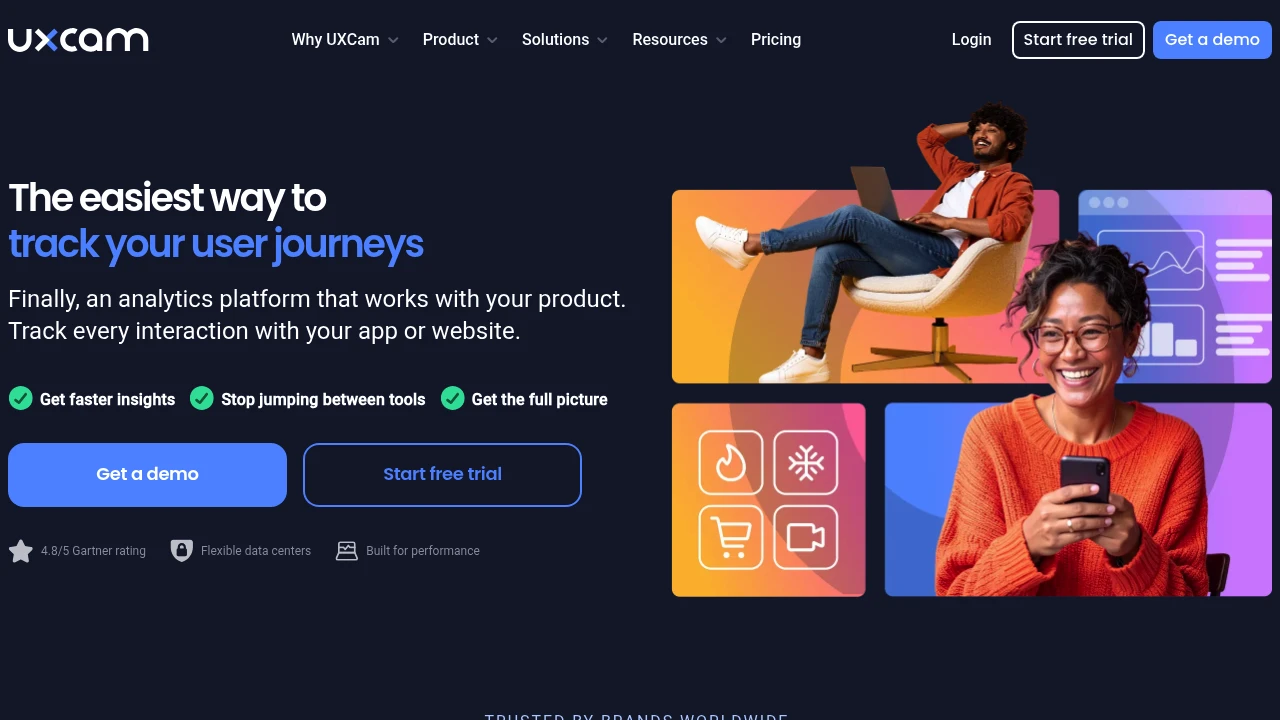
What is uxcam
Uxcam is a mobile analytics and session replay platform designed to capture how users interact with native iOS and Android apps. The SDK records user sessions and interaction metadata so product teams can watch replays, analyze touch heatmaps, and tie qualitative user behavior to quantitative metrics such as funnels and retention. Uxcam focuses on mobile-first UX signals that standard web analytics often miss: touch gestures, scroll behavior, screen transitions, and device performance data.
The product combines session recording with user-level metadata and event tracking so teams can filter replays by specific users, device types, OS versions, or custom events. It also collects crash and error context alongside the visual session replay, which reduces time to reproduce issues for QA and engineering. Uxcam exposes that data through dashboards, funnels, retention reports, and integrations with common product and engineering workflows.
Uxcam is used by product managers, user researchers, UX designers, mobile engineers, and growth teams who need to translate observed user behavior into prioritized product improvements. It emphasizes fast issue reproduction, behavioral research, and measuring the impact of changes on user flows in native mobile applications.
Uxcam features
Uxcam's feature set centers on session replay, behavioral analytics, and developer-friendly diagnostic tools. The core features include:
- Session replay that captures screen video-like replays combined with touch events and app state changes so teams can replay exact user interactions.
- Touch heatmaps and gesture analysis that visualize where users tap, long-press, and swipe across screens to reveal areas of friction and unused UI elements.
- Funnels and conversion tracking that let you define multi-step flows (signup, purchase, onboarding) and measure drop-off rates across specific segments.
- Crash and performance context that attaches device logs, stack traces, and environment details to sessions where a crash or ANR occurs, shortening debugging cycles.
Uxcam also provides advanced segmentation, user property filtering, and the ability to add custom events and metadata to sessions. Key platform capabilities include:
- Developer SDKs for iOS and Android, with straightforward methods for tagging screens, identifying users, and logging custom events.
- Data export and integrations: webhooks, direct exports to data lakes, and connectors to analytics and support tools.
- Privacy and data controls such as automatic masking of sensitive fields, IP anonymization, and configurable capture rules that help meet GDPR and other regional requirements.
Additional product features include session search and indexing, rage-tap detection, retention cohorts, and a dashboard for usage trends. These features are organized to support research workflows (find sessions that match a behavioral hypothesis), growth experiments (measure funnel impact), and engineering diagnostics (replay the lead-up to a crash).
What does uxcam do?
Uxcam records in-app user behavior and translates it into replayable sessions, aggregated metrics, and actionable diagnostic data. It captures touch coordinates, scrolls, gestures, screen transitions, and errors so teams can observe exactly what happened before a user abandoned a flow or experienced a crash.
Beyond replays, Uxcam provides analytics surfaces — funnel analysis, retention cohorts, heatmaps — that let teams quantify problems and track improvements over time. For example, you can measure how a change to an onboarding flow affects drop-off or how a UI change alters tap distribution on a screen.
For engineering and QA, Uxcam attaches contextual data such as device model, OS version, app version, and logs to sessions. That context reduces the time needed to reproduce bugs and verify fixes because an engineer can jump directly to the session that triggered a crash or erroneous state.
Uxcam pricing
Uxcam offers these pricing plans:
- Free Plan: $0/month with limited session capture, basic session replay, and core heatmaps suitable for small projects or initial evaluation
- Starter: $49/month (billed monthly) or $468/year (billed annually at $39/month) with higher session quotas, funnels, basic integrations, and email support
- Professional: $149/month (billed monthly) or $1,428/year (billed annually at $119/month) with expanded session volume, advanced funnels, retention cohorts, priority support, and data export features
- Enterprise: custom pricing with account management, SSO, dedicated onboarding, compliance SLAs, and enterprise integrations
Pricing is typically driven by session volume and data retention windows; higher tiers increase monthly sessions, longer retention, and additional seats for team members. Many teams begin on the Free Plan to validate capture and replay before upgrading to Starter or Professional when session volume or features are required at scale.
Check Uxcam's current pricing tiers (https://uxcam.com/pricing) for the latest rates and enterprise options.
Uxcam often offers annual billing discounts and custom quotes for enterprise needs such as longer retention, on-premises or private cloud deployments, and higher ingestion rates. Trial periods and pilot projects are commonly available to evaluate the tool in the context of a live mobile app.
How much is uxcam per month
Uxcam starts at $49/month for the Starter plan when billed monthly. The monthly plans are suited to teams that want predictable month-to-month billing and the ability to scale up or down during development cycles.
Monthly billing options typically allow immediate upgrades to higher tiers as session volume increases, while keeping invoicing straightforward for short-term projects or smaller teams.
How much is uxcam per year
Uxcam costs $468/year for the Starter plan when billed annually (equivalent to $39/month). Annual plans usually include a discounted rate compared to monthly billing and are common when teams want a stable budget for a year-long product cycle.
Enterprise and professional tiers also have annual billing options with larger discounts and negotiated terms for multi-year contracts and SLAs.
How much is uxcam in general
Uxcam pricing ranges from $0 (free) to $149+/month. The lower end covers small projects and prototypes via the Free Plan, while the mid-range Starter and Professional tiers address growing product teams with higher session volumes and analytics needs. Enterprise pricing is custom and can exceed the listed mid-tier rates depending on retention, ingestion, and support requirements.
Overall cost depends on session capture volume, data retention length, number of seats, and whether you require enterprise features like SSO, dedicated support, or on-premises options.
What is uxcam used for
Uxcam is primarily used to understand and fix user experience issues in native mobile apps. Product and UX teams use session replays to observe concrete user behavior: where users get stuck, which elements are tapped accidentally, and how flows like onboarding or checkout proceed on different devices.
The platform is used to reproduce bugs and crashes quickly because session replays include device context and app state. Engineering teams use Uxcam to shorten triage time by seeing the exact steps that lead to an error and by accessing logs, stack traces, and the device environment attached to that session.
Growth and analytics teams use funnels, retention cohorts, and A/B experiment tracking to measure the impact of product changes. For example, Uxcam can show how a tweak to a signup screen affects conversion and where users drop off in that flow.
User research teams use filtered session replays to find real user examples that illustrate behavior patterns for stakeholder demos or to validate hypotheses before running costly usability tests.
Pros and cons of uxcam
Pros:
- Comprehensive mobile session replay: Uxcam provides detailed replays that include touch gestures, scrolls, and screen changes—information that other analytics tools may not capture for native apps. This makes it easier to reproduce and fix issues.
- Crash and performance context: Attaching logs and device metadata to sessions reduces the back-and-forth between product and engineering teams when diagnosing mobile-specific problems.
- Developer-friendly SDKs and exports: SDKs for major mobile platforms and options to export session data or integrate with existing analytics pipelines help teams combine Uxcam data with other sources.
Cons:
- Cost scales with sessions: Teams with very high session volumes can see monthly costs grow quickly, especially if long retention windows are required for analysis or regulatory reasons. Budget planning should account for session capture rates and retention needs.
- Privacy considerations: Recording sessions requires careful configuration to mask sensitive fields and meet privacy regulations. Teams must invest time in configuring automatic masking and reviewing captured fields.
- Mobile focus only: Uxcam is specialized for native mobile analytics; organizations that need unified web and mobile analytics may require combining tools or selecting a broader platform.
Weighing these pros and cons helps teams determine whether Uxcam meets their needs based on app scale, privacy posture, and whether mobile-specific UX insights are a priority.
Uxcam free trial
Uxcam typically offers a free tier and short-term free trials of paid plans to let teams validate the platform with real traffic. The Free Plan provides basic session capture and replay so you can check SDK integration, review sample sessions, and get a feel for heatmaps and funnels at small scale.
For paid features such as extended retention, higher session counts, and advanced funnels, Uxcam usually provides a trial window on the Starter or Professional tier. During the trial you can test integrations, data exports, and the full analytics surfaces without committing to a contract.
Trials are useful for testing specific workflows: reproducing known issues, measuring baseline conversion rates, and verifying that sensitive data masking works correctly before enabling full production capture.
Is uxcam free
Yes, Uxcam offers a free plan that provides limited session capture, basic session replay, and early access to touch heatmaps. The free access is intended for small projects, evaluation, and proof-of-concept integration.
For production usage, larger session volumes and features such as advanced funnels, longer data retention, and enterprise compliance require an upgrade to a paid plan.
Uxcam API
Uxcam exposes developer-facing APIs and SDKs that let engineering teams send events, identify users, and retrieve session metadata programmatically. Common API capabilities include session export, event ingestion, user identification, and retrieval of aggregated metrics for reporting.
SDKs are available for native mobile platforms (iOS and Android) with methods to tag screens, log custom events, and opt out or mask sensitive UI elements. For backend integrations and automation, Uxcam supports webhooks and data export endpoints so sessions and events can feed downstream systems such as data warehouses or incident tracking tools.
The API also supports bulk data export for teams that want to run heavy analysis in-house or retain raw session metadata in a secure data store. Typical patterns include exporting session-level metadata to S3, pushing critical events to an analytics pipeline, or sending session links to support and bug-tracking tools when issues occur.
For specifics on endpoints, authentication, rate limits, and sample code, consult Uxcam's developer documentation at their API docs (https://docs.uxcam.com) which includes SDK guides, webhook setup, and export instructions.
10 Uxcam alternatives
When evaluating Uxcam, teams often consider a mix of paid commercial products and open source solutions depending on requirements for session replay, privacy, and integration.
Paid alternatives to Uxcam
- Hotjar — Session recording and heatmaps focused on web; provides funnels and feedback tools for qualitative research, better suited for web than native mobile.
- FullStory — Full session replay with robust web and mobile support, advanced analytics, and powerful search capabilities; typically positioned at the enterprise level.
- LogRocket — Session replay plus network and console logs tailored for frontend engineering debugging; integrates well with bug trackers and error platforms.
- Heap — Autocapture analytics that track every user action for event-based analysis; stronger on event analytics than visual session replay.
- Smartlook — Session recordings, heatmaps, and funnels for web and mobile with a simpler pricing model for small to medium teams.
- Crazy Egg — Heatmaps and conversion tools primarily for web-based UX optimization; less focused on native mobile replays.
Open source alternatives to Uxcam
- PostHog — Open source product analytics that include session recording, feature flags, and funnels. Works well if you want to self-host and control data retention and privacy.
- OpenReplay — An open source session replay suite that lets teams self-host session recordings and inspect user interactions without sending data to third parties.
- Matomo — Privacy-focused analytics platform with optional self-hosting; provides event analytics and heatmaps through plugins but is less focused on mobile replay fidelity.
- Ackee — Lightweight open source analytics for teams that want a minimal footprint and self-hosted data, but lacks rich replay features.
Selecting an alternative depends on priorities: whether you need enterprise-grade integrations, web vs. mobile coverage, or full self-hosting to meet strict privacy or regulatory requirements.
Frequently asked questions about Uxcam
What is Uxcam used for?
Uxcam is used for mobile session replay and behavioral analytics to understand how users interact with native iOS and Android apps. Product teams use it to reproduce bugs, analyze user flows, measure funnels, and surface UX friction that affects conversion and retention.
Does Uxcam capture session replays?
Yes, Uxcam records detailed session replays including touch events, scroll behavior, and screen transitions so teams can watch exact user interactions and investigate issues visually alongside device metadata.
Is Uxcam free?
Yes, Uxcam offers a free plan with limited session capture and basic replay functionality for evaluation and small projects. Paid plans are available for larger session volumes, longer retention, and advanced analytics.
Does Uxcam provide an SDK for mobile apps?
Yes, Uxcam provides SDKs for iOS and Android that let developers integrate session capture, tag screens, log custom events, and configure masking or opt-out behavior to meet privacy requirements.
Can Uxcam help reproduce crashes?
Yes, Uxcam attaches crash and performance context to sessions so engineers can see the sequence of user actions leading up to a crash along with device model, OS, and logs that aid diagnosis.
How does Uxcam handle user privacy and sensitive data?
Uxcam includes masking and privacy controls that let you automatically redact sensitive fields, anonymize IPs, and configure capture rules to avoid recording personal data. Teams should configure these controls to meet GDPR and other regional requirements.
Does Uxcam integrate with analytics and bug-tracking tools?
Yes, Uxcam supports integrations and data exports via webhooks, API endpoints, and connectors so session links and event data can be sent to analytics platforms, Slack, Jira, or data warehouses for combined analysis.
How much does Uxcam cost per user or per month?
Uxcam starts at $49/month for the Starter plan (monthly billing) with higher tiers like Professional at $149/month and custom-priced Enterprise plans. Costs scale based on session volume and retention.
Can I export Uxcam data for long-term analysis?
Yes, Uxcam supports data export and bulk session export so you can store session metadata or raw event data in your data warehouse or S3 bucket for long-term analysis and compliance archiving.
Is Uxcam suitable for web analytics?
Uxcam is primarily optimized for native mobile analytics; while some features may support hybrid or web views, teams focused on web analytics often choose tools built for the browser environment such as Hotjar or FullStory.
uxcam careers
Uxcam, like many specialized analytics platforms, typically hires across product, engineering, customer success, and sales functions. Jobs can include mobile SDK engineers, data engineers, product managers, and UX researchers. Roles often emphasize experience with mobile platforms, data pipelines, and privacy-compliant data capture.
If you are interested in a role at Uxcam, look for job listings on their company careers page or on major job boards. Interview processes generally include technical screening for developer roles and case-based evaluations for product and research functions.
uxcam affiliate
Uxcam occasionally runs partner or reseller programs through strategic partnerships with mobile consultancies and analytics integrators. An affiliate arrangement may provide referral rewards or revenue-sharing for qualified leads that convert to paid plans. For current affiliate or partner opportunities, check Uxcam's partner pages or contact their sales team directly through the site.
Where to find uxcam reviews
To read user reviews and ratings, check independent review sites such as G2 and Capterra for real-world feedback. See Uxcam reviews on G2 (https://www.g2.com/products/uxcam/reviews) and Uxcam reviews on Capterra (https://www.capterra.com/p/176205/Uxcam/) to compare ratings for ease of use, support, and feature coverage.
In addition to review platforms, look for case studies and technical write-ups on engineering blogs and product management forums where teams describe specific implementations, integration patterns, and ROI from using Uxcam.

Similar to Uxcam


