
Crazyegg
Behavioral analytics platform for product managers, marketers, UX designers, and web teams that provides heatmaps, session recordings, funnel reports, and A/B test snapshots to reveal how visitors interact with web pages and where conversion friction occurs.
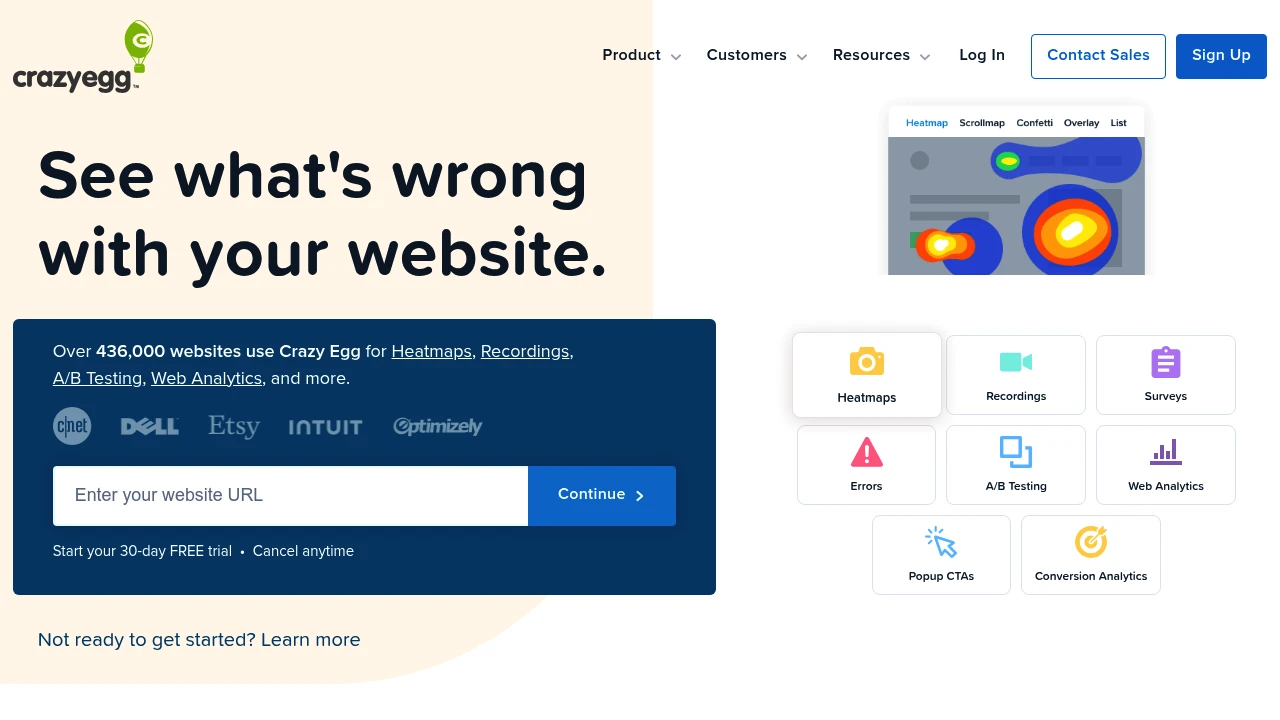
What is crazyegg
Crazy Egg is a website behavior analytics tool that captures and visualizes user interactions on web pages. It records heatmaps (click, scroll and move), session recordings, conversion funnels, and split-test snapshots to help teams identify where visitors click, how far they scroll, which elements get attention, and where users drop off in flows. The platform is implemented with a lightweight JavaScript snippet and is designed to work alongside existing analytics platforms to provide qualitative context for quantitative metrics.
Crazy Egg stores historical snapshots of pages so teams can compare behavior over time, test changes, and validate hypotheses without relying solely on aggregate metrics. It is commonly used by marketing teams optimizing landing pages, product teams validating UX changes, and agencies running conversion optimization programs for clients. The product emphasizes quick setup, visual reports that are easy for non-technical stakeholders to understand, and integrations that put behavior data into broader analytics and marketing stacks.
Adoption scenarios range from quick audits of a single landing page to ongoing CRO (conversion rate optimization) programs across multiple domains and subdomains. Crazy Egg provides role-appropriate views—visual heatmaps for designers, funnels and recordings for product teams, and reporting exports for analysts—so different stakeholders can act on the same underlying behavior data.
Crazy Egg features
Crazy Egg bundles a set of features focused on revealing on-page behavior and validating design changes. The core feature set centers on visualizations, recordings, and lightweight testing:
- Visual heatmaps that aggregate clicks and taps to show which page areas receive the most interaction.
- Scrollmaps that show how far users scroll and the percentage that reaches key page sections.
- Move maps (mouse movement maps) that visualize cursor trajectories as proxies for attention.
- Session recordings that replay individual visitor sessions to inspect navigation sequences, form interactions, and errors.
- Conversion funnels that let you define multi-step flows and measure drop-off at each step to prioritize fixes.
- Snapshot testing for A/B validation: capture page snapshots before and after changes to compare behavior.
- Overlay reports that display click counts per element so teams can see which links, buttons, or images are most engaged.
- Segmenting and filtering by device, referrer, UTM parameters, and date range to isolate behavior for specific audiences.
Beyond on-page visuals, Crazy Egg includes features to support workflow and measurement:
- A lightweight JavaScript tracking snippet for fast installation via tag managers or direct insertion.
- Integrations with tag managers, analytics platforms, CMS platforms, and e-commerce systems to align behavior data with existing metrics.
- CSV and PDF export options for sharing insights with stakeholders and embedding into reporting dashboards.
- Role-based access controls and account-level settings for managing multiple sites and users across teams or agencies.
The product also focuses on practical adoption: pre-built templates for common page types (landing pages, pricing pages, product detail pages), guided setups for funnels and snapshots, and the ability to run multiple concurrent snapshots so teams can track experiments and changes over time.
What does crazyegg do?
Crazy Egg captures how real visitors interact with web pages and turns that raw interaction data into visual reports that are easy to interpret. Heatmaps show aggregated click and scroll behavior, while session recordings replay user journeys to surface friction points that numeric analytics can only imply. This combination enables teams to find UX issues, broken links, misleading CTAs, and optimization opportunities.
Practically, Crazy Egg is used to answer questions like: Which headline or CTA receives the most clicks? Do visitors actually scroll to the pricing table? Where in the checkout funnel are users abandoning? By marking snapshots before and after design changes, teams measure whether a change altered behavior as intended.
Crazy Egg also helps validate A/B test hypotheses and prioritize development work. Instead of relying only on conversion lifts, teams can verify that a change produced the expected behavioral change (e.g., moved attention to a new CTA) which reduces guesswork and speeds prioritization between design and engineering teams.
Crazy Egg pricing
Crazy Egg offers these pricing plans:
- Free Plan: $0/month — trial access or free tier with limited page snapshots and recordings suited for single-page audits or trial evaluation.
- Starter: $29/month when billed monthly; $24/month billed annually ($288/year) — intended for small sites and solo marketers with a modest number of snapshots, recordings, and pageviews per month.
- Professional: $79/month when billed monthly; $63/month billed annually ($756/year) — for growing businesses tracking multiple pages and running frequent snapshots and recordings; includes higher limits and advanced segmentation.
- Enterprise: custom pricing — for high-traffic sites and agencies needing unlimited snapshots, priority support, custom retention windows, SSO, and service-level agreements; contact sales for a tailored quote.
Check Crazy Egg's current pricing for the latest rates and enterprise options.
How much is crazyegg per month
Crazy Egg starts at $29/month on the Starter plan when billed monthly. That Starter tier is intended for small teams and single-site use; Professional and Enterprise tiers increase monthly costs as you add snapshots, recordings, and pageview allowances.
How much is crazyegg per year
Crazy Egg costs $288/year for the Starter plan when billed annually (equivalent to $24/month). Annual billing typically lowers the effective monthly cost and is commonly offered at a discount across the platform's paid tiers.
How much is crazyegg in general
Crazy Egg pricing ranges from $0 (free trial) to custom enterprise pricing that can exceed $199/month depending on the number of tracked pages, session recordings, snapshots, and required retention windows. Small teams usually fall in the $29–79/month range, while agencies and enterprise customers pay more for additional usage, white-labeling, longer data retention, and support.
For precise allowances (pageviews, snapshot limits, recording minutes, and user seats) and seasonal discounts, consult Crazy Egg's current pricing.
What is crazyegg used for
Crazy Egg is used for user-research-driven improvements to website UX, conversion optimization, and troubleshooting. It provides the visual context product teams need to correlate drops in conversion with specific on-page issues such as hard-to-find CTAs, misleading links, or content buried below the fold. Teams use Crazy Egg to prioritize fixes that will yield the highest impact on conversion funnels.
Marketers use Crazy Egg to optimize landing pages and reduce bounce rates by identifying which assets attract attention and which are ignored. Product managers use session recordings to validate new interactions and ensure flows behave as designed across different devices and browsers. Agencies use the platform to demonstrate value to clients by showing before-and-after snapshots and recording-based evidence of improvements.
Crazy Egg also supports experimentation workflows: before launching full A/B tests, teams capture baseline behavior to form hypotheses and then use snapshot comparisons to detect behavioral shifts attributable to changes. This reduces the need for repeated full-scale experiments and helps narrow which variations are worth further statistical testing.
Pros and cons of crazyegg
Pros:
- Visual reports (heatmaps, scrollmaps, overlays) make on-page behavior easy to understand for non-technical stakeholders.
- Session recordings provide qualitative context that complements aggregate analytics.
- Snapshot testing lets teams compare behavior before and after changes without running full experiments.
- Integrations and export options make it practical to combine Crazy Egg data with analytics and reporting stacks.
- Lightweight implementation via a single JavaScript snippet or tag manager entry reduces development time.
Cons:
- Heatmaps and recordings can add sampling considerations; high-traffic sites may need higher-tier plans or sample strategies to capture representative data.
- Privacy and consent handling is required in many jurisdictions—teams must configure masking and respect consent settings to ensure compliance.
- Crazy Egg focuses on on-page behavior; it is not a full analytics replacement for deep event-based or server-side tracking needs.
- For advanced funnel analytics or session segmentation at scale, product analytics platforms may offer deeper event instrumentation.
Crazy Egg free trial
Crazy Egg commonly offers a short free trial or a limited Free Plan: $0/month for users who want to evaluate heatmaps, recordings, and snapshot capabilities before committing. The trial is designed to give teams time to install the tracking snippet, capture initial traffic, and run a small audit.
During the trial, users can test core features (heatmaps, recordings, overlays) on a limited number of pages and with reduced recording minutes. The trial window is sufficient for single-page investigations and initial setup validation, but teams running comprehensive experiments should move to a paid tier to access higher limits and retention.
To start a trial or check the current trial terms, view Crazy Egg's trial and signup details.
Is crazyegg free
Yes, Crazy Egg typically offers a free trial or a limited Free Plan that allows evaluation of core features at no cost. The free offering is limited in snapshots, recordings, and retention compared with paid plans and is intended for short-term evaluation or single-page audits.
Crazy Egg API
Crazy Egg provides programmatic access options to automate account tasks, export data, and integrate behavior datasets into broader analytics pipelines. Core API and developer capabilities include:
- A JavaScript tracking snippet that acts as the primary data collection mechanism and can be configured via tag managers like Google Tag Manager.
- Exportable reports and snapshot data in CSV or JSON formats for offline analysis and archival.
- Webhook and API endpoints (where available based on plan) to push snapshot completion notifications or exported data into data warehouses, analytics platforms, or ticketing systems.
- Integration connectors and middleware support (for example, via Zapier) that enable triggering workflows in CRMs, messaging platforms, and BI tools when key behavior events are captured.
For integration specifics, authentication details, rate limits, and example calls, consult the Crazy Egg developer documentation and help center which outlines installation, API endpoints, and integration recipes for common stacks.
10 Crazy Egg alternatives
- Hotjar — Heatmaps, session recordings, surveys, and funnel analytics with strong feedback-collection tools. Good for teams that need on-site surveys combined with behavior data.
- FullStory — Comprehensive session replay and product analytics with powerful event search and segmentation for digital product teams needing deep session-level analytics.
- VWO — Focuses on A/B testing and conversion optimization with heatmaps and session recordings as complementary features in a broader experimentation platform.
- Optimizely — Enterprise experimentation and personalization platform; includes server-side testing, feature flags, and web experiment capabilities alongside behavioral analytics.
- Mouseflow — Heatmaps, session recordings, funnel analytics, and form analytics with granular session filters and easy setup for agencies.
- Contentsquare — Enterprise-grade digital experience analytics focusing on customer journey analysis, behavior metrics at scale, and AI-driven insights.
- Adobe Analytics — Deep quantitative analytics and segmentation with integrations to Adobe Experience Cloud; best for complex enterprise measurement needs.
- Hotjar Business — (listed again for clarity in some contexts) Combines qualitative feedback with quantitative behavior tracking at scale.
- Heap — Auto-capture event analytics for full-funnel analysis and retroactive event definition, complementary to behavioral capture tools.
- Lucky Orange — Combines heatmaps, session recordings, and live chat for immediate visitor engagement and troubleshooting.
Paid alternatives to crazyegg
- Hotjar: Offers combined heatmaps, session recordings, and on-site surveys that make it simple to gather qualitative feedback alongside behavior data.
- FullStory: Provides detailed session replay with powerful search and segmentation tools geared toward product and engineering teams.
- VWO: A/B testing platform with integrated heatmaps and recordings to validate experiments and analyze user behavior during tests.
- Optimizely: Enterprise experimentation and personalization with strong feature-flag and multivariate testing capabilities.
- Contentsquare: Large-scale digital experience analytics platform offering advanced journey mapping and AI-based insights for enterprise customers.
Open source alternatives to crazyegg
- Matomo: Open-source web analytics with heatmaps and session recording plugins; self-hosted option gives full data control and privacy compliance.
- PostHog: Product analytics and session recording platform that can be self-hosted; supports event-based analytics and feature flags.
- Open Web Analytics: Free, self-hosted web analytics with basic heatmap and click-tracking features; suitable for teams that want an on-premise alternative.
- Plausible (self-hosted): Lightweight privacy-focused analytics that can be extended with community tools for behavioral insights and simple event tracking.
- Ackee: Self-hosted, privacy-friendly analytics that can be used for lightweight behavior tracking and custom event capture.
Frequently asked questions about Crazy Egg
What is Crazy Egg used for?
Crazy Egg is used for visual website analytics and conversion optimization. Teams use it to generate heatmaps, scroll maps, session recordings, and funnels so they can identify where visitors click, how far they scroll, and where they drop off. The insights help prioritize UX fixes and validate design changes before or alongside A/B tests.
Does Crazy Egg integrate with Google Analytics?
Yes, Crazy Egg integrates with Google Analytics. Integration lets teams correlate qualitative heatmap and recording insights with quantitative traffic and goal data in Google Analytics, often by adding UTM and event context or by using tag manager setups.
How much does Crazy Egg cost per month?
Crazy Egg starts at $29/month on the Starter plan when billed monthly, with higher tiers for more snapshots, recordings, and retention. Enterprise pricing is custom and scales with usage and support requirements.
Is there a free version of Crazy Egg?
Yes, Crazy Egg typically offers a free trial or limited free tier. The free option allows evaluation of core features but includes reduced snapshot and recording limits compared with paid tiers, making it suitable for short audits or single-page tests.
Can Crazy Egg record sessions on mobile devices?
Yes, Crazy Egg records sessions on mobile devices and provides device-specific heatmaps. Reports can be segmented by device type so you can compare desktop, tablet, and mobile behavior and prioritize responsive design fixes.
Is Crazy Egg GDPR and privacy compliant?
Crazy Egg provides privacy controls and masking features to help with compliance. The platform supports input masking, excludes sensitive fields from recordings, and can be configured to respect consent banners. Teams must still configure the tool to meet local legal requirements and their privacy policies.
Can I use Crazy Egg to validate A/B tests?
Yes, Crazy Egg’s snapshot comparisons are often used to validate A/B tests. By capturing snapshots before and after changes, teams can examine behavioral shifts (clicks, scroll depth, and engagement) to see whether a variation leads to the intended user response.
Does Crazy Egg have an API for automation?
Yes, Crazy Egg provides developer-focused integration options and export capabilities. The platform includes a JavaScript tracking snippet, exportable snapshots, and developer documentation detailing available endpoints, webhook usage, and installation guides for common platforms.
How long does Crazy Egg store recordings and snapshots?
Storage and retention depend on your plan. Higher-tier and enterprise plans offer longer data retention windows and more snapshot history; lower-tier plans have shorter retention and smaller snapshot quotas. Check plan details for specific retention limits.
Can Crazy Egg handle large-scale sites and multiple domains?
Yes, Crazy Egg supports multi-site and multi-domain tracking with enterprise features for high-traffic setups. Enterprise plans include higher limits, account-level controls, and SSO for managing many sites and cross-domain tracking at scale.
crazyegg careers
Crazy Egg hires across product, engineering, marketing, and customer success roles that support growth and implementation of behavioral analytics features. Engineering roles focus on scalable data capture, privacy-safe storage, and real-time visualization components; product roles concentrate on expanding visual analytics and integrations; customer-success roles support onboarding and optimization services. For current openings and application guidance, check Crazy Egg's official careers page and company blog for culture and benefits information.
crazyegg affiliate
Crazy Egg often runs an affiliate program or partner referral arrangement for agencies and consultants who recommend the tool to clients. Affiliates typically get a referral link and commission for paid signups generated through that link; agencies can also explore reseller or white-label arrangements on enterprise-level agreements. For program details, terms, and sign-up, review Crazy Egg’s partnership information or contact sales directly through their website.
Where to find crazyegg reviews
Customer reviews for Crazy Egg are available on review platforms and industry publications. Look for detailed user reviews on B2B review sites for comparisons of feature sets, ease of use, and support responsiveness. You can also find case studies and customer testimonials in Crazy Egg’s help center and blog that describe real-world use cases and performance improvements—search for those examples on Crazy Egg’s site and on third-party review sites for balanced perspectives.

Similar to Crazyegg


