
Genial
Genially is a web-based authoring platform for creating interactive visual content—presentations, infographics, gamified experiences, microsites and interactive images—targeted at educators, marketers, instructional designers, and communicators who need more interactivity than static slides or images provide.
What is genial.ly
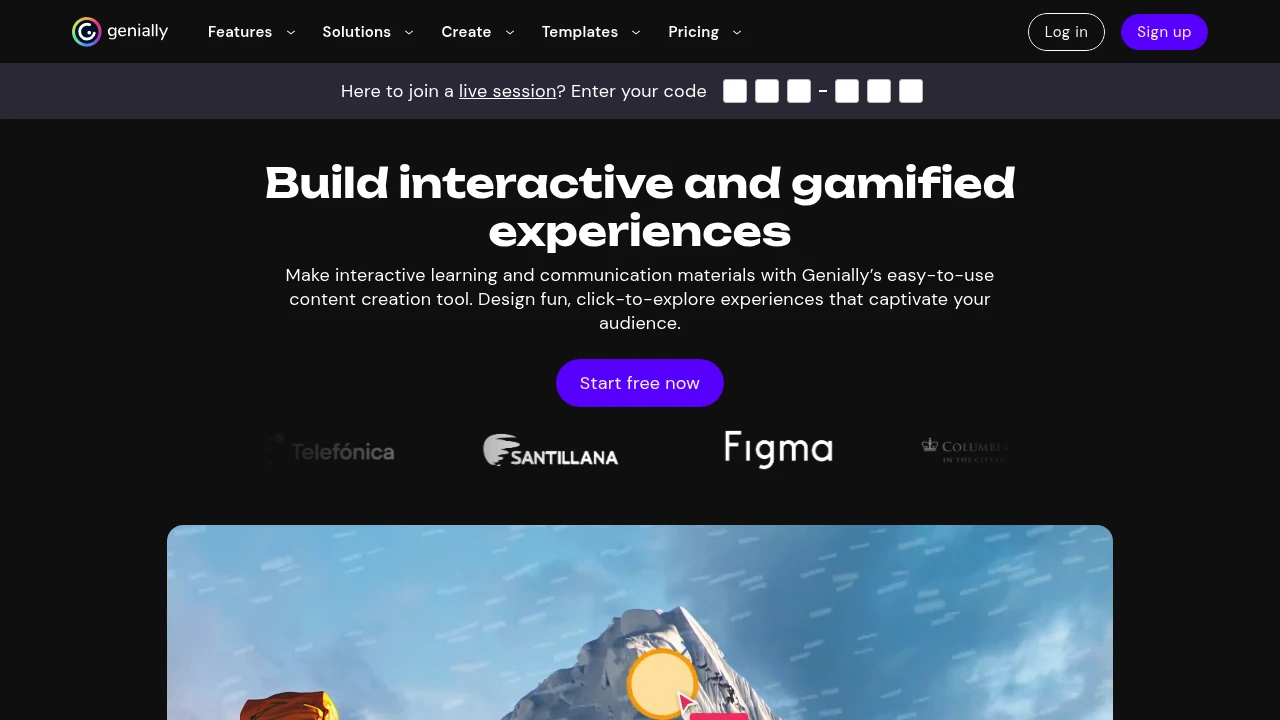
Genially (branded as Genially) is a browser-based authoring and publishing platform for interactive visual content. Users build interactive presentations, infographics, interactive images, quizzes, micro-sites and animated content using a drag-and-drop editor and a library of templates, assets and presets. The platform emphasizes interactivity (buttons, hotspots, layers), animated transitions, and web-first publishing so finished creations can be embedded in websites, shared via links, or presented live.
Genially is used by a broad set of users: teachers and instructional designers creating engaging lessons and formative assessments; marketing and communications teams producing interactive sales assets and product explainers; and internal teams producing interactive reports and dashboards. Projects created in Genially are web-native and can include audio, video, embedded web pages, forms and external content (YouTube, Vimeo, Google Drive, etc.).
The platform includes user management, team collaboration tools, asset libraries, and analytics that report views and engagement on published pieces. For organizations looking to standardize brand templates and measure content performance, Genially provides workspace-level controls and reporting tools alongside single sign-on and enterprise licensing options.
Genially features
What does genial.ly do?
Genially provides a single editor and publishing flow for interactive visual content. The editor supports layering, triggers, animated entrance/exit, and interactivity elements such as hotspots, pop-ups, and clickable states. Creators can start from templates (presentations, infographics, games, maps, timelines) or from blank canvases and add interactive behaviors without custom code.
The platform also supports media embedding (video, audio, IFRAME embeds), animated assets, and built‑in media libraries. Presentations can be navigated in linear or non-linear ways (choose-your-path flows), and content can include quizzes and automatically graded interactions for formative assessment or lead capture.
For teams, Genially offers collaborative editing, content organization via folders or workspaces, permission controls, and brand kits so templates and colors remain consistent. Published works are hosted on Genially’s infrastructure and can be shared via direct link, embedded using iframe code, or downloaded in limited formats where supported.
Key features include:
- Interactive elements: hotspots, buttons, layers, popups and branching navigation.
- Templates and assets: a library of prebuilt templates, icons, images, and animated components.
- Media and embeds: native video/audio support and the ability to embed external content.
- Analytics: view counts, engagement metrics and basic behavior tracking for published items.
- Collaboration and workspaces: team management, shared assets, and brand controls.
- Export and embed options: iframe embedding, direct links, and limited export formats.
Genially pricing
Genially offers these pricing plans:
- Free Plan: $0/month with core editor access, limited templates, public publishing and basic sharing options
- Starter: $7/month (billed annually) with additional templates, private projects and higher limits on interactive elements
- Professional: $20/month (billed annually) with team collaboration features, advanced analytics and priority support
- Enterprise: Custom pricing with SSO, dedicated onboarding, enterprise security controls and account management
Pricing and plan names may change; check Genially's current pricing plans for the latest rates, annual vs monthly billing differences, educational discounts and volume licensing.
How much is genial.ly per month
Genially starts at $0/month for the Free Plan. Paid individual and small team plans commonly begin in the low single-digit to low double-digit dollars per user per month when billed annually; common mid-market tiers are around $7/month to $20/month depending on feature access and seats. For exact monthly billing options and to compare monthly vs annual rates, consult Genially's current pricing plans.
How much is genial.ly per year
Genially costs approximately $84–$240/year per user for common paid tiers when billed annually, depending on plan level and discounts. Annual billing typically reduces the effective monthly cost versus monthly billing. Enterprise and education pricing is custom and is charged on an annual contract basis—see Genially's current pricing plans for exact annual rates and available discounts.
How much is genial.ly in general
Genially pricing ranges from $0 (free) to custom enterprise pricing. Entry-level paid individual plans are generally affordable for freelancers and educators, while advanced analytics, team collaboration and enterprise administration appear in higher tiers. If you need firm enterprise-level SLAs, single sign-on, and account management, expect custom contracts priced based on seats and feature requirements.
What is genial.ly used for
Genially is used to produce interactive and animated visual content that engages viewers more than static slides or images. Common use cases include learning modules and interactive lessons for classrooms, interactive marketing pieces like product tours and lead magnets, training materials, internal reports with interactive charts, and interactive storytelling for communications teams.
In education, teachers use Genially to build lessons with embedded quizzes and instant feedback, to create animated visual resources that hold student attention, and to publish assignments that students can complete online. Marketing and sales teams use Genially to craft interactive proposals, product demos and microsites that show multi-path journeys and richer engagement metrics than PDFs.
Organizations also use Genially for onboarding and internal communications—interactive org charts, policies presented as guided walkthroughs, and visual reports that allow stakeholders to drill into areas of interest. Because content is web-native and embeddable, Genially is often part of workflows that include CMS systems, LMS platforms and marketing automation tools.
Pros and cons of genial.ly
Pros:
- Authoring flexibility: The editor supports a wide range of interactive behaviors without coding, enabling branching scenarios, popups, animations and more.
- Web-native publishing: Content is hosted and viewable in the browser, embeddable via iframe and shareable via direct links.
- Template and asset library: A large set of starting templates and animated assets speeds up production for non-designers.
- Educational features: Built-in interactive quizzes and templates tailored to teachers and trainers.
- Team and brand controls: Workspaces, shared assets, and brand kits for consistent output.
Cons:
- Export limitations: Because content is web-native, export options to fully editable offline formats are limited compared with static PDF/PowerPoint exports.
- Learning curve: Advanced interactivity options and layering can require time to master for new users.
- Cost at scale: Teams that need extensive analytics, SSO and enterprise controls move to custom-priced Enterprise plans that can be costly for large deployments.
- Dependency on hosted content: Heavily embedded or media-rich projects depend on reliable hosting and may be affected if the published links change or accounts lapse.
Genially free trial
Genially offers a functional Free Plan that acts like a perpetual trial for many users, giving access to the editor, some templates and public publishing. The Free Plan allows users to test interactivity features and publish basic projects without entering payment information.
Paid tiers usually include trial periods or money-back windows when signing up for a higher plan; some educational institutions and nonprofits can request discounted or extended trial access. If you are evaluating Genially for a team, use the Free Plan to prototype projects and then request a trial of a paid plan or an Enterprise pilot to validate collaborative and analytics features at scale.
Is genial.ly free
Yes, Genially offers a Free Plan that lets users create and publish basic interactive projects. The Free Plan typically includes public publishing, access to a selection of templates and a limited set of assets and integrations. Upgrading to paid plans unlocks additional templates, privacy controls (private projects), more storage, advanced analytics and collaboration features.
Genially API
Genially does not primarily position itself as an open developer platform in the same way as a headless CMS, but it supports web-native embed flows and integrations that allow Genially content to be used within other systems. Typical integration capabilities include embedding Genially projects in web pages via iframe, passing parameters in URLs to configure behavior, and using tracking/analytics hooks to measure engagement.
For organizations requiring programmatic control—such as single sign-on provisioning, enterprise analytics exports, or deeper LMS integrations—Genially offers enterprise options and may provide API access or custom integration support under contract. Check Genially's integrations and support resources for published guidance, embed instructions and enterprise integration contacts.
10 Genially alternatives
- Canva — Templates, collaborative editing and a strong design asset library for static and animated content; better for quick visual design and social media content.
- Visme — Focus on data visualizations, infographics and interactive presentations with analytics; comparable feature set for interactive visuals.
- Prezi — Non-linear presentation flows and zooming canvas; strong for dynamic presentations but less for gamified interactions.
- Adobe Express — Design-first tool with templates and brand controls, integrated into Adobe’s ecosystem and asset libraries.
- Piktochart — Focuses on infographics and charts with export options suitable for reports and presentations.
- Genially (the subject) — Emphasizes interactivity, gamification and education-focused templates.
- Slides.com — Developer-friendly presentation platform built on web standards, suitable for technical presentations and embeds.
- Loom — Video-first communication tool that complements interactive content when asynchronous video explanations are needed.
- StoryMapJS — For narrative, map-based storytelling; useful when geospatial storytelling is the focus.
- Sway (Microsoft) — Simple web-based storytelling tool integrated with Office 365; suitable for lightweight interactive reports.
Paid alternatives to genial.ly
- Canva — Paid tiers unlock brand kits, team collaboration, and premium assets; widely used across marketing teams for quick content production.
- Visme — Paid plans provide advanced analytics, private projects, and more export options for business use cases.
- Prezi — Business plans include team features, analytics and advanced presentation controls for live presenting.
- Adobe Express — Offers enterprise-level brand controls and asset management via Creative Cloud subscriptions.
- Piktochart — Business plans focus on high-resolution exports, multiple users and team collaboration tools.
Open source alternatives to genial.ly
- Reveal.js — Open-source HTML presentation framework that supports animations and custom interactivity through web development.
- Impress.js — JavaScript library for creating zooming presentations similar to Prezi; requires coding to implement.
- Sozi — A presentation tool built on SVG animations for open, code-driven interactive slides.
- Marp — Markdown-driven slides that can be extended with HTML and CSS for interactive behavior with developer effort.
Frequently asked questions about Genially
What is Genially used for?
Genially is used for creating interactive visual content such as presentations, infographics, quizzes and microsites. Professionals in education, marketing and internal communications use it to add interactivity—hotspots, pop-ups and branching navigation—to otherwise static content so viewers can explore material at their own pace.
Does Genially integrate with Google Drive?
Yes, Genially supports media embeds and integration with Google Drive assets allowing you to insert images and documents stored in Drive into your projects. Embedded Drive items remain hosted in Google while being displayed within your Genially project for seamless media management.
How much does Genially cost per user per month?
Genially starts at $0/month for the Free Plan and entry paid tiers commonly fall in the range of around $7/month to $20/month per user when billed annually. Enterprise pricing is custom and depends on seat counts and required features—see Genially's current pricing plans for exact numbers.
Is there a Genially free version?
Yes, Genially offers a Free Plan that allows you to build and publish basic interactive content with a selection of templates and publicly accessible projects. The Free Plan is useful for testing the editor and producing simple interactive pieces before upgrading for private projects and team features.
Can Genially be used for education and assessments?
Yes, Genially is commonly used in education to create interactive lessons, formative assessments and gamified learning experiences. The platform includes templates for quizzes and exercises and supports embedded multimedia and feedback mechanisms appropriate for classroom activities.
Does Genially work offline?
No, Genially is primarily web-based and requires an internet connection to edit and publish content. You can view previously loaded content in some cached scenarios, but creating, editing or publishing projects requires online access to the Genially editor and hosting services.
How secure is Genially for enterprise use?
Genially offers enterprise-level controls and can support single sign-on and account administration under enterprise contracts. For organizations with strict security requirements, Genially provides enterprise plans that include SSO, admin controls and contractual security commitments—contact Genially sales or consult their support pages for specifics about compliance and hosting.
Can I export Genially projects to PowerPoint or PDF?
Genially supports limited export options but is mainly web-native, so exports are not always 1:1. You can export static representations of your project (PDF or images) for offline use, but interactive features and animations will be lost in those formats. For interactive use, embedding or sharing the live Genially link is recommended.
Does Genially offer analytics on viewer engagement?
Yes, Genially provides built-in analytics in paid plans to report views, average time spent and engagement on interactive elements. Advanced analytics and workspace-level reporting are typically available in mid to upper-tier plans or with Enterprise contracts.
Can I embed Genially content in an LMS or website?
Yes, Genially projects are embeddable via iframe and shareable by public link. That makes it straightforward to include interactive lessons in learning management systems, CMS pages or marketing sites. For deeper LMS integrations (gradebook syncing, user provisioning) consult Genially support for enterprise integration options.
genial.ly careers
Genially maintains a team across product, design, engineering and customer success. Careers at Genially typically include roles in product development, UX/UI design, marketing, customer success and partnerships. Larger hiring cycles often focus on expanding the product and integrations teams as the platform grows internationally.
Genially lists open roles and hiring information on its corporate site and LinkedIn presence. Applicants should expect a process that includes technical interviews for engineering roles and portfolio reviews for design and content roles. Remote and hybrid positions may be available depending on the role and location.
For candidates, important differentiators include experience in SaaS product companies, familiarity with interactive content or e-learning, and multilingual communication skills for international customer bases. Check Genially’s official careers page for current openings and application instructions.
genial.ly affiliate
Genially has offered partner and affiliate relationships historically, aimed at educators, agencies and platform partners that resell or recommend Genially to their customers. Affiliate or partner programs typically provide commission structures, co-marketing assets and dedicated partner support to help integrations and reseller relationships scale.
If you represent an agency, training provider or edtech reseller, contact Genially’s partnerships team via their website to inquire about affiliate arrangements, partnership tiers and program requirements. Partner benefits often include priority support, partner portals and shared marketing resources.
Where to find genial.ly reviews
You can find user reviews of Genially on major SaaS review sites such as G2, Capterra and Trustpilot, where educators and marketers leave feedback about usability, templates and customer support. Reviews are helpful to compare real-world experiences across plan levels and use cases.
For technical and community feedback, look at social media, education technology forums and teacher communities that often share example projects and implementation tips. Also consult Genially’s own customer stories and case studies for validated examples of how organizations use the platform.

Similar to Genial


